
State of Tourism Industry Conference Ends on High Note

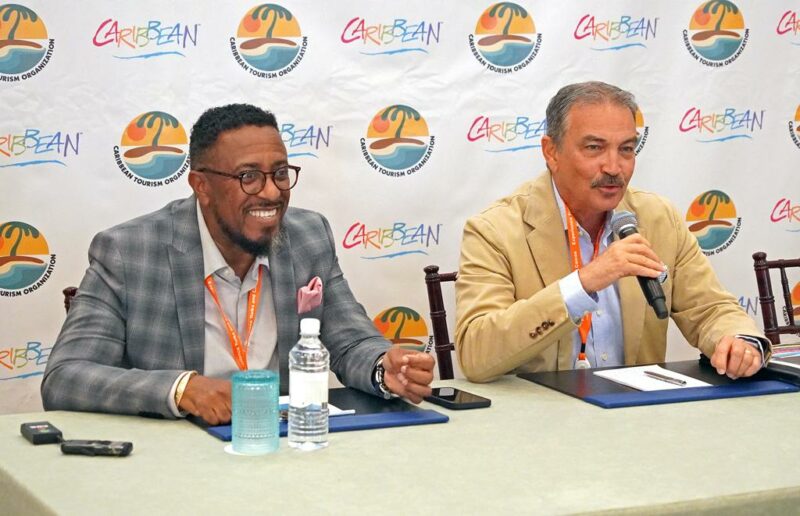
The tourism industry conference called the State of Tourism, was successfully concluded in the Turks and Caicos Islands today.
The conference covered a broad range of topics, but the most significant one was the competitiveness of aviation in the Caribbean. Charles Fernandez, the Tourism Minister, led a team to the conference where they attended several meetings and participated in various panel discussions.
The Caribbean’s tourism ministers had talks with senior private sector specialists from the World Bank to receive feedback on their sector. The World Bank is looking to possibly finance tourism projects in the Caribbean, according to Fernandez.
“We spoke to them about our plans going forward, and that is something we told them we are not prepared to compromise on,” he said.
Fernandez explained that property selection has become increasingly selective due to the difficulty in acquiring properties.

Two decades ago, there were more properties and beaches available. Presently, there are fewer properties available, and therefore, there is a need to be more selective. Additionally, there is a need to be more conscious of the product being offered.
Fernandez is joined by Colin C. James, CEO of the Antigua and Barbuda Tourism Authority, and other officials at the first CTO meeting in five years.
The event, held at The Shore Club in Providenciales, Turks and Caicos Islands, marks the return of the organization’s flagship event, the SOTIC.
The Caribbean Tourism Organization (CTO) brings together tourism leaders from its member nations, both from the government and private sectors, to collaboratively examine tourism investment and financing in the Caribbean.
This story was first published by Antigua News on : antigua.news/2023/10/13/state-of-tourism-industry-conference-ends-on-high-note. © 2023 Antigua News. Republication without permission is not allowed.

About the author
The Editorial Staff refers to all reporters employed by Antigua.news. When an article is not an original creation of Antigua.news—such as when it is based on a press release, other media articles, letters to the editor, or court decisions—one of our staff members is responsible for overseeing its publication.
Read our editorial standards and corrections policy. Spotted an error? Contact the newsroom.
More from Caribbean
View section
VIDEO: Doctors at Dominica China Friendship Hospital Stage Protest Outside Medical Facility
Healthcare professionals at the Dominica China Friendship Hospital gather outside the medical facility in an apparent protest, raising concerns over issues yet to be officially confirmed.
By Cory Wayland

St. Kitts DPP Seeks Antigua’s Help in Outstanding Case Involving Former Resort Clerk
By Shermain Bique-Charles

Royal Caribbean in Talks to Buy Half of Sandals in Reported $3 Billion Deal
By Shermain Bique-Charles

Four Killed in Latest US Military Strike on Suspected Drug Vessel in Caribbean
By Shermain Bique-Charles
Comments
Be the first to comment.