
Partial solar eclipse visible for Antigua and Barbuda today

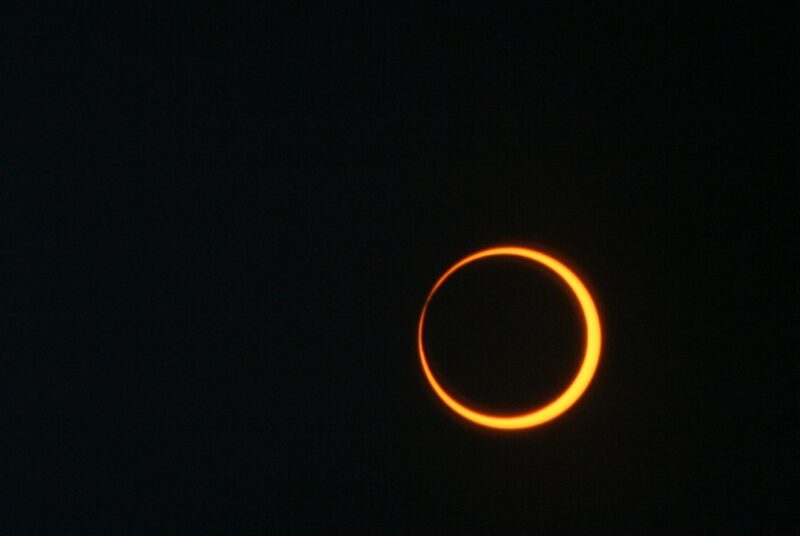
Today, the global annular eclipse will occur, which means a partial eclipse will be visible to the islands in the Caribbean, including Antigua and Barbuda.
The popular website for time and time zones, timeanddate.com, has compiled a list of varying times for many countries, including those in the Caribbean when the partial eclipse is expected to be visible.
Some Caribbean countries have already issued information on the celestial event.
The Ministry of Education, Culture, Science, and Technology in Belize has confirmed that the entire country will have the chance to observe the eclipse. However, the full Annular Eclipse will only be viewable in certain regions.
If you want to observe the eclipse, you must use certified eclipse glasses to avoid any harm, as regular sunglasses won’t cut it for eclipse viewing. Safe solar viewing glasses, or “eclipse glasses” are recommended by experts.

NASA confirms that on Saturday, October 14, 2023, the annular solar eclipse will cross North, Central, and South America.
It will be visible in parts of the United States, Mexico, and many countries in South and Central America.
The annular solar eclipse begins in Oregon at 9:13 am PDT and ends in Texas at 12:03 p.m. CDT.
The path of the annular solar eclipse will visit Mexico and Central America, passing over Guatemala, Belize, Honduras, Nicaragua, and Panama.
The annular eclipse also crosses into South America in Colombia and passes over Northern Brazil before ending at sunset in the Atlantic Ocean.
Please remember that you should not try to look directly at the sun for this event as it can damage your eyes. Keep in mind the safe solar viewing glasses, or “eclipse glasses” to fully enjoy this celestial event.
This story was first published by Antigua News on : antigua.news/2023/10/14/partial-solar-eclipse-visible-for-antigua-and-barbuda-today. © 2023 Antigua News. Republication without permission is not allowed.

About the author
The Editorial Staff refers to all reporters employed by Antigua.news. When an article is not an original creation of Antigua.news—such as when it is based on a press release, other media articles, letters to the editor, or court decisions—one of our staff members is responsible for overseeing its publication.
Read our editorial standards and corrections policy. Spotted an error? Contact the newsroom.
More from Caribbean
View section
BREAKING | Dominica Heads to the Polls on December 16
Nomination Day is November 30 as Prime Minister Roosevelt Skerrit seeks a fresh mandate for the Dominica Labour Party.
By Shermain Bique-Charles

DOMINICA: Relief as Three Missing Men Are Found Alive at Sea Near Aves Islands
Davel Baron, Ryan Royer and a third man were rescued by a cargo vessel after being found drifting at sea, bringing relief following days of uncertainty over their whereabouts.
By Cory Wayland

Two Men Vanish at Sea in Dominica, Sparking Growing Fears for Their Safety
Police issue missing-person alerts for Davel Baron and Ryan Royer as concerns grow over their whereabouts.
By Cory Wayland

Saint Lucia Makes Decision on Citizenship by Investment Programme Amid EU Pressure
Prime Minister Philip J. Pierre confirms his government has formally responded to the European Union but says the decision will remain confidential until Brussels acknowledges receipt of the correspondence.
By Cory Wayland
Comments
Be the first to comment.