
City South’s UPP Branch launches petition against MP Cutie Benjamin’s knighthood

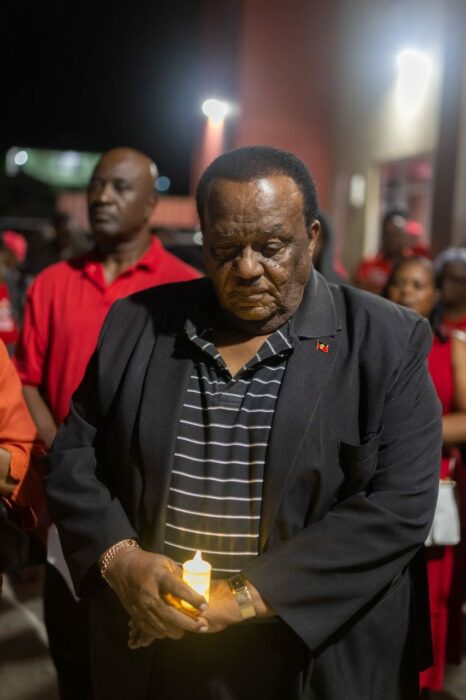
The United Progressive Party claims that a growing number of residents in St John’s City South are opposed to the nomination of their parliamentary representative, Steadroy “Cutie” Benjamin, for knighthood.
In a press statement Friday, the UPP said a petition is currently being circulated by constituents, addressing the National Honours and Award Committee, outlining serious concerns about the decision to award Benjamin the highest national honour.
The petitioners allege that the MP has been involved in illicit activities, charged with criminal conduct, provided bad counsel to the government, and inadequately represented his constituents.
According to the UPP’s unsubstantiated claim, the residents are particularly outraged that the highest national honour is being considered in the midst of poor living conditions throughout the constituency.

The residents claim that their standard of living has declined, and the city of St. John’s has fallen into a state of disrepair during Benjamin’s 30-year tenure as the representative.
Onekha Elvin, the UPP Branch Chair for St. John’s City South stated that “Benjamin’s chronic and concerning track record over the past thirty years disqualifies him from receiving national recognition.
“By awarding Steadroy “Cutie” Benjamin, we are rewarding poor performance and strengthening a culture of entitlement. This sets a negative example for our constituents, particularly our youth and diminishes our national pride and the concept of national service,” Elvin said
The residents are being urged to sign the petition to make their opposition known to the National Honours and Awards Committee regarding the conferment of the title “Sir” on Steadroy “Cutie” Benjamin.
This story was first published by Antigua News on : antigua.news/2023/10/28/city-souths-upp-branch-launches-petition-against-mp-cutie-benjamins-knighthood. © 2023 Antigua News. Republication without permission is not allowed.

About the author
The Editorial Staff refers to all reporters employed by Antigua.news. When an article is not an original creation of Antigua.news—such as when it is based on a press release, other media articles, letters to the editor, or court decisions—one of our staff members is responsible for overseeing its publication.
Read our editorial standards and corrections policy. Spotted an error? Contact the newsroom.
More from Antigua and Barbuda
View section
HIGH SCHOOL STUDENTS CONTINUE TO BENEFIT FROM SANDALS FOUNDATION’S CARE FOR KIDS SCHOLARSHIP PROGRAMME
Kyrah Edwards and Erwin Christopher receive third annual scholarship payments, supporting their education while encouraging community service.
By Shermain Bique-Charles

Chinese Embassy Welcomes Caribbean Youth Parliamentarians for Cultural Exchange
Ambassador Jiang Wei calls for greater understanding through dialogue, while House Speaker Osbert Frederick praises the young leaders.
By Shermain Bique-Charles

LETTER: A Safe Reunion Should Not End Questions About a Child’s Welfare
Delores Harris calls for greater accountability and child protection measures following the safe reunion of a young child found wandering alone.
By Editorial Staff

Browne Demands Climate Finance and Action to Protect Small Island States
Speaking in Australia, the Prime Minister urged major emitters and financial institutions to turn climate commitments into practical support for vulnerable nations.
By Shermain Bique-Charles
Comments
Be the first to comment.