
Cambodia, Antigua and Barbuda vow to activate mutually beneficial cooperation

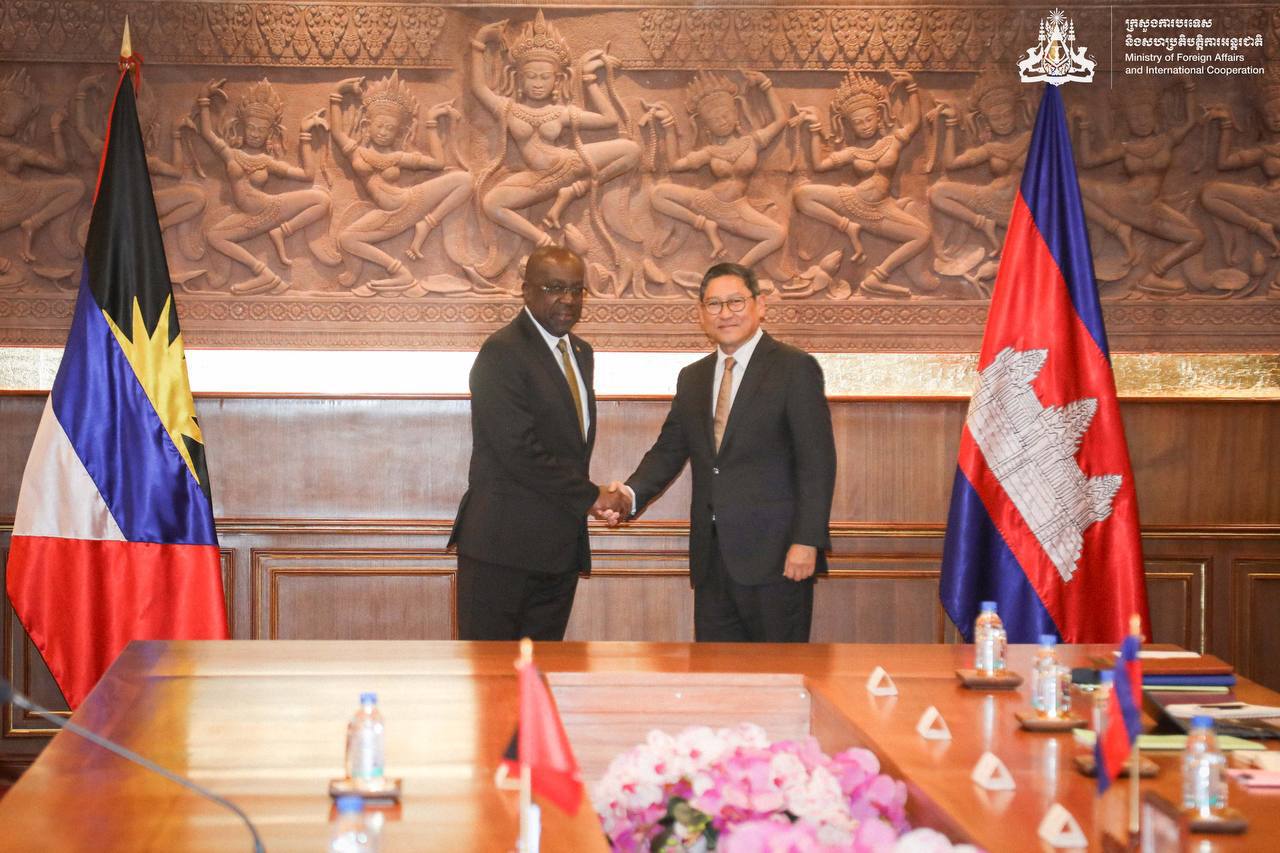
On 24th November 2023, His Excellency SOK Chenda Sophea, Deputy Prime Minister and Minister of Foreign Affairs and International Cooperation, held a productive bilateral meeting with the Honorable E. P. Chet Greene, Minister of Foreign Affairs, Agriculture, Trade and Barbuda Affairs of Antigua and Barbuda, during the latter’s working visit to the Kingdom of Cambodia. This visit marks a significant stride in the promotion of relations between the two nations.
Despite the geographical distance, the two Foreign Ministers affirmed their unwavering commitment to further activating the two countries’ functional cooperation for the common benefit of their respective peoples.
Deputy Prime Minister SOK Chenda Sophea provided Minister Greene with a comprehensive overview of Cambodia’s political and economic landscape. The discussion delved into certain potential trading commodities, particularly rice and cashew nuts, as well as collaboration in tourism and agriculture, demonstrating the Kingdom’s commitment to advancing economic exchange.
Minister Greene was impressed by Cambodia’s economic growth and encouraged the Kingdom to consider Antigua and Barbuda as a gateway into the Caribbean market.

Both sides deliberated a course of action aimed at bolstering cooperation within bilateral and multilateral frameworks. The Deputy Prime Minister accepted with pleasure an invitation to visit Antigua and Barbuda at a mutually convenient time. They underscored the importance of mutual support at multilateral fora, including various United Nations bodies. Both Foreign Ministers engaged in an exchange of perspectives on regional and international issues of shared interest and concern.
This story was first published by Antigua News on : antigua.news/2023/11/25/cambodia-antigua-and-barbuda-vow-to-activate-mutually-beneficial-cooperation. © 2023 Antigua News. Republication without permission is not allowed.

About the author
The Editorial Staff refers to all reporters employed by Antigua.news. When an article is not an original creation of Antigua.news—such as when it is based on a press release, other media articles, letters to the editor, or court decisions—one of our staff members is responsible for overseeing its publication.
Read our editorial standards and corrections policy. Spotted an error? Contact the newsroom.
More from Caribbean
View section
BREAKING | Dominica Heads to the Polls on December 16
Nomination Day is November 30 as Prime Minister Roosevelt Skerrit seeks a fresh mandate for the Dominica Labour Party.
By Shermain Bique-Charles

DOMINICA: Relief as Three Missing Men Are Found Alive at Sea Near Aves Islands
Davel Baron, Ryan Royer and a third man were rescued by a cargo vessel after being found drifting at sea, bringing relief following days of uncertainty over their whereabouts.
By Cory Wayland

Two Men Vanish at Sea in Dominica, Sparking Growing Fears for Their Safety
Police issue missing-person alerts for Davel Baron and Ryan Royer as concerns grow over their whereabouts.
By Cory Wayland

Saint Lucia Makes Decision on Citizenship by Investment Programme Amid EU Pressure
Prime Minister Philip J. Pierre confirms his government has formally responded to the European Union but says the decision will remain confidential until Brussels acknowledges receipt of the correspondence.
By Cory Wayland
Comments
Be the first to comment.