
ABLP Will Win St John’s Rural West-Micheal Joseph

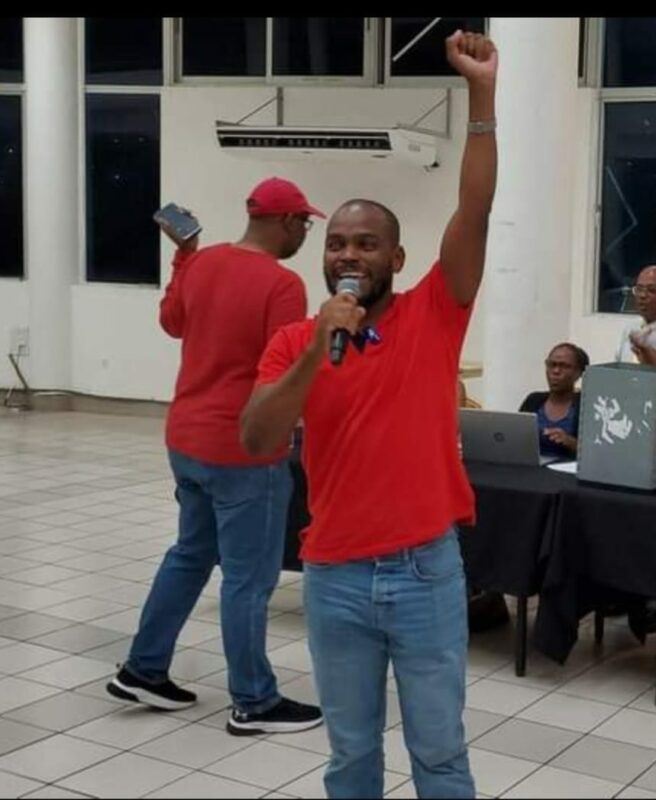
Micheal Joseph, the recently elected representative of the Antigua and Barbuda Labour Party for the St John’s Rural West Constituency Primary, is eager to serve his community.
He won the primary with an impressive 67% of the votes, securing 384 votes in total.
Following his victory, Joseph commented that the people of Rural West were yearning for better leadership, and he was ready to provide it.
During his campaign, Joseph spent time speaking with the people of the community, and he was surprised to find out that their requests were not for impossible things but for more presence from their representatives.
He noticed that many voters had become disillusioned with politics and had stopped voting because they felt that their representatives disappeared after the election.
Joseph listened patiently to their concerns and made a promise to be a representative who was always present for his constituents.

In addition to better representation, the people of Rural West were calling for improved infrastructure, including better lighting, proper roads, and other developments.
For instance, the people of Five Islands felt that they were not part of the constituency, and they wanted to be included in future plans.
Prime Minister Gaston Browne praised Joseph’s competence and hard work in the community, describing him as a future leader.
He also pledged to appoint Joseph to the Senate next year, recognizing his potential and dedication to serving his community.
The United Progressive Party’s Richard Lewis is the MP for that constituency. Gail Christian, the ABLP’s candidate in the last general elections failed to secure a win for three consecutive terms.
This story was first published by Antigua News on : antigua.news/2023/12/11/ablp-will-win-st-johns-rural-west-micheal-joseph. © 2023 Antigua News. Republication without permission is not allowed.

About the author
The Editorial Staff refers to all reporters employed by Antigua.news. When an article is not an original creation of Antigua.news—such as when it is based on a press release, other media articles, letters to the editor, or court decisions—one of our staff members is responsible for overseeing its publication.
Read our editorial standards and corrections policy. Spotted an error? Contact the newsroom.
More from Antigua and Barbuda
View section
Senator Colin O’Neal Earns Political Science Degree at UWI Five Islands, Sets Sights on Law Degree
Senator Colin O’Neal graduates with a Bachelor’s Degree in Political Science from UWI Five Islands Campus and announces plans to pursue a law degree in 2027.
By Cory Wayland

Young Man Suffers Minor Scrapes After Leg Gets Trapped in St. John’s Sidewalk Grating
The incident raises fresh concerns about pedestrian safety following similar occurrences in the city.
By Cory Wayland

Mighty Sparrow’s National Funeral Set for October 16 as Trinidad and Tobago Prepares Grand Farewell
Two days of public viewing and a grand cultural procession will precede the October 16 Celebration of Life honouring the legendary entertainer whose music helped shape Caribbean culture.
By Cory Wayland

Antigua and Barbuda Art Week 2026 to Bring Folklore and Creativity to Life with Exciting New Experiences
From the legendary Jam Bull to evening gallery tours, live painting battles and interactive workshops, this year's Art Week promises an immersive celebration of Antigua and Barbuda's artistic and cultural heritage.
By Cory Wayland
Comments
Be the first to comment.