
Antigua and Barbuda to join the United Nations in celebrating Human Rights Day

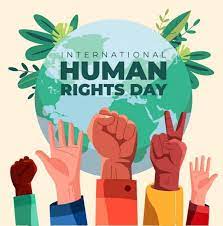
Antigua and Barbuda is set to join the rest of the world in commemorating Human Rights Day by unveiling a Human Rights Display at the V.C. Bird International Airport on Saturday, December 15.
This display is part of a larger public education campaign that is being spearheaded by the United Nations Resident Coordinator Office in partnership with the Government of Antigua and Barbuda.
The campaign is geared towards promoting greater awareness and understanding of human rights issues, particularly within the context of the 75th Anniversary of the Universal Declaration of Human Rights (UDHR).
The unveiling ceremony, which will be graced by high-level Government and UN officials, including Prime Minister Gaston Browne, will also launch a TikTok video campaign, and feature billboards erected at the Antigua Recreation Grounds, as well as on the UN Common Premises on Independence Drive.
The design for the display, funded by the Universal Periodic Review (UPR) Voluntary Fund, was inspired by artwork submitted by the Antigua and Barbuda Sickle Cell Association, winners of the 2023 SDG Art Competition held in November.

Through this campaign, the organizers aim to strengthen dialogue between civil society and the public, to better educate and inform citizens of human rights issues and instruments.
The commemoration of the 75-year milestone of the UDHR is particularly significant, as it symbolizes collective hope, a renewed effort for human rights, and solidarity with the premise that all human beings are born free and equal in dignity and rights.
This is a clear signal of our continued commitment to ensure universal protection of fundamental human rights, and to accelerate the achievement of the Sustainable Development Goals (SDGs), thereby contributing to shared prosperity.
This story was first published by Antigua News on : antigua.news/2023/12/14/antigua-and-barbuda-to-join-the-united-nations-in-celebrating-human-rights-day. © 2023 Antigua News. Republication without permission is not allowed.

About the author
The Editorial Staff refers to all reporters employed by Antigua.news. When an article is not an original creation of Antigua.news—such as when it is based on a press release, other media articles, letters to the editor, or court decisions—one of our staff members is responsible for overseeing its publication.
Read our editorial standards and corrections policy. Spotted an error? Contact the newsroom.
More from Antigua and Barbuda
View section
More Than 12,000 Registered for CHOGM as Overseas Participation Nears 5,000
Organisers say the accreditation total includes local workers and participants preparing to support the Commonwealth gathering.
By Shermain Bique-Charles

VIDEO: Sherese ‘Washington’ Bramble Arrested During Live CHOGM Town Hall Broadcast
Sources say police were seeking Bramble in connection with a separate matter unrelated to the meeting.
By Editorial Staff

Emergency Response Teams to Stage Mass Casualty Drill at Scotts Hill Ahead of CHOGM
Emergency personnel will simulate a serious vehicle crash to test hospital readiness, while a separate evacuation exercise is planned for the CHOGM opening ceremony venue.
By Cory Wayland

Karim Edwards’ Trial Over Fatal Friars Hill Road Crash Postponed Until December
More than four years after the collision that claimed the life of medical student Kenneth Mathew and left Priyanjana Das with life-altering injuries, the accused driver is still awaiting trial.
By Cory Wayland
Comments
Be the first to comment.