
PM Browne extends Olive Branch to the Opposition as he gives thanks for nation’s progress

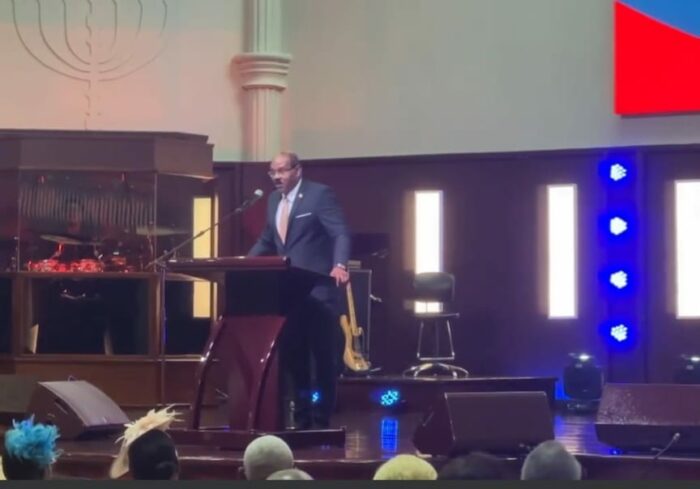
Antigua and Barbuda’s Prime Minister Gaston Browne expressed his gratitude to God during Sunday’s National Service of Thanksgiving for steering the nation through challenging times to achieve three consecutive years of robust economic growth.
PM Browne highlighted that the economic gains of the past year are expected to continue in the current year with God’s guidance.
He emphasized that this progress is an accomplishment for all the people of Antigua and Barbuda, not just for members of the Cabinet.
Governor General Sir Rodney Williams called for all to be productive in a national nation-building effort, which PM Browne echoed in his remarks.
He urged citizens and residents to join in this national effort to overcome the challenges that lie ahead.

PM Browne also noted the absence of senior leadership from the opposition, who were invited to attend the service.
He invited Opposition Leader Jamale Pringle to read one of the lessons and give brief remarks.
Unfortunately, they were absent. To avoid a re-occurrence in the future, the prime minister has offered to involve the Office of the Leader of the Opposition in planning next years’ service.
He emphasized that it is not an ABLP service but a National Service of Thanksgiving, and all senior public servants, including members of both houses of parliament on both sides, have a responsibility to attend.
PM Browne extended an olive branch to the opposition to ensure their attendance at the service in 2025.
“To encourage the opposition involvement, I will recommend that the service for next should fall under the auspices of the Cabinet and the Leader of the Opposition. This must be inclusive. We cannot divide over such an important national event,” he emphasized.
This story was first published by Antigua News on : antigua.news/2024/01/08/pm-browne-extends-olive-branch-to-the-opposition-as-he-gives-thanks-for-nations-progress. © 2024 Antigua News. Republication without permission is not allowed.

About the author
The Editorial Staff refers to all reporters employed by Antigua.news. When an article is not an original creation of Antigua.news—such as when it is based on a press release, other media articles, letters to the editor, or court decisions—one of our staff members is responsible for overseeing its publication.
Read our editorial standards and corrections policy. Spotted an error? Contact the newsroom.
More from Antigua and Barbuda
View section
Missing Man Ackly Roberts, 92, Found Dead by Police
Roberts had been reported missing after he was last seen on November 2.
By Shermain Bique-Charles

Commonwealth Plans Trade and Investment Conference to Advance US$2 Trillion Goal
Botchwey says ministers and business leaders will meet next year to tackle barriers and support investment.
By Shermain Bique-Charles

Gaston Browne Takes Commonwealth Chair as Samoa Hands Over Leadership
A ceremonial presentation marks the transfer of the Chair-in-Office role to Antigua and Barbuda.
By Shermain Bique-Charles

King Charles Expresses Profound Sorrow Over Transatlantic Slavery
Commonwealth head calls for partnerships that address historic wrongs through education, jobs and resilience.
By Shermain Bique-Charles
Comments
Be the first to comment.