
Former Barbuda Council Secretary Paul Nedd has died

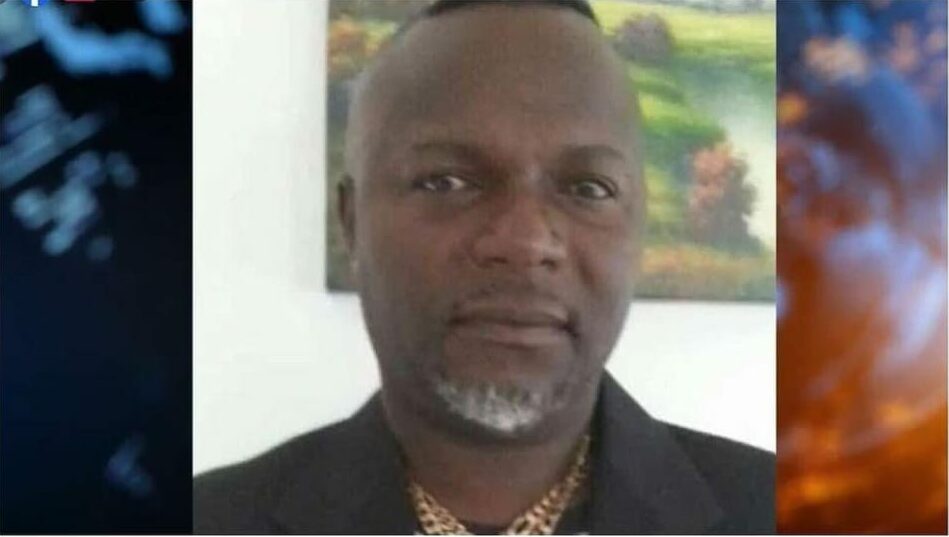
Barbuda has lost a well-known political figure, Paul Nedd, who passed away at the age of 59 after a prolonged illness.
The sad news of his demise surfaced on Tuesday when he breathed his last at the Sir Lester Bird Medical Centre. Nedd was a prominent member of the Antiguan and Barbudan political landscape and had been actively involved in politics for many years.
Born in Barbuda, Nedd had moved to the United Kingdom where he worked as a chef for a considerable time before returning to his homeland.
He joined the Antigua and Barbuda Labour Party, contesting a council election on their ticket, but unfortunately, he was not successful. Later, he ran for the council election as an independent candidate but lost again.
He then joined the Barbuda People’s Movement, making a third attempt to win a council seat, but was unsuccessful once more.
Nonetheless, his political aspirations finally found a way when he was appointed as the secretary of the council in 2018.

However, his stint as the secretary was short-lived as he had to step down due to policy differences with the council members.
Nedd had a different approach towards working with the main investors of the island, the PLH project, which apparently did not align with the council’s vision.
After being ousted, he re-joined the Antigua and Barbuda Labour Party and was an active campaigner in the January 18 general elections.
Paul Nedd was not only a political figure but also a devoted family man. He leaves behind his wife and two sons who will undoubtedly miss him immensely.
This story was first published by Antigua News on : antigua.news/2024/01/10/former-barbuda-council-secretary-paul-nedd-has-died. © 2024 Antigua News. Republication without permission is not allowed.

About the author
The Editorial Staff refers to all reporters employed by Antigua.news. When an article is not an original creation of Antigua.news—such as when it is based on a press release, other media articles, letters to the editor, or court decisions—one of our staff members is responsible for overseeing its publication.
Read our editorial standards and corrections policy. Spotted an error? Contact the newsroom.
More from Antigua and Barbuda
View section
Minister E.P Chet Greene Makes Case for Partnerships and Investment to Strengthen Small States
Minister says cooperation can help vulnerable countries build lasting prosperity and resilience.
By Shermain Bique-Charles

Browne Places Youth and Women’s Opportunities at Centre of Commonwealth Agenda
Scholarships, research partnerships and digital access feature in the Prime Minister’s call for inclusive growth.
By Shermain Bique-Charles

Greenaway to Represent Antigua and Barbuda on UN Governance Panel in Baku
The Permanent Secretary will discuss partnerships to improve public service delivery at the UN Governance Innovation Summit.
By Shermain Bique-Charles

OPINION: From Commonwealth connections to economic opportunity: Expanding
Commonwealth, Afreximbank and ITC leaders call for stronger transport links, accessible finance and simpler payments to unlock Africa–Caribbean trade.
By Editorial Staff
Comments
Be the first to comment.