
Sandals Grande Antigua Gifts Villa Primary with Fans

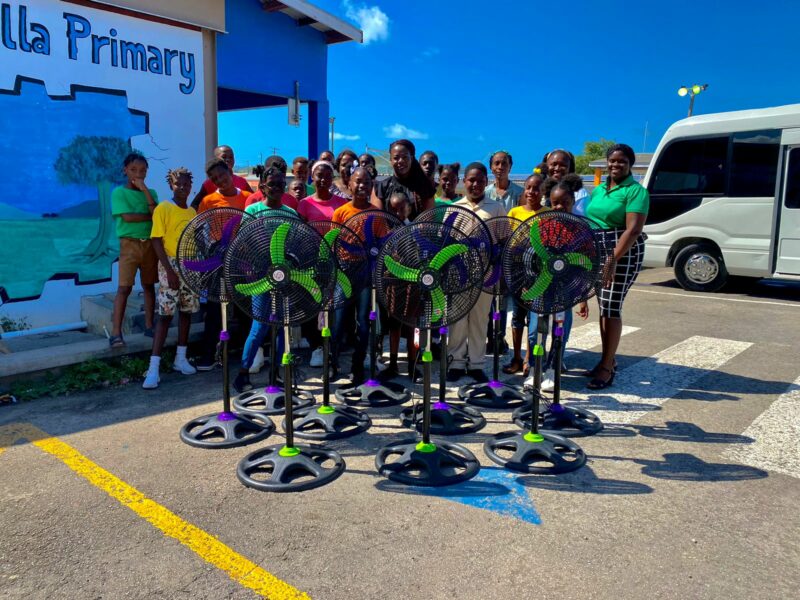
The students and teachers of Villa Primary School in Antigua were recently overwhelmed with gratitude when they received a generous donation of ten standing fans from Sandals Grande Antigua Resort and Spa.
The school has been struggling with keeping its classrooms cool and comfortable in the hot Caribbean climate, and the fans came as a welcome relief for everyone.
Principal Sandra Felix expressed her sincere appreciation for the donation and thanked the Sandals team for their continued support over the years.
She noted that this gesture of kindness from the resort has made a significant impact not only on the students and teachers but also on the community as a whole.
The resort’s efforts to improve the school and its facilities are a testament to their commitment to the education and well-being of the students.

During a tour of the school, Sandals General Manager David Latchimy also noticed areas that could use refurbishment and immediately offered to provide assistance in the upcoming term.
He recognized the school’s needs and expressed his willingness to help in any way he could.
The partnership between the resort and the school has been a strong and beneficial one through many initiatives including the Sandals Foundation Reading Road Trip, the Sandals Foundation annual Christmas toy drive and party, and the donation of a playground to the school’s pre-school.
The playground is set to see refurbishment upgrades later this year, thanks to the resort’s continued support.
The students and teachers of Villa Primary School are truly grateful for the generosity and support of Sandals Grande Antigua Resort and Spa.
The donation of fans and the offer of assistance in refurbishing the school have made a significant impact on the school and the wider community. I
This story was first published by Antigua News on : antigua.news/2024/02/20/sandals-grande-antigua-gifts-villa-primary-with-fans. © 2024 Antigua News. Republication without permission is not allowed.

About the author
The Editorial Staff refers to all reporters employed by Antigua.news. When an article is not an original creation of Antigua.news—such as when it is based on a press release, other media articles, letters to the editor, or court decisions—one of our staff members is responsible for overseeing its publication.
Read our editorial standards and corrections policy. Spotted an error? Contact the newsroom.
More from Antigua and Barbuda
View section
Freeland Challenges Qualifier Schedule as College Commitments Complicate Team Selection
Basketball president says the timing of another qualifying round created difficulties for overseas players and added financial pressure
By Shermain Bique-Charles

School League Referee Calls for Investigation Into Alleged Verbal Abuse by Grammar School Coach
Devon Ollivere is seeking a public apology and safeguards for match officials following an alleged confrontation with Chesley Browne at Radio Range Football Field.
By Editorial Staff

Janica Adams Earns Special Recognition at Regional Tourism Youth Congress
Antigua and Barbuda’s Junior Minister of Tourism impressed with a creative destination pitch highlighting culture, adventure and bun and cheese ice cream.
By Shermain Bique-Charles

Dr Benjamin Calls for Community-Based Mental Health Care to Replace Clarevue Model
The consultant psychiatrist says meaningful reform must include housing, family support and direct involvement from people living with mental health conditions
By Shermain Bique-Charles
Comments
Be the first to comment.