
CARICOM Condemns Venezuela’s Unilateral Action, Calls for Peaceful Resolution in Guyana Dispute

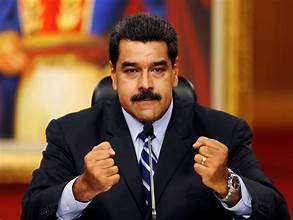
CARICOM is of the opinion that the Government of the Bolivarian Republic of Venezuela’s adoption of “the Organic Law for the Defence of Guyana Essequiba” on April 3, 2024, has led to an unacceptable increase in tensions between Venezuela and the Cooperative Republic of Guyana.
It has also threatened to undermine peace and security in both Latin America and the Caribbean.
By adopting “the Organic Law,” the Venezuelan Government has acted unilaterally and in a potentially dangerous manner, thereby offending the “Joint Declaration of Argyle for Dialogue and Peace between Guyana and Venezuela” of December 14, 2023.
Furthermore, it has subverted international law and signaled the possible use of aggression to achieve its own goals.
CARICOM recognizes that Venezuela and Guyana have differing perspectives on border issues, consequential matters, and specific modes for their resolution.

However, both countries have agreed that these issues and consequential matters should be resolved peacefully and in accordance with international law and its relevant mechanisms, including the 1966 Geneva Agreement.
Moreover, CARICOM acknowledges Guyana’s right to pursue its claim through the International Court of Justice (ICJ).
At the same time, each country has renounced the use or threatened use of violence in the pursuit of their respective claims or interests.
CARICOM, therefore, urges the Bolivarian Republic of Venezuela to avoid any further actions that could hinder regional and hemispheric peace and stability. Dialogue and adherence to international law are the only viable means of achieving a just and lasting settlement of the issues at hand.
The alternatives are too dreadful to contemplate. Similarly, we demand patience, calmness, and an end to any possible unilateral, aggressive actions.
This story was first published by Antigua News on : antigua.news/2024/04/08/caricom-condemns-venezuelas-unilateral-action-calls-for-peaceful-resolution-in-guyana-dispute. © 2024 Antigua News. Republication without permission is not allowed.

About the author
The Editorial Staff refers to all reporters employed by Antigua.news. When an article is not an original creation of Antigua.news—such as when it is based on a press release, other media articles, letters to the editor, or court decisions—one of our staff members is responsible for overseeing its publication.
Read our editorial standards and corrections policy. Spotted an error? Contact the newsroom.
More from Caribbean
View section
BREAKING | Dominica Heads to the Polls on December 16
Nomination Day is November 30 as Prime Minister Roosevelt Skerrit seeks a fresh mandate for the Dominica Labour Party.
By Shermain Bique-Charles

DOMINICA: Relief as Three Missing Men Are Found Alive at Sea Near Aves Islands
Davel Baron, Ryan Royer and a third man were rescued by a cargo vessel after being found drifting at sea, bringing relief following days of uncertainty over their whereabouts.
By Cory Wayland

Two Men Vanish at Sea in Dominica, Sparking Growing Fears for Their Safety
Police issue missing-person alerts for Davel Baron and Ryan Royer as concerns grow over their whereabouts.
By Cory Wayland

Saint Lucia Makes Decision on Citizenship by Investment Programme Amid EU Pressure
Prime Minister Philip J. Pierre confirms his government has formally responded to the European Union but says the decision will remain confidential until Brussels acknowledges receipt of the correspondence.
By Cory Wayland
Comments
Be the first to comment.