
Asot Michael has lost yet another appeal

By Aabigayle McIntosh
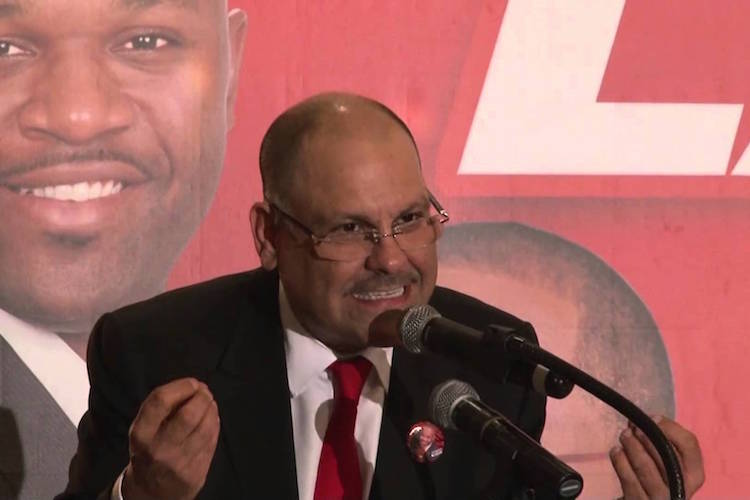
The Court of Appeal has delivered a significant legal setback to St Peter MP Asot Michael, dismissing his appeal against the decision of the Speaker of the House, Sir Gerald Watt KC, regarding his suspension from Parliament.
The appeal, which Michael lodged to contest his suspension for conduct deemed unbecoming during a parliamentary session, was struck out on procedural grounds.
Williams J, the presiding judge, ruled that the court had no jurisdiction to review decisions concerning internal parliamentary matters.
This decision came after counsel representing Sir Gerald Watt KC successfully argued that the appeal was invalid because it lacked prior leave from the court, a requisite for jurisdiction-related challenges.

The Court of Appeal agreed with this argument, concluding that the appeal was an incurable nullity.
This ruling indicates that judicial oversight over parliamentary decisions is limited, emphasizing the separation of powers and reinforcing the Speaker’s authority to manage parliamentary conduct.
Setback for Asot Michael
Michael’s efforts to challenge his suspension, which has spanned three parliamentary sessions, have encountered a legal dead end.
This outcome not only represents a setback for Mr. Michael but also underlines the boundaries within which the judiciary can intervene in parliamentary proceedings.
A Precedent for Parliamentary Autonomy
The ruling also serves as a precedent, delineating the boundaries of legal recourse in matters relating to parliamentary governance.
It reinforces the careful balance between the branches of government and underscores the autonomy of parliamentary procedures from judicial interference.
This story was first published by Antigua News on May 3, 2024: antigua.news/2024/05/03/asot-michael-has-lost-yet-another-appeal. © 2024 Antigua News. Republication without permission is not allowed.

About the author
The Editorial Staff refers to all reporters employed by Antigua.news. When an article is not an original creation of Antigua.news—such as when it is based on a press release, other media articles, letters to the editor, or court decisions—one of our staff members is responsible for overseeing its publication.
Read our editorial standards and corrections policy. Spotted an error? Contact the newsroom.
More from Antigua and Barbuda
View section
‘They Can’t Dictate That’: Freeland Rejects Player Pressure Over National Coach
Freeland defends the coaching staff and says players should demonstrate their value through training and performance.
By Shermain Bique-Charles

Search Ends as All Four Juveniles Who Escaped Bolans Police Station Return to Police Custody
Police apprehended three of the juveniles during a search operation in Liberta on Thursday morning, less than a day after the fourth surrendered to authorities.
By Cory Wayland

Farmers Given 90 Days to Plant as Government Launches 102-Acre Land-Clearing Programme
Antigua launches a 102-acre agricultural land-clearing programme requiring beneficiaries to establish viable crops within 90 days of land preparation.
By Cory Wayland

Freeland Blames Poor Player Commitment for Antigua and Barbuda’s Basketball Withdrawal
Basketball president acknowledges unpaid stipends but says repeated low practice attendance drove the decision to withdraw.
By Shermain Bique-Charles
Comments
Be the first to comment.