
Barbados wants more frequent SIDS reviews

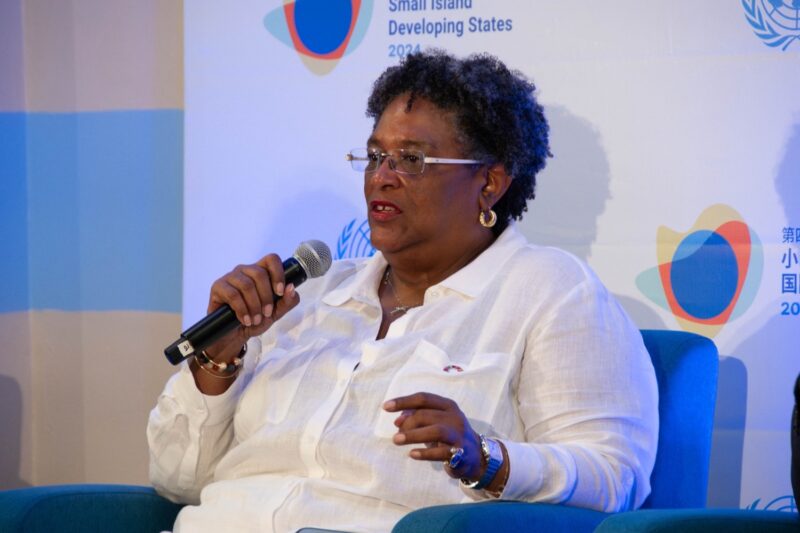
During her speech at the 4th International Conference on Small Island Developing States (SIDS4), Barbados Prime Minister Mia Mottley proposed the establishment of a biennial summit for SIDS leaders along with a governance structure to oversee the implementation of the Antigua and Barbuda Agenda for Small Island Developing States (ABAS).
She emphasized the inadequacy of the current practice of international reviews of SIDS every five to ten years and stressed the need for more frequent and structured engagement among leaders to effectively address the unique challenges faced by their nations.
Mottley called for a meeting every two years to ensure continuous and focused dialogue, highlighting the importance of the representation of larger countries in these discussions.
She also addressed the urgency of the situation, pointing out the increasing frequency and scale of natural disasters causing human suffering, irreparable physical damage, and high economic costs in SIDS.

Furthermore, Mottley criticized the gap between United Nations member states’ commitments and their actual financial contributions, urging the international community to take tangible actions to bridge this gap and support SIDS more effectively.
She stressed the importance of international solidarity and cooperation in the fight against climate change, highlighting the need to overcome geopolitical and national politics that hinder progress.
The Prime Minister also emphasized the need for a more inclusive and fair global financial system, acknowledging the initiatives aimed at supporting SIDS but calling for increased speed and scope of these efforts.
She concluded by expressing hope and urging accelerated action to ensure resilient prosperity for SIDS.
This story was first published by Antigua News on : antigua.news/2024/05/29/barbados-wants-more-frequent-sids-reviews. © 2024 Antigua News. Republication without permission is not allowed.

About the author
The Editorial Staff refers to all reporters employed by Antigua.news. When an article is not an original creation of Antigua.news—such as when it is based on a press release, other media articles, letters to the editor, or court decisions—one of our staff members is responsible for overseeing its publication.
Read our editorial standards and corrections policy. Spotted an error? Contact the newsroom.
More from Caribbean
View section
VIDEO: Doctors at Dominica China Friendship Hospital Stage Protest Outside Medical Facility
Healthcare professionals at the Dominica China Friendship Hospital gather outside the medical facility in an apparent protest, raising concerns over issues yet to be officially confirmed.
By Cory Wayland

St. Kitts DPP Seeks Antigua’s Help in Outstanding Case Involving Former Resort Clerk
By Shermain Bique-Charles

Royal Caribbean in Talks to Buy Half of Sandals in Reported $3 Billion Deal
By Shermain Bique-Charles

Four Killed in Latest US Military Strike on Suspected Drug Vessel in Caribbean
By Shermain Bique-Charles
Comments
Be the first to comment.