
Afreximbank’s Annual Meetings 2024 Calls for Africans Across the Globe to Unite

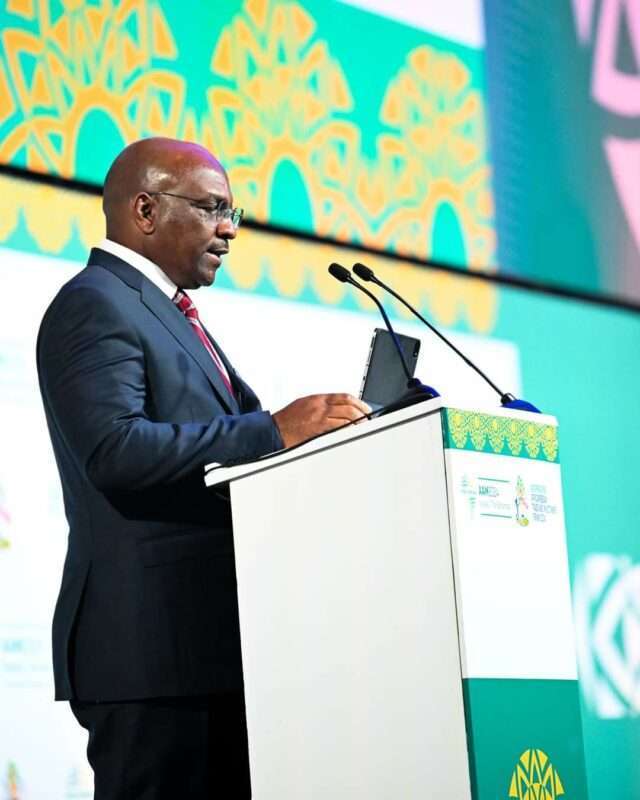
Day one of the 31st African Export-Import Bank (Afreximbank) Annual Meetings (AAM) took place in Nassau, The Bahamas.
The event aimed to strengthen the ties between Africa and the Caribbean, and was attended by over two thousand delegates, including regional heads of state, ministers, government officials, and industry leaders.
During the event, Mr. John Rolle, Governor of the Central Bank of The Bahamas, highlighted the potential benefits of the Pan African Payment and Settlement System (PAPSS) for the Caribbean and encouraged collaboration with Afreximbank to replicate this system.
The event also included the 3rd AfriCaribbean Trade and Investment Forum (ACTIF), emphasizing the growing connections between Africa and the Caribbean.
Ms. Pamela Coke-Hamilton, Executive Director of the International Trade Centre, discussed the significant trade potential between Africa and the Caribbean and proposed exploring the establishment of a free trade area between the two regions.

Keynote speakers such as Dr. Roger W. Ferguson and Prof. Jeffery Sachs addressed the importance of resilience and unity in navigating economic transformation in a changing world.
In addition, distinguished guests from Ghana, Egypt, and Barbados shared best practices in dealing with macroeconomic crises during a plenary session.
Furthermore, the day witnessed an important milestone as Viola Davis signed a memorandum of intent with Afreximbank and Fund for Export Development to create an African Film Development Value Chain.
This story was first published by Antigua News on : antigua.news/2024/06/13/afreximbanks-annual-meetings-2024-calls-for-africans-across-the-globe-to-unite. © 2024 Antigua News. Republication without permission is not allowed.

About the author
The Editorial Staff refers to all reporters employed by Antigua.news. When an article is not an original creation of Antigua.news—such as when it is based on a press release, other media articles, letters to the editor, or court decisions—one of our staff members is responsible for overseeing its publication.
Read our editorial standards and corrections policy. Spotted an error? Contact the newsroom.
More from Caribbean
View section
VIDEO: Doctors at Dominica China Friendship Hospital Stage Protest Outside Medical Facility
Healthcare professionals at the Dominica China Friendship Hospital gather outside the medical facility in an apparent protest, raising concerns over issues yet to be officially confirmed.
By Cory Wayland

St. Kitts DPP Seeks Antigua’s Help in Outstanding Case Involving Former Resort Clerk
By Shermain Bique-Charles

Royal Caribbean in Talks to Buy Half of Sandals in Reported $3 Billion Deal
By Shermain Bique-Charles

Four Killed in Latest US Military Strike on Suspected Drug Vessel in Caribbean
By Shermain Bique-Charles
Comments
Be the first to comment.