
Regional: Tragic Shooting Incident at Jamaican School Leaves 12 Year Old Student Injured

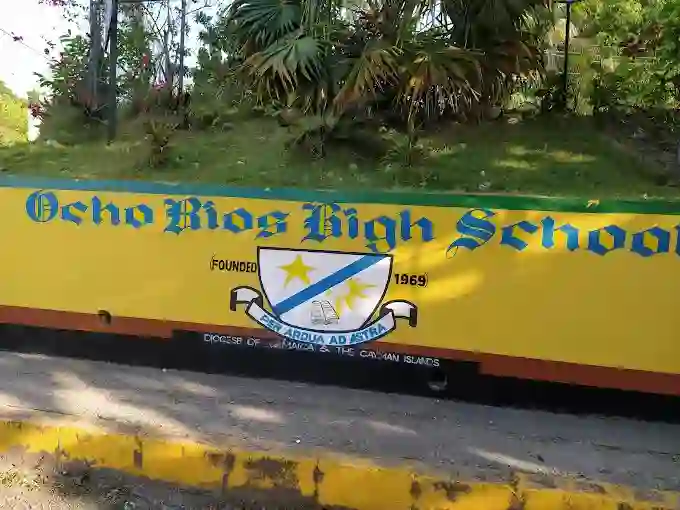
A shocking incident unfolded at the Ocho Rios High School in St Ann, Jamaica, on Monday, leaving a 12-year-old female student hospitalized after being shot by her 14-year-old schoolmate on the school premises. The disturbing event has sent shockwaves through the community and raised serious concerns about student safety.
According to reports, the male student brought a firearm to school with the intention of showing it off to his friends. However, the situation took a tragic turn when the gun accidentally discharged, striking another student in the leg. The injured child was immediately rushed to the hospital for treatment, and the firearm was confiscated by authorities.
Classes at the school were dismissed earlier than usual following the incident, and the police have launched an investigation. While conducting initial inquiries on the school grounds and nearby properties, they are now actively searching for the male suspect to whom the firearm belongs.
Authorities have confirmed that the shot was fired accidentally by a grade seven male student who was showcasing the weapon to his peers in the classroom. The parents of students at the institution were understandably left shaken and rattled by this alarming turn of events.

The victim remains hospitalized in a serious but stable condition, while the male student responsible for bringing the gun to school is currently in police custody. Dwight Powell, a police official, stated that investigators are pursuing multiple leads to determine how and by what means the student obtained possession of the firearm.
Powell further disclosed that the Ocho Rios High School is part of the Safe School Programme, and the principal and faculty are actively cooperating and participating in the program aimed at ensuring student safety.
As news of the incident spread, social media users expressed shock and concern, raising questions about how a firearm made its way onto school grounds and the broader issue of gun violence in the country. Some users questioned the lack of metal detectors in schools and the need for consistent security measures, while others lamented the concerning trend of firearms becoming more prevalent among young individuals.
This tragic event serves as a sobering reminder of the urgent need to address gun violence and implement robust security measures to safeguard students and create a safe learning environment within educational institutions. (wicnews.com)
This story was first published by Antigua News on : antigua.news/2024/06/19/tragic-shooting-incident-at-jamaican-school-leaves-12-year-old-student-injured. © 2024 Antigua News. Republication without permission is not allowed.

About the author
The Editorial Staff refers to all reporters employed by Antigua.news. When an article is not an original creation of Antigua.news—such as when it is based on a press release, other media articles, letters to the editor, or court decisions—one of our staff members is responsible for overseeing its publication.
Read our editorial standards and corrections policy. Spotted an error? Contact the newsroom.
More from Caribbean
View section
VIDEO: Doctors at Dominica China Friendship Hospital Stage Protest Outside Medical Facility
Healthcare professionals at the Dominica China Friendship Hospital gather outside the medical facility in an apparent protest, raising concerns over issues yet to be officially confirmed.
By Cory Wayland

St. Kitts DPP Seeks Antigua’s Help in Outstanding Case Involving Former Resort Clerk
By Shermain Bique-Charles

Royal Caribbean in Talks to Buy Half of Sandals in Reported $3 Billion Deal
By Shermain Bique-Charles

Four Killed in Latest US Military Strike on Suspected Drug Vessel in Caribbean
By Shermain Bique-Charles
Comments
Be the first to comment.