
PM Browne Scheduled to Meet with PNO to Resolve Nurses’ Issue

In an attempt to resolve the current issue affecting nurses, Prime Minister Gaston Browne has intervened
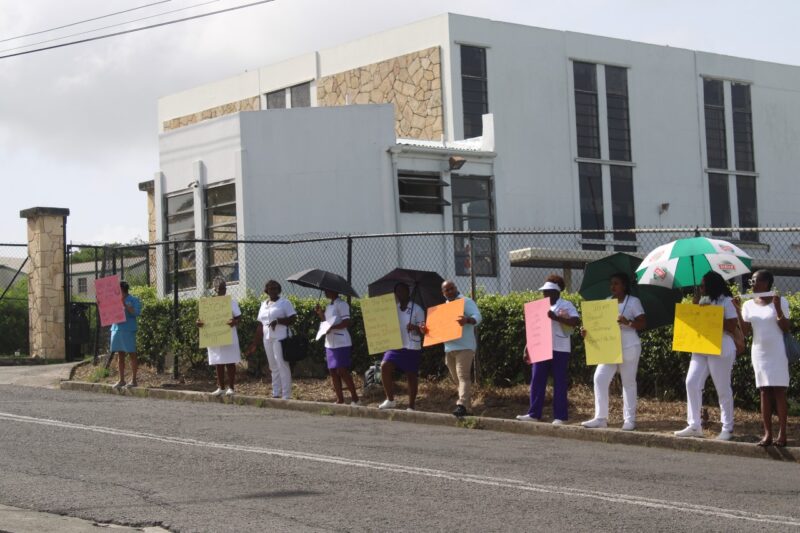
Although he is not the health minister, nurses protested outside the office of the prime minister on Wednesday.
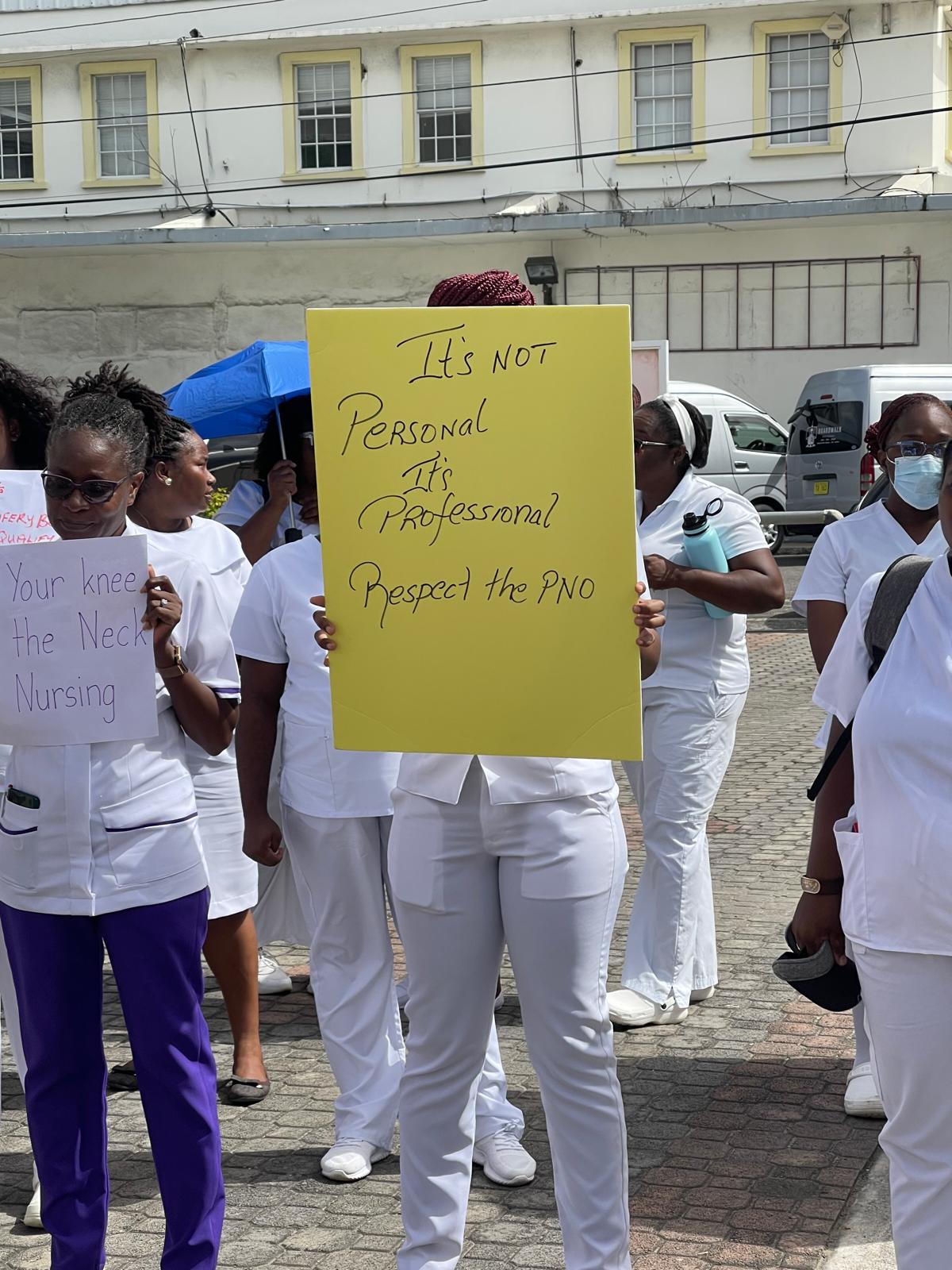
This is the second day they have expressed their dissatisfaction with a decision to remove the Principal Nursing Officer from the body responsible for maintaining professional standards and patient safety.
According to the nurses, the health minister made the decision to replace the PNO with an unnamed individual solely.
They gathered outside the prime minister’s office, where government ministers meet weekly, to voice their displeasure.

The Permanent Secretary in the Ministry of Health, Ena Dalso Henry, was summoned to a meeting on Wednesday to address the issue that led to approximately 20 nurses and their supporters picketing the Ministry of Health on Tuesday and the Cabinet on Wednesday.
The dispute stems from the Principal Nursing Officer (PNO) ‘s belief that a position on the Midwifery Board is rightfully designated to that office and objection to being excluded.
Following a review of the Midwifery Act, the Cabinet confirmed that the PNO is not among the designated offices specified in the Act, which was last amended in 1989.
Nevertheless, a directive was issued for the Permanent Secretary to arrange a meeting with the PNO, the Attorney General, and other relevant parties to find a resolution, enabling the nurses to resume patient care.
Notably, appointment to the board spans a three-year tenure, and given the imminent retirement of the current PNO, it was considered more practical to nominate another individual to the board.
This decision sparked discontent among some nurses, leading to consecutive days of protest activity.
This story was first published by Antigua News on : antigua.news/2024/06/26/pm-browne-scheduled-to-meet-with-pno-to-resolve-nurses-issue. © 2024 Antigua News. Republication without permission is not allowed.

About the author
The Editorial Staff refers to all reporters employed by Antigua.news. When an article is not an original creation of Antigua.news—such as when it is based on a press release, other media articles, letters to the editor, or court decisions—one of our staff members is responsible for overseeing its publication.
Read our editorial standards and corrections policy. Spotted an error? Contact the newsroom.
More from Antigua and Barbuda
View section
Three-Year-Old Girl Found in Nut Grove Safely Reunited with Family
Police thank the public for responding to an appeal and urge parents and guardians to remain vigilant.
By Shermain Bique-Charles

Italis Among Two Killed in Creek Side Shooting
A 49-year-old man and an 18-year-old woman died after gunmen reportedly opened fire outside a shop.
By Shermain Bique-Charles

Police Seek Family of Three-Year-Old Girl Found Alone in Nut Grove
The child, who identified herself as Mya, is being cared for at Grays Farm Police Station.
By Shermain Bique-Charles

Matthew Condemns Fatal Creek Side Shooting of Two Rastafarian Community Members
St. John’s Rural South representative urges calm and acknowledges residents’ longstanding concerns about crime and safety.
By Shermain Bique-Charles
Comments (1)
Yaashaa June 27, 2024, 1:14 AM