
Sir Robin’s Lump Not Cancerous…He’s in Better Shape Than Ever, says PM Browne

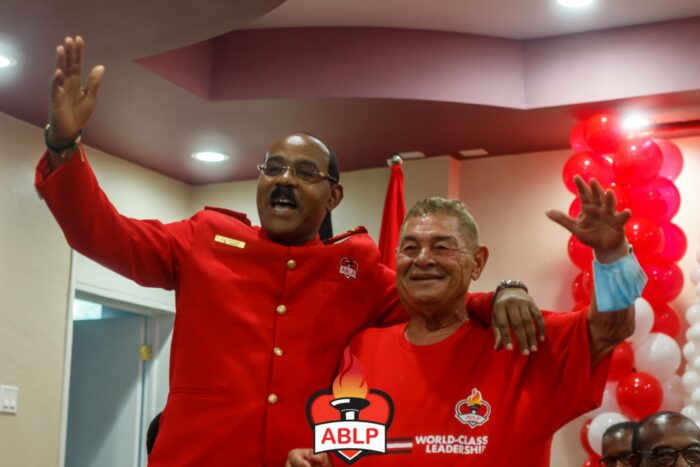
Prime Minister Gaston Browne has reaffirmed that Sir Robin Yearwood remains in good physical condition and can fulfill his responsibilities until the upcoming general elections.
Sir Robin, who holds the record for being the longest-serving member of Parliament, has been the subject of speculation regarding potential health complications that could potentially lead to a by-election.
However, Browne clarified that Sir Robin had not been diagnosed with any significant health issues that would require him to step down from office before his term expires.
Browne also revealed that Sir Robin underwent treatment for a non-critical ailment at a hospital abroad.
“I spoke to his daughter on Saturday morning. He is doing fine. He isn’t in the hospital. He was hospitalized briefly for a lump he had on his face. He has an abscess under it. It is not cancerous…He is still receiving some treatment, but he will be home next weekend…” he said
Browne said he expects that Sir Robin will be in better health when he returns home

“He doesn’t have any debilitating disease that will take him out in months or anything like that,” he added
Meanwhile, Gaston Browne, the leader of the Labour Party, expressed confidence in the party’s stronghold in the St. Phillip’s North seat despite the recent selection of Randy Baltimore as the party’s new caretaker.
Browne believes that the United Progressive Party’s candidate, Alex Browne, will not be able to win, even in a by-election.
Baltimore’s significant victory in the recent party vote further reinforces Browne’s optimism.
After running uncontested in St. Phillip’s North for the past 50 years, Sir Robin Yearwood will not be participating in the next general elections.
In the previous election, Yearwood had a narrow 94-vote margin of victory over Browne, putting his win in doubt.
This story was first published by Antigua News on : antigua.news/2024/07/07/sir-robins-lump-not-canceroushes-in-better-shape-than-ever-says-pm-browne. © 2024 Antigua News. Republication without permission is not allowed.

About the author
The Editorial Staff refers to all reporters employed by Antigua.news. When an article is not an original creation of Antigua.news—such as when it is based on a press release, other media articles, letters to the editor, or court decisions—one of our staff members is responsible for overseeing its publication.
Read our editorial standards and corrections policy. Spotted an error? Contact the newsroom.
More from Antigua and Barbuda
View section
Police Seek Family of Three-Year-Old Girl Found Alone in Nut Grove
The child, who identified herself as Mya, is being cared for at Grays Farm Police Station.
By Shermain Bique-Charles

Matthew Condemns Fatal Creek Side Shooting of Two Rastafarian Community Members
St. John’s Rural South representative urges calm and acknowledges residents’ longstanding concerns about crime and safety.
By Shermain Bique-Charles

Man and Woman Killed in Creekside Shooting
Victims taken to hospital in a private vehicle following gunfire shortly after 4 p.m. Tuesday.
By Shermain Bique-Charles

Emergency Teams Prepare For CHOGM With Simulated Crash And Evacuation Drills
A mass casualty exercise at Scotts Hill and an evacuation drill at the Performing Arts Centre will test emergency readiness ahead of the summit.
By Cory Wayland
Comments
Be the first to comment.