
CDB Delays Election of New President

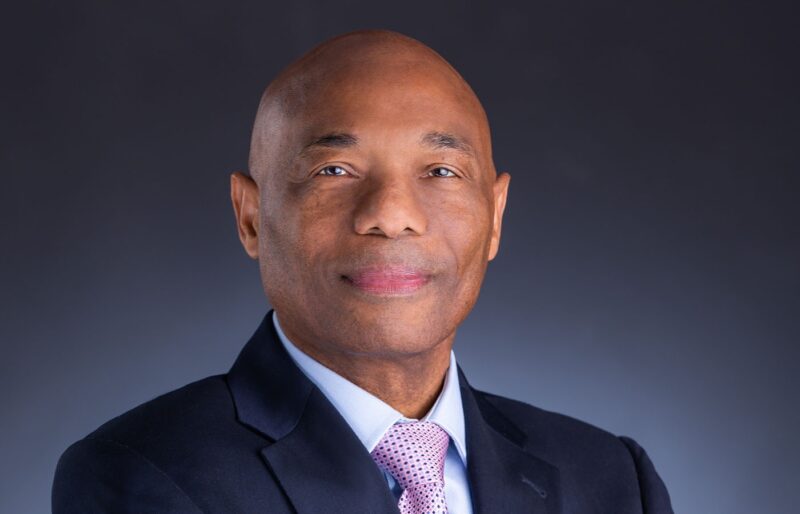
The Caribbean Development Bank (CDB) headquartered in Barbados has confirmed that the search for a new president is ongoing following the controversial resignation of St Lucian-born economist Dr. Hyginus ‘Gene’ Leon in April.
According to reliable sources, the bank’s governors convened a meeting on Thursday to choose Leon’s replacement. Leon is currently leading the efforts to establish the Development Bank for Resilient Prosperity Initiative (DBRP).
The idea of creating a financial institution specifically for Small Island Developing States (SIDS) was first introduced at the SIDS Inter-Regional Conference in Cabo Verde in August 2023.
The primary goal of the initiative is to amplify the voices of SIDS, raise funds for resilient infrastructure, and tackle regional economic inequalities.
The fourth International Conference on Small Island States (SIDS4) held in Antigua and Barbuda in May this year provided further momentum for the DBRP, which seeks to address the persistent financial challenges faced by SIDS.
These states have long struggled to secure affordable financing and are often burdened by unsustainable debt.
According to sources, three candidates from Trinidad and Tobago, Barbados, and the Bahamas have been shortlisted for the position, and the recent meeting concluded without a decision.
In a brief statement to the Caribbean Media Corporation (CMC), the CDB mentioned that they are still waiting for the completion of an external due diligence report and will proceed with the election once it has been received.
The announcement of the new President will be made after the election has concluded, without further details provided.
In his resignation letter, Leon’s lawyers indicated that the CDB had until May 4th of this year to negotiate an amicable separation and should view their correspondence as a pre-action protocol letter concerning the entire situation.
Neither the CDB nor Leon and his lawyers have made any further statements on the matter since then.
This story was first published by Antigua News on : antigua.news/2024/10/12/cdb-delays-election-of-new-president. © 2024 Antigua News. Republication without permission is not allowed.

About the author
The Editorial Staff refers to all reporters employed by Antigua.news. When an article is not an original creation of Antigua.news—such as when it is based on a press release, other media articles, letters to the editor, or court decisions—one of our staff members is responsible for overseeing its publication.
Read our editorial standards and corrections policy. Spotted an error? Contact the newsroom.
More from Antigua and Barbuda
View section
US$600 Appeal Launched to Save Dog Injured in All Saints Police Shooting
Animal welfare supporters are seeking financial assistance for urgent veterinary treatment after Helen reportedly suffered a gunshot wound to her face during a police operation that left another dog dead.
By Cory Wayland

Taxi Association Removes 40 Bags of Waste During Ffryes Beach Clean-up
Members and volunteers tackle litter at Big and Little Ffryes beaches ahead of the 2026/2027 cruise season.
By Cory Wayland

Police Express Regret After Dog Fatally Shot During All Saints Search
Police say officers initially used less-lethal measures before one dog allegedly continued advancing aggressively during an early-morning operation.
By Cory Wayland

Police Seek Public Assistance in Locating Family of Child Found Alone on Belmont Main Road
Authorities are appealing to the public for urgent assistance in identifying the child and locating her parents or guardians.
By Cory Wayland
Comments
Be the first to comment.