
Partial Retroactive Payments Expected to Begin in January Next Year says PM Browne

The government is currently working to secure approximately $35 million to fulfill outstanding back-pay obligations owed to public servants.
Finance Minister and Prime Minister Gaston Browne has indicated that all efforts are being directed toward enabling this payment to be made by January 2025 at the latest.
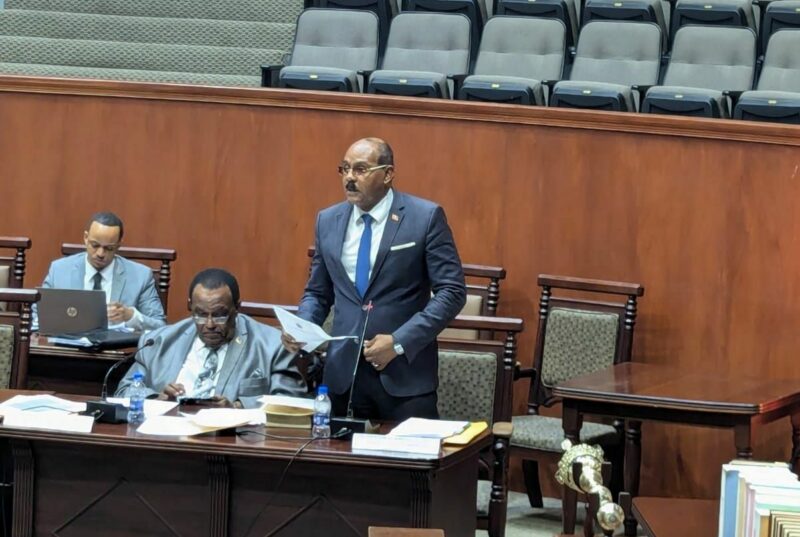
During a recent session of the House of Representatives, Prime Minister Browne addressed a question from opposition parliamentarian Richard Lewis regarding the government’s plan for these payments.
He acknowledged the history of delayed payments to public servants in previous administrations but emphasized his commitment to avoiding such delays.
“We have determined to pay the back-pay as frequently as possible,” Browne stated.
He explained that the back-pay stems from the negotiation period covering 2021 to 2023, estimated at around $100 million.
The government previously made a payment equivalent to one month’s salary in 2022 and plans to disburse the remaining owed amounts in tranches to minimize financial strain.
If all goes as planned, the January payment would account for 70 percent of the outstanding balance, given that the government’s monthly wage bill is roughly $35 million.
This government initiative aims to establish a more efficient payment system for public servants, in contrast to past practices in which individuals waited many years for compensation.
Prime Minister Browne clarified that the forthcoming payment would be part of the total back pay owed, noting that some public workers’ unions have expressed concerns that could delay the payment process.
He mentioned that while there had been hopes for a December payment, protracted negotiations could push the timeline, making January the soonest date for disbursement.

This story was first published by Antigua News on : antigua.news/2024/11/18/partial-retroactive-payments-expected-to-begin-in-january-next-year-says-pm-browne. © 2024 Antigua News. Republication without permission is not allowed.

About the author
The Editorial Staff refers to all reporters employed by Antigua.news. When an article is not an original creation of Antigua.news—such as when it is based on a press release, other media articles, letters to the editor, or court decisions—one of our staff members is responsible for overseeing its publication.
Read our editorial standards and corrections policy. Spotted an error? Contact the newsroom.
More from Antigua and Barbuda
View section
Cabinet Appoints Kem Hodge to Manage Pelican Court as Strict Rules Target Drugs and Noise
New management structure will oversee maintenance, enforce residential standards and help maintain a safe living environment at the Chinese-funded housing development.
By Cory Wayland

Foreign Troops to Join Increased Military Presence Across Antigua and Barbuda Ahead of CHOGM 2026
Defence Force alerts residents to heightened military activity, security exercises and possible movement restrictions as preparations intensify for the Commonwealth summit.
By Cory Wayland

Government to Offer Vacant Pelican Court Apartments to New Applicants as Some Former Residents Decline Return
Authorities say vulnerable individuals could benefit from unoccupied units after several former Booby Alley residents opted to remain in their relocated communities.
By Cory Wayland

Browne to Press for Climate Justice at Global Citizen Summit in Australia
Prime Minister will call for stronger climate financing, clean energy partnerships and greater accountability as small island states confront the cost of inaction.
By Shermain Bique-Charles
Comments (1)
Teacher for Life November 19, 2024, 5:05 PM