
China Declares It Will Not Seek New WTO Special Treatment

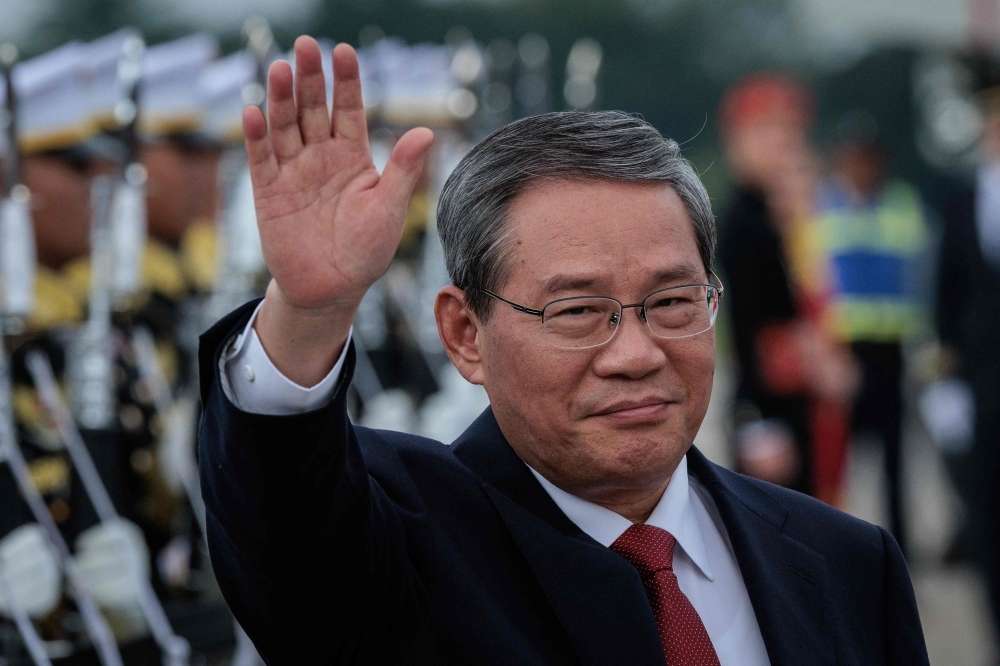
Premier Li Qiang has announced that China will no longer seek new special and differential treatment (SDT) in current and future World Trade Organization (WTO) negotiations, a move framed as a show of responsibility and commitment to the multilateral trading system.
Speaking at a United Nations General Assembly–related meeting in New York, Li emphasized that although China acceded to the WTO as a developing member, and remains entitled to SDT under its rules, the country is voluntarily choosing restraint.
“China will not seek new SDT in the current and future WTO negotiations,” Li said. “This is a concrete action to support multilateralism, promote global development, and demonstrate China’s responsibility as the world’s largest developing country.”
Balancing Development and Responsibility
China underscored that it continues to face the challenges of “unbalanced and inadequate development,” with poverty reduction and modernization still ongoing priorities. Officials stressed that the new stance does not change China’s WTO classification as a developing member, nor does it alter its treatment in other international organizations and treaties.
Reinforcing Multilateralism
The decision comes at a time of heightened trade tensions and instability, with Beijing criticizing unilateral tariff measures imposed by certain countries for disrupting the global economic order. Chinese officials argued that stepping back from new SDT claims will help the WTO concentrate more directly on development, inclusiveness, and narrowing the North-South divide.
“China’s commitment to protecting the rights of developing members will not change, nor will our efforts to promote trade and investment liberalization,” the statement read.
Implications for WTO Reform
The move is expected to strengthen China’s voice in ongoing debates about WTO reform. By voluntarily foregoing new SDT requests, China seeks to position itself as a constructive leader in global governance while maintaining solidarity with other developing economies.
“China has always been part of the Global South, and always will be,” the government declared, pledging continued support for developing members in the multilateral trading system.
This story was first published by Antigua News on : antigua.news/2025/09/30/china-declares-it-will-not-seek-new-wto-special-treatment. © 2025 Antigua News. Republication without permission is not allowed.

About the author
The Editorial Staff refers to all reporters employed by Antigua.news. When an article is not an original creation of Antigua.news—such as when it is based on a press release, other media articles, letters to the editor, or court decisions—one of our staff members is responsible for overseeing its publication.
Read our editorial standards and corrections policy. Spotted an error? Contact the newsroom.
More from World
View section
Kenyan Preacher Paul Mackenzie Convicted of Murdering 191 People in Shakahola Massacre
Former church leader found guilty alongside 28 others in a case involving the deaths of 190 children and one adult who were allegedly subjected to deadly religious fasting.
By Cory Wayland

Priest Speaks About Life and Death in Final Sermon Before Falling Crucifix Kills Him During Mass
Father Patricio Sánchez urged worshippers to cherish their time with God and loved ones before a large wooden crucifix fell and fatally struck him during a church service in Ecuador.
By Cory Wayland

Florida Attorney General James Uthmeier Announces Arrest Warrant for Former Cuban Leader Raúl Castro Over 1996 Aircraft Shootdown
James Uthmeier confirms murder conspiracy charge against the 95-year-old former president over the 1996 shootdown of two civilian aircraft that killed four men.
By Cory Wayland

France and Italy Count the Cost as Protests Turn Violent Across Europe
Burned public buildings and looted shops have overshadowed demands for better schools and relief from living costs, as unrest takes different forms across Europe.
By Editorial Staff
Comments
Be the first to comment.