
Elite Island Resorts’ Wishing Well Foundation Donates EC$10,000 to Support Meals on Wheels Programme

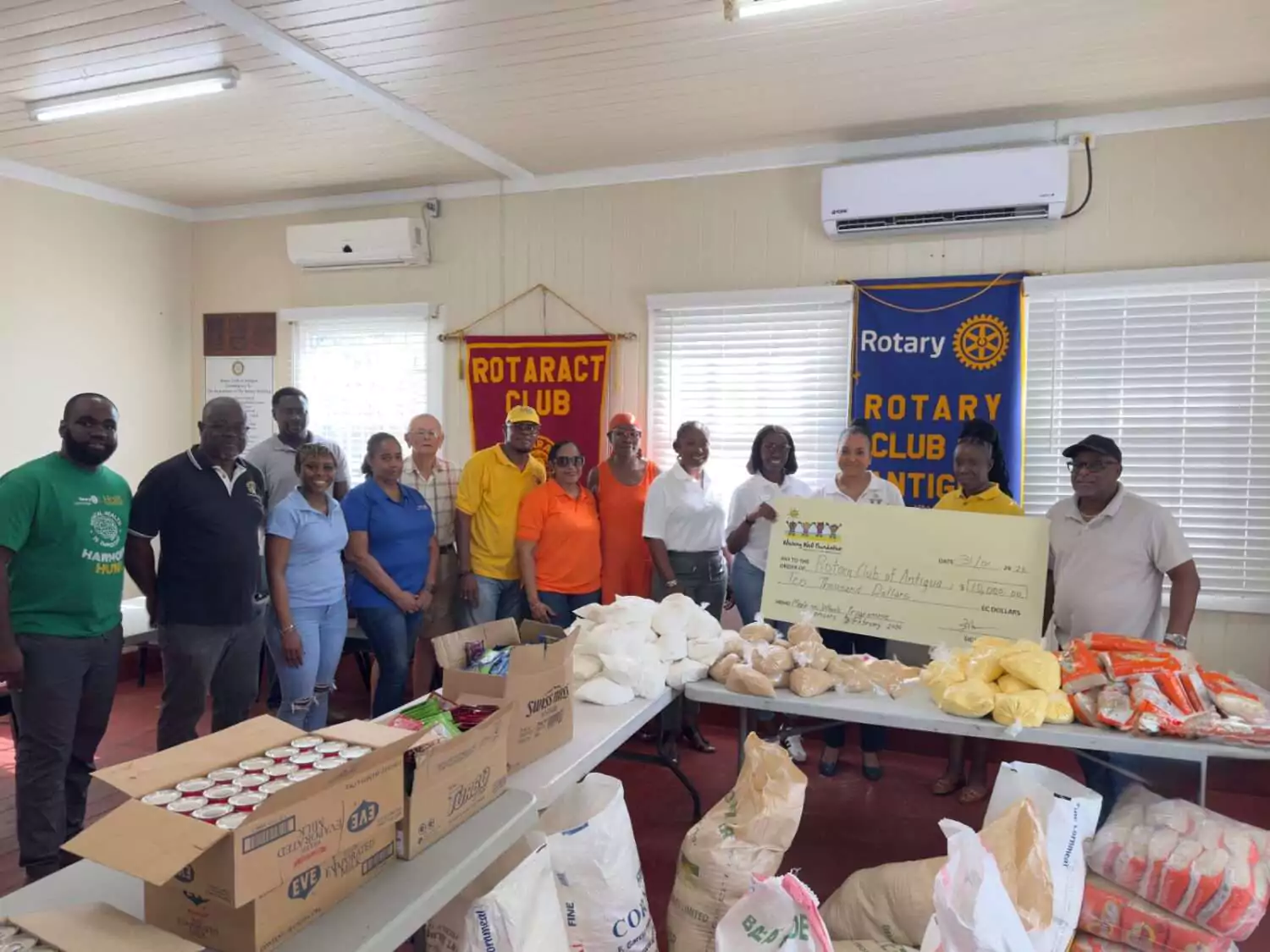
Elite Island Resorts, through its Wishing Well Foundation, has donated EC$10,000 to support the Meals on Wheels Programme operated by the Rotary Club of Antigua, helping to sustain food assistance for nearly 100 vulnerable individuals during January and February.
The donation was made via the Foundation established by the company’s late Chairman, Sir Robert Barrett, whose philanthropic vision continues to guide its outreach efforts.
At the presentation, Managing Director Mrs. Sanjay Ambrose said the Foundation remains committed to community support in keeping with Sir Robert’s legacy, particularly in education, community development, and assistance to those facing medical and social challenges.
“What we do, we do because we see that it can be impactful and change the life of someone,” Mrs. Ambrose said. “It’s not about public recognition. It’s about making a tangible difference. We were happy to support this cause and look forward to continued collaboration.”
President of the Rotary Club of Antigua, Elisa Graham, accepted the donation and expressed sincere appreciation for the timely support, noting its importance to the programme’s continuity.
Director of Service Projects and Past President Paul Ryan also welcomed the contribution, explaining that the Meals on Wheels Programme costs approximately EC$5,000 per month to provide food items to beneficiaries.
“This donation has come at a critical time and will greatly assist us in continuing to support those in need,” Ryan said.
The EC$10,000 contribution will help offset operational costs and ensure uninterrupted delivery of essential food assistance to members of the community.
This story was first published by Antigua News on : antigua.news/2026/02/01/elite-island-resorts-wishing-well-foundation-donates-ec10000-to-support-meals-on-wheels-programme. © 2026 Antigua News. Republication without permission is not allowed.

About the author
Shermain Bique-Charles is an accomplished journalist with over 24 years of dynamic experience in the industry. Renowned for her exceptional storytelling and investigative skills, she has garnered numerous awards that highlight her commitment to journalistic integrity and excellence. Her work not only informs but also inspires, making her a respected voice in the field.
Read our editorial standards and corrections policy. Spotted an error? Contact the newsroom.
More from Antigua and Barbuda
View section
Antigua and Barbuda First in Eastern Caribbean to Sign UN Development Framework for 2027–2031
The agreement will guide cooperation on economic diversification, climate resilience, social protection and other development priorities.
By Shermain Bique-Charles

Parker Defends Call for Age of Consent at 18 in Response to ASPIRE
Senator calls for stronger protection against sexual exploitation alongside adolescent healthcare, education and safeguards for relationships between young people close in age.
By Shermain Bique-Charles

Greene Says CHOGM Could Open Doors for UWI Five Islands
Foreign minister identifies international student recruitment and academic connections as potential longer-term opportunities. Meta description: Greene says CHOGM could help UWI Five Islands promote its programmes and build connections with Commonwealth countries.
By Shermain Bique-Charles

West Indies Oil Seeks Coordination on Fuel Deliveries During CHOGM
Police ask the company to provide delivery dates and times so movements can be coordinated with security arrangements.
By Cory Wayland
Comments (3)
Juju Bee February 1, 2026, 8:50 PM
Informed citizen February 1, 2026, 9:08 PM
Janice Grell February 2, 2026, 11:15 AM