
Octavia Nicholas Launches Spoken Word Series on Domestic Violence in Partnership with Gender Affairs Division

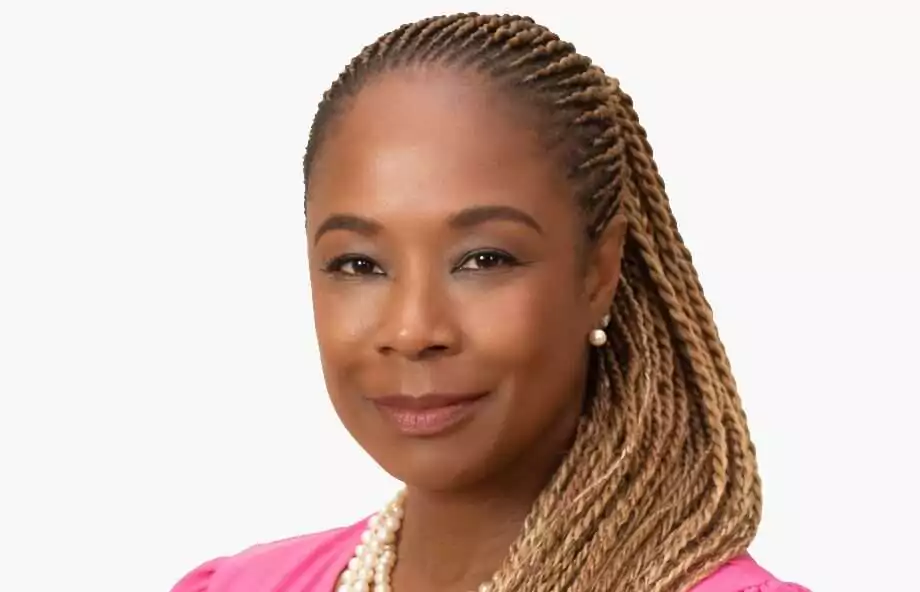
Author and domestic violence advocate Octavia Nicholas is using the power of poetry and performance to confront emotional abuse and empower survivors, with the launch of a new Spoken Word Series in collaboration with the Gender Affairs Division.
The eight-part series, inspired by her book Surviving a Narcissist, forms part of the Division’s activities marking International Women’s Day on March 8. Beginning March 1, Nicholas will release one spoken word piece daily, leading up to the global observance.
Blending spoken word with expressive dance, the series tackles the often-unseen realities of domestic violence — particularly emotional and psychological abuse. Nicholas hopes the artistic presentation will deepen public understanding and encourage survivors to speak out.
“This project is more than poetry — it is purpose,” Nicholas said. “For many women, abuse does not begin with bruises; it begins with control, manipulation, and emotional harm that slowly erodes self-worth.”
The collection reflects themes of survival, healing, resilience, and empowerment, drawing from Nicholas’ personal experiences and the stories shared in her book.
By aligning the release with International Women’s Day, Nicholas aims to leverage the international spotlight to advance conversations around advocacy, education, and community support for victims of domestic violence.
Members of the public are encouraged to follow Octavia Nicholas on YouTube and Facebook, as well as the social media platforms of the Gender Affairs Division, to view the daily releases and share the messages to broaden the campaign’s impact.
This story was first published by Antigua News on : antigua.news/2026/02/27/octavia-nicholas-launches-spoken-word-series-on-domestic-violence-in-partnership-with-gender-affairs-division. © 2026 Antigua News. Republication without permission is not allowed.

About the author
The Editorial Staff refers to all reporters employed by Antigua.news. When an article is not an original creation of Antigua.news—such as when it is based on a press release, other media articles, letters to the editor, or court decisions—one of our staff members is responsible for overseeing its publication.
Read our editorial standards and corrections policy. Spotted an error? Contact the newsroom.
More from Antigua and Barbuda
View section
Antiguan School Starts Using EduGoal Global to Help Students Close Learning Gaps
The school started with Grade 6 ahead of a wider rollout of the AI-powered learning platform.
By Shermain Bique-Charles

Gunman Robs Stanley’s Home Restaurant, Flees With Cash Register
Employees at the Chinese restaurant on Old Parham Road were left shaken after the Tuesday evening robbery. No one was injured.
By Shermain Bique-Charles

Hopeful Hearts Foundation Introduces Minds in Motion: Bringing Yoga into Schools to Promote Emotional Wellness and Conflict Resolution
Hopeful Hearts Foundation has launched its Minds in Motion initiative, introducing yoga and mindfulness into schools to help children manage their emotions, resolve conflicts, build confidence and develop healthier relationships.
By Editorial Staff

Antigua Girls’ High School Unveils Mural to Break the Stigma Around Periods
Scrub Life Cares founder and AGHS Old Girl Tanya Ambrose brought the organisation’s first mural project to her alma mater, where students helped paint it and brought its new mascot, Una, to life.
By Shermain Bique-Charles
Comments (3)
Apex Jones February 27, 2026, 12:18 PM
Informed citizen February 27, 2026, 7:14 PM
Jessica February 27, 2026, 9:01 PM