
Pringle Rallies Workers on Labour Day, Calls for Unity and Respect

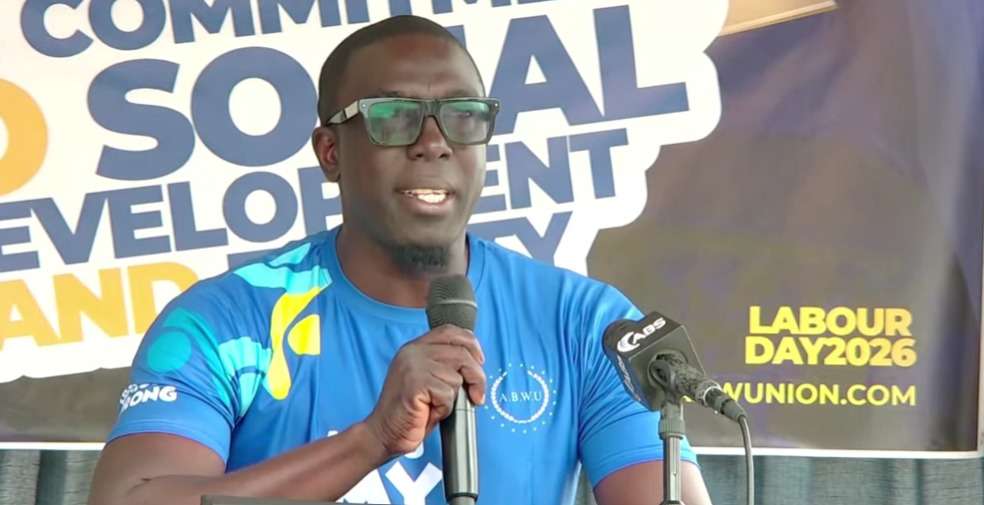
Political Leader of the United Progressive Party, Jamale Pringle, delivered a Labour Day message centered on unity, worker dignity, and collective progress as he addressed members of the Antigua and Barbuda Workers’ Union on Monday.
Speaking to union leadership, executives, and members, Pringle praised workers for their dedication and resilience, emphasizing that Labour Day is more than a public holiday.
“Labour Day is not just a holiday. It is a celebration of dedication, skill and the countless hours that keep our industries, businesses and neighborhoods thriving,” he said.
Pringle highlighted the critical role workers play in national development, noting that their efforts extend beyond economic output.
“Your hard work builds more than products and services. It builds families, dreams and the future of our nation,” he stated.
He also stressed the importance of fair treatment and opportunity, calling for continued advocacy on behalf of the working class.
“Every worker deserves respect, fair treatment and opportunity,” Pringle said, urging unity as a key factor in advancing workers’ rights and protections.
The opposition leader encouraged solidarity among workers and unions, underscoring the need for a collective approach to ensure that labour issues remain a national priority.
“As we celebrate and enjoy this day, let us remember that progress is made together… we have to be united to ensure that workers are taken care of,” he added.
Pringle concluded by extending Labour Day greetings to workers across Antigua and Barbuda and reaffirmed his support for the labour movement.
“Thank you for your unwavering effort, your passion and your belief in the value of work. Happy Labour Day,” he said, ending with calls of support for the working class and the union movement.
This story was first published by Antigua News on : antigua.news/2026/05/05/pringle-rallies-workers-on-labour-day-calls-for-unity-and-respect. © 2026 Antigua News. Republication without permission is not allowed.

About the author
Shermain Bique-Charles is an accomplished journalist with over 24 years of dynamic experience in the industry. Renowned for her exceptional storytelling and investigative skills, she has garnered numerous awards that highlight her commitment to journalistic integrity and excellence. Her work not only informs but also inspires, making her a respected voice in the field.
Read our editorial standards and corrections policy. Spotted an error? Contact the newsroom.
More from Antigua and Barbuda
View section
Browne Places Youth and Women’s Opportunities at Centre of Commonwealth Agenda
Scholarships, research partnerships and digital access feature in the Prime Minister’s call for inclusive growth.
By Shermain Bique-Charles

Greenaway to Represent Antigua and Barbuda on UN Governance Panel in Baku
The Permanent Secretary will discuss partnerships to improve public service delivery at the UN Governance Innovation Summit.
By Shermain Bique-Charles

OPINION: From Commonwealth connections to economic opportunity: Expanding
Commonwealth, Afreximbank and ITC leaders call for stronger transport links, accessible finance and simpler payments to unlock Africa–Caribbean trade.
By Editorial Staff

Royal Visit Ends After Week of Independence Celebrations and Commonwealth Engagements
King Charles III and Queen Camilla departed Antigua and Barbuda this morning following national, community and diplomatic events.
By Shermain Bique-Charles
Comments (1)
No shame May 6, 2026, 6:12 AM