
LETTER: Outstanding Service Provided By Medical Benefits Registration Department

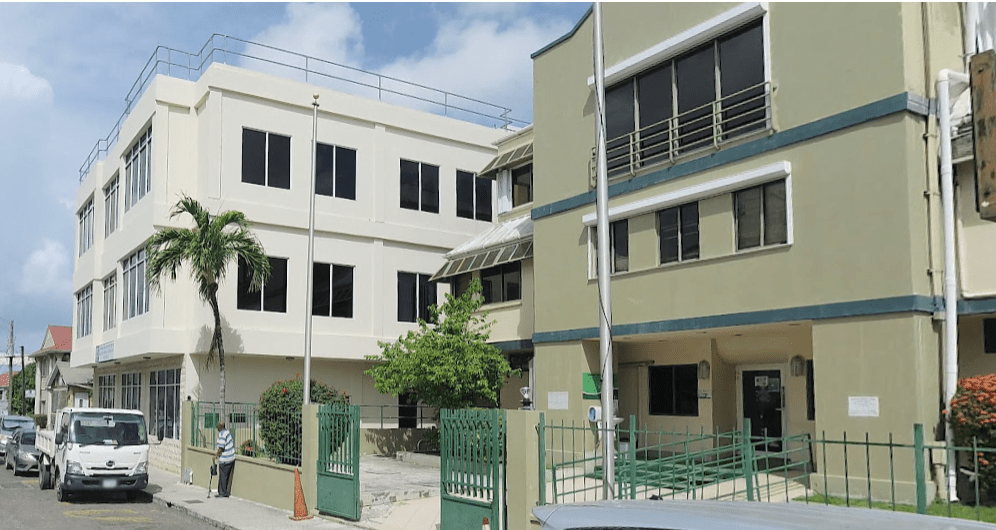
Dear Editor,
I went into the
to renew my
, and i was in awe and stunned but the level of professionalism and service offered by especially two persons with that Department.
I walked in had a seat, within less than a minute, I was to renew my card. The young lady at the 3rd desk was very professional and kind. She greeted me, processed my expired card and kindly told me to have a seat and you will be called shortly for the card.
The superb
didn’t stop there. In less than 3 minutes I was called by a kind and very professional young man to the 4th desk next to the young lady who processed my expired card. The young man greeted me “good afternoon Mr Lucien you can have a seat and please have a look at your new card and then once you”re satisfied you can sign print and sign by both c in the book for us please”. That
was great and outstanding. The professional and helpfulness with receiving my card and telling me to make sure my card was good before I signed for it showed the people the staff served truly cared. I was in and out in less than 10 minutes. Wow!
When I signed for the cards, I asked for their names. The lady I think said her name was Ms. Edward’s and the young man Mr Gomes. If I have you names right big yourselves up. You made Medical Benefits Scheme proud with the outstanding level of customer service you provided to me.
If the other government offices provided the same level of services you guys provided, the public sector would be a joy to do business.
Big yourselves up and keep on doing the outstanding job and service. We need more people like you guys in the government service.
Elbert Lucien
Satisfied MBS Customer
This story was first published by Antigua News on : antigua.news/2026/06/19/outstanding-service-provided-by-medical-benefits-registration-department. © 2026 Antigua News. Republication without permission is not allowed.

About the author
The Editorial Staff refers to all reporters employed by Antigua.news. When an article is not an original creation of Antigua.news—such as when it is based on a press release, other media articles, letters to the editor, or court decisions—one of our staff members is responsible for overseeing its publication.
Read our editorial standards and corrections policy. Spotted an error? Contact the newsroom.
More from Antigua and Barbuda
View section
VIDEO: Vandalism at Newly Opened National Performing Arts Centre Sparks Outrage From Minister Rawdon Turner
Just one month after the opening of the newly renovated national theatre, damage to the facility has prompted frustration and a strong appeal from Minister Rawdon Turner for those responsible to be reported to police.
By Cory Wayland

Parker Challenges Browne’s Beach Access Record After Fort James Deal Rejected
UPP Senator Malaka Parker says the government’s rejection of Royal Caribbean’s request for exclusivity should be followed by stronger protections for public access at beaches across Antigua and Barbuda.
By Shermain Bique-Charles

Antigua and Barbuda Wins Bocce Silver and Basketball Bronze at Caribbean Beach Games
Darius March-Charles won his first four bocce matches, while the women’s basketball team edged Trinidad and Tobago 20–18 to take bronze in Jamaica.
By Shermain Bique-Charles

Qatar Talks Put 300-Room Expansion on Table for Antigua’s W Hotel
The developers have agreed in principle to a larger resort, but the expansion depends on negotiations over neighbouring land.
By Shermain Bique-Charles
Comments (6)
Apex Jones June 19, 2026, 12:33 PM
Watching from Afar June 19, 2026, 2:12 PM
Well done Medical Benefits!
Malik June 19, 2026, 2:43 PM
Liz June 19, 2026, 2:50 PM
Informed citizen June 19, 2026, 2:56 PM
Concerned Antiguan June 19, 2026, 7:51 PM