
Health Minister Meets Nurses Association to Strengthen Collaboration

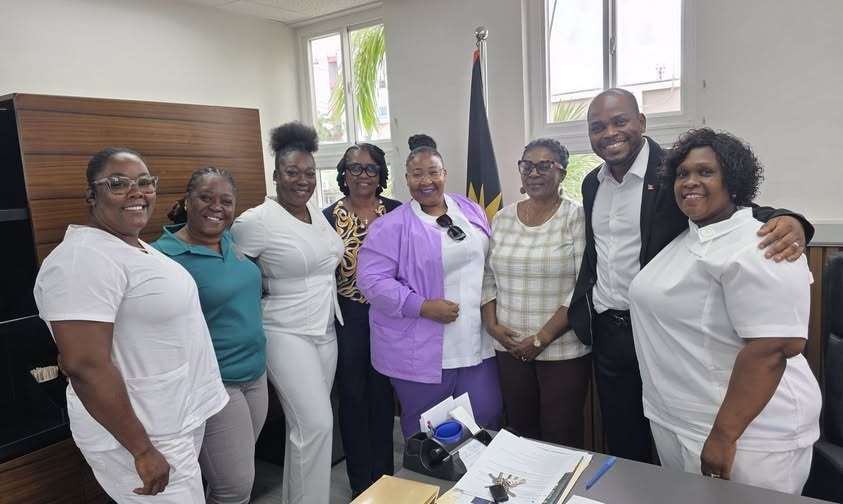
Minister of Health, Wellness, Environment and Civil Service Affairs Michael Joseph met with the executive of the Antigua and Barbuda Nurses Association on Monday as part of the Ministry’s ongoing engagement with healthcare stakeholders.
The meeting focused on issues affecting the nursing profession and reaffirmed the Ministry’s commitment to maintaining a collaborative relationship with nurses in support of quality healthcare delivery across Antigua and Barbuda.
Minister Joseph said the discussions formed part of the government’s efforts to maintain open communication with healthcare professionals and to strengthen partnerships within the sector.
“Our nurses are the backbone of the healthcare system, and I value the opportunity to engage directly with the Association’s leadership,” Joseph said.
“By working together in a spirit of openness and mutual respect, we can continue to strengthen our healthcare services and create an environment where our nurses feel supported and empowered to deliver the highest standard of care.”
The Ministry said the meeting provided an opportunity for meaningful dialogue on matters of mutual interest while reinforcing the importance of continued cooperation between the government and the nursing profession.
Officials noted that maintaining strong partnerships with healthcare stakeholders remains a priority as the Ministry works to improve healthcare services and address issues affecting frontline medical personnel.
Both the Ministry and the Nurses Association expressed a shared commitment to ongoing engagement and constructive dialogue on matters impacting nurses and the broader healthcare system.
The meeting forms part of a series of consultations being undertaken by the Ministry of Health with key partners across the healthcare sector.
This story was first published by Antigua News on : antigua.news/2026/06/30/health-minister-meets-nurses-association-to-strengthen-collaboration. © 2026 Antigua News. Republication without permission is not allowed.

About the author
The Editorial Staff refers to all reporters employed by Antigua.news. When an article is not an original creation of Antigua.news—such as when it is based on a press release, other media articles, letters to the editor, or court decisions—one of our staff members is responsible for overseeing its publication.
Read our editorial standards and corrections policy. Spotted an error? Contact the newsroom.
More from Antigua and Barbuda
View section
Department of Environment Invites Public to Celebrate Arbour Day on Thursday
The November 26 celebration begins at 9 a.m. on the Department of Environment lawn under the theme “Growing a Greener, Cleaner Future.”
By Shermain Bique-Charles

Antiguan School Starts Using EduGoal Global to Help Students Close Learning Gaps
The school started with Grade 6 ahead of a wider rollout of the AI-powered learning platform.
By Shermain Bique-Charles

Gunman Robs Stanley’s Home Restaurant, Flees With Cash Register
Employees at the Chinese restaurant on Old Parham Road were left shaken after the Tuesday evening robbery. No one was injured.
By Shermain Bique-Charles

Hopeful Hearts Foundation Introduces Minds in Motion: Bringing Yoga into Schools to Promote Emotional Wellness and Conflict Resolution
Hopeful Hearts Foundation has launched its Minds in Motion initiative, introducing yoga and mindfulness into schools to help children manage their emotions, resolve conflicts, build confidence and develop healthier relationships.
By Editorial Staff
Comments (1)
Apex Jones June 30, 2026, 3:21 PM