
Burglary and Phone Theft Prompt Police Warning as Property Crime Persists

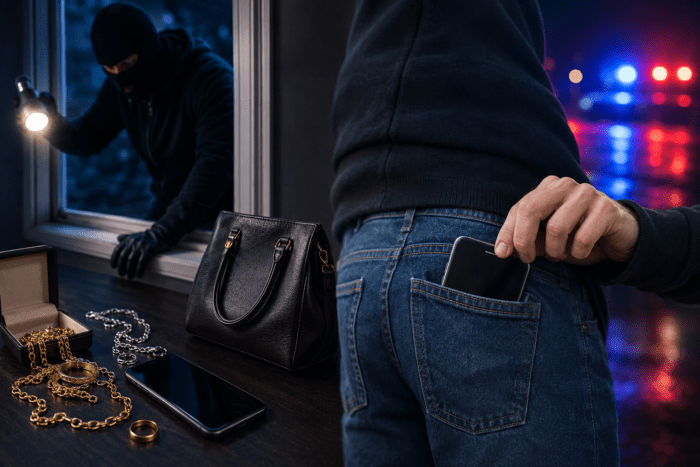
Police are appealing to residents to be more vigilant after two separate thefts within days of each other left victims without valuables and prompted renewed warnings about protecting personal property.
Investigators are looking into a burglary at a Green Bay home and the theft of a mobile phone in the Joseph Lane area, as officers urge the public not to make themselves easy targets for opportunistic criminals.
The burglary occurred shortly before midnight on Monday, June 29, when three men allegedly forced their way into a residence occupied by a woman.
The intruders reportedly ransacked the home before escaping with several items, including gold jewellery, silver chains, a cellular phone, a handbag and a jewellery box. Police have not indicated whether the suspects confronted the occupant or how they gained entry, and no arrests have been made.
In a separate incident, a Samsung Galaxy A22 cellular phone valued at about EC$650 was reported stolen while its owner was in the Joseph Lane area on Tuesday afternoon.
Police said the theft occurred sometime between 4:30 p.m. and 5:10 p.m.
While the two incidents are not believed to be connected, law enforcement officials say they serve as a reminder that thieves often target valuables that are left unattended or are easily accessible.
Residents are being encouraged to secure their homes by ensuring doors and windows are locked, particularly during the night, and to install security lighting, cameras or alarm systems where possible. Police are also advising people to avoid displaying expensive jewellery unnecessarily in public and to keep mobile phones and other valuables within sight at all times.
Authorities are further recommending that owners keep a record of serial numbers and other identifying information for valuable items, saying such details can be critical in recovering stolen property and assisting investigations.
Police continue to investigate both cases and are asking anyone with information to contact the Criminal Investigations Department at 462-3913 or 462-3914, the nearest police station, or Crime Stoppers anonymously at 800-TIPS (8477).
This story was first published by Antigua News on : antigua.news/2026/07/02/burglary-and-phone-theft-prompt-police-warning-as-property-crime-persists. © 2026 Antigua News. Republication without permission is not allowed.

About the author
The Editorial Staff refers to all reporters employed by Antigua.news. When an article is not an original creation of Antigua.news—such as when it is based on a press release, other media articles, letters to the editor, or court decisions—one of our staff members is responsible for overseeing its publication.
Read our editorial standards and corrections policy. Spotted an error? Contact the newsroom.
More from Antigua and Barbuda
View section
Royal Naval Tot Club Donates EC$9,000 to Three Antigua and Barbuda Charities
Adopt a Coastline, Dogs and Cats of Antigua, and Friends of the Care Project each received EC$3,000 from the club.
By Shermain Bique-Charles

Antigua and Barbuda’s Junior Chef Academy Wins Regional Tourism Award
The Taste of Wadadli Junior Chef Academy earned the Social Responsibility Award after students from 15 secondary schools completed more than 1,440 hours of culinary training.
By Shermain Bique-Charles

Police Seek Jennings Man for Questioning in Shooting and Robbery Investigations
Police are appealing for help locating 22-year-old Vernon S. Challenger after several search operations.
By Shermain Bique-Charles

Bolans Health Fair to Recognise Missing HIV Advocate Orden “Passo” David
The November 29 fair will offer HIV testing and family health screenings in the village David called home. He was reported missing in January 2025.
By Shermain Bique-Charles
Comments (1)
Anonymous July 2, 2026, 10:11 AM