
PM: Government Backed Cassada Gardens Redevelopment but Rejected Gaming Tax Waiver

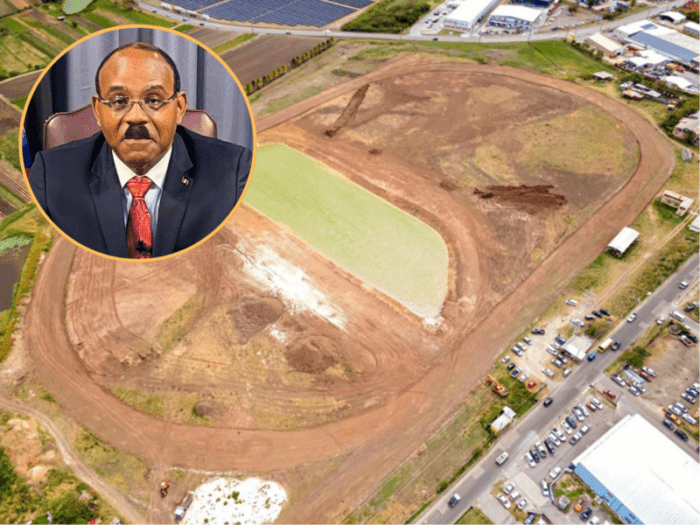
Prime Minister Gaston Browne has defended the Government’s handling of the proposed redevelopment of the Cassada Gardens Racetrack, insisting the administration supported the EC$30 million investment but refused to grant a waiver of the mandatory eight percent gaming fee because it would have created an unfair advantage within the industry.
Browne’s comments came in response to a public statement issued by the Antigua Turf Club, which said negotiations over the redevelopment project stalled after the Government and the prospective foreign investor failed to reach agreement on one aspect of the proposed concession package.
In a statement issued on Tuesday, the Prime Minister said the Government had already approved substantial incentives to facilitate the investment.
“Our government gave the foreign investor a ten-year corporate tax holiday, a casino licence, among other concessions,” Browne stated.
However, he said the negotiations reached an impasse when the investor requested an exemption from the statutory gaming levy.
“They demanded a waiver of the eight percent gaming fee which all owner-operators are required to pay.”
Browne argued that approving such a request would have placed existing gaming operators at a competitive disadvantage.
“To waive it would give them an unfair advantage and we declined their offer,” he said.
The Prime Minister dismissed suggestions that the Government opposed the redevelopment of the Cassada Gardens facility, maintaining that the administration had demonstrated its support through the concessions already offered.
“How does that translate into the government not supporting the project?” he asked.
Browne also suggested that if the project’s viability depended solely on the gaming tax waiver, the Government would rather extend similar support to a local investor.
“If the foreign investor is depending on that tax waiver to develop the facility, we rather give the concession to a local operator, including the Turf Club itself,” he stated.
Reaffirming the Government’s position on fiscal responsibility, Browne said the administration would not agree to concessions that significantly erode public revenues.
“No plundering and bartering of government’s tax revenue will be entertained,” he declared.
This story was first published by Antigua News on : antigua.news/2026/07/07/pm-government-backed-cassada-gardens-redevelopment-but-rejected-gaming-tax-waiver. © 2026 Antigua News. Republication without permission is not allowed.

About the author
The Editorial Staff refers to all reporters employed by Antigua.news. When an article is not an original creation of Antigua.news—such as when it is based on a press release, other media articles, letters to the editor, or court decisions—one of our staff members is responsible for overseeing its publication.
Read our editorial standards and corrections policy. Spotted an error? Contact the newsroom.
More from Antigua and Barbuda
View section
Antigua and Barbuda to Consult on 9 a.m. to 3 p.m. School Day
Education Minister Daryll Matthew says town halls are planned for January on a proposal to bring primary and secondary schools onto the same schedule.
By Shermain Bique-Charles

Police Investigate Sudden Death of 46-Year-Old Man in Cashew Hill
Timothy Henry Crump was found motionless beneath an ackee tree after police received a report that he had fallen.
By Shermain Bique-Charles

Mein Schiff 5 Makes Inaugural Call to Antigua and Barbuda
The cruise ship arrived with approximately 2,468 passengers and is scheduled to return every other week.
By Shermain Bique-Charles

Antigua and Barbuda Eyes Specialised Healthcare Training Partnership With Monroe University
Health Minister Michael Joseph and Monroe University President Mark Jerome discuss advanced training programmes that would allow local healthcare professionals to pursue specialised qualifications while remaining in Antigua and Barbuda.
By Cory Wayland
Comments (1)
Hallelujah Amen July 8, 2026, 8:29 AM