
Local Developer Launches Chantel Alert App to Strengthen Public Safety Information

By Cory Wayland
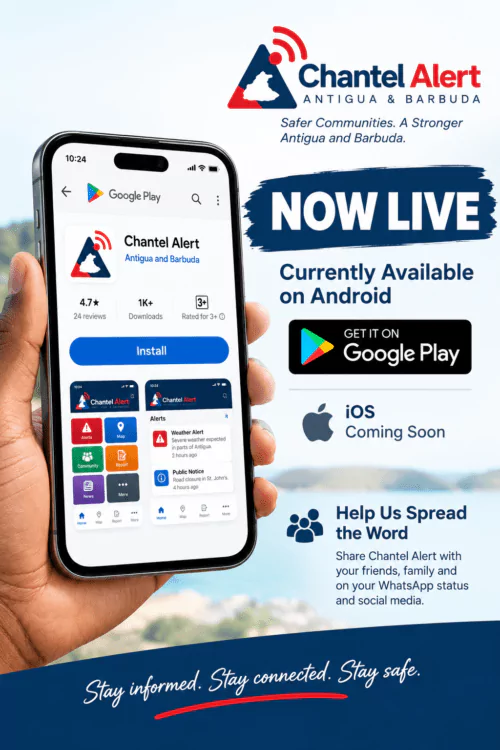
Antigua and Barbuda residents now have a new locally developed tool aimed at putting emergency alerts, public safety information and community updates in one place.
Chantel Alert, an app developed by Antiguan educator and software developer Erwin McPherson, has officially been released to the public following a period of testing.
The platform is currently available for Android devices through Google Play, with an iOS version expected to follow.
McPherson, founder and software engineer of McNova Solutions, said the idea was to create a practical platform that could help residents stay informed about situations affecting their communities.
“As an educator and software developer, I wanted to use technology to create something practical that could contribute to the safety, awareness and connectivity of our communities,” McPherson said.
Chantel Alert brings several types of public information together within a single application.
Users can receive emergency notifications, check active alerts and the areas affected, view missing-person and wanted-person notices, and monitor severe weather and earthquake activity.
The app also allows members of the public to submit information connected to active alerts.
Beyond emergencies, Chantel Alert includes a Community section designed to give approved news organisations, businesses, public agencies and other organisations a space to distribute news, public notices and verified community updates directly to users.
McPherson said the longer-term goal is to expand participation on the platform by bringing more public agencies and organisations on board.
That, he said, could make it easier for residents to find important and reliable information without having to search across several different platforms.
The launch adds another homegrown digital product to Antigua and Barbuda’s technology landscape, with Chantel Alert placing its focus specifically on public awareness, safety and community communication.
For now, Android users can access the app through Google Play, while its developers say an iOS release is coming soon.
This story was first published by Antigua News on : antigua.news/2026/09/10/local-developer-launches-chantel-alert-app-to-strengthen-public-safety-information. © 2026 Antigua News. Republication without permission is not allowed.

About the author
Cory Wayland is the Social Media Co-ordinator at Antigua.News, where he manages digital content strategy, audience engagement, and real-time news publications across social platforms. With a keen eye for trending topics and a commitment to factual storytelling, Cory plays a key role in shaping the online voice of Antigua.News.
Read our editorial standards and corrections policy. Spotted an error? Contact the newsroom.
More from Antigua and Barbuda
View section
Antigua and Barbuda’s Garth Simon Shares COP31 Negotiation Insights with Youth Fellows
The Department of Environment representative discussed climate finance and how small island states can make their priorities heard in global climate talks.
By Shermain Bique-Charles

Education Minister Daryll Matthew Pushes Back Against Teachers’ Union Over Proposed School Hours
The Education Minister insists no decision has been made to change secondary school operating hours and criticises the union’s response, maintaining that consultations will begin in January 2027.
By Cory Wayland

PM Browne Says Government Has Commitments for Beach Parks in Antigua and Barbuda
Browne named Jolly Beach and Pearns Point in Antigua and said commitments had also come from Murbee and PLH in Barbuda.
By Shermain Bique-Charles

Accident Investigation reports critical safety risks not understood by crew on striken yacht that claimed life of Antiguan citizen
UK investigators found that the Bayesian’s crew were unaware of the yacht’s vulnerability to extreme winds before it capsized off Sicily, killing seven people, including Antiguan chef Recaldo Thomas.
By Mick the Ram
Comments (1)
Juju Bee September 10, 2026, 5:55 PM