
BREAKING: VIDEO | XPZ Supermarket Catches Fire Again Nearly Two Years After Reopening

By Cory Wayland
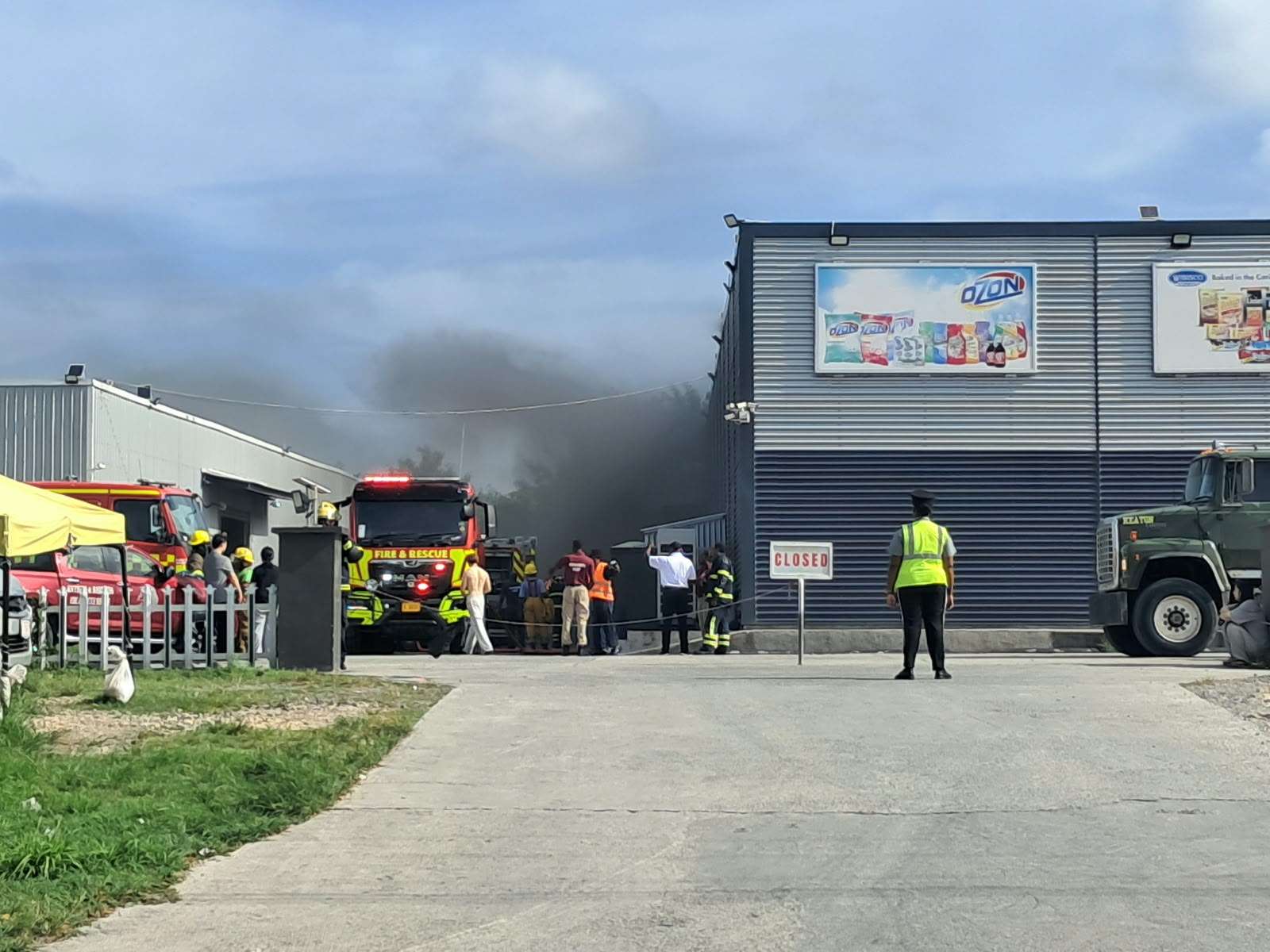
XPZ Supermarket is facing another fire at its Sir Sydney Walling Highway location, nearly two years after the business reopened following the destruction of its original building in a major 2021 blaze.
Firefighters responded to the supermarket on Friday morning, September 25, 2026, after an electrical fire originating from the kitchen sent smoke through the business.
Antigua.News is on the scene as firefighters work to bring the situation under control.
The extent of the damage and whether anyone was injured have not been confirmed.
The latest incident comes at a striking point in XPZ’s history.
The supermarket’s original building was destroyed by fire in June 2021, causing an estimated EC$10 million in losses and putting dozens of employees out of work.
That fire was later determined to have been deliberately set. Former employee Tianzhao “Alex” Feng eventually pleaded guilty to arson in connection with the blaze.
XPZ subsequently began rebuilding at the same Sir Sydney Walling Highway location, eventually returning with a much larger supermarket.
The rebuilt store officially opened to the public on October 18, 2024, more than three years after the original building was destroyed.
That reopening marked a major return for the business, which had rebuilt following the devastating 2021 fire.
Now, less than two years later, firefighters have once again been called to the supermarket.
While the latest fire has been identified as electrical and originating from the kitchen, authorities are expected to assess the circumstances and determine the full extent of the damage.
There is currently no information linking Friday’s incident to the circumstances surrounding the 2021 fire.
Antigua.News is continuing to monitor the situation from the scene and will provide updates as more information becomes available.
This story was first published by Antigua News on : antigua.news/2026/09/25/breaking-video-xpz-supermarket-catches-fire-again-nearly-two-years-after-reopening. © 2026 Antigua News. Republication without permission is not allowed.

About the author
Cory Wayland is the Social Media Co-ordinator at Antigua.News, where he manages digital content strategy, audience engagement, and real-time news publications across social platforms. With a keen eye for trending topics and a commitment to factual storytelling, Cory plays a key role in shaping the online voice of Antigua.News.
Read our editorial standards and corrections policy. Spotted an error? Contact the newsroom.
More from Antigua and Barbuda
View section
Browne Calls for Climate Justice and Fairer Financing at Global Citizen NOW Summit in Australia
Prime Minister urges international action to help small island states escape costly disaster debt and invest in renewable energy.
By Shermain Bique-Charles

Kiz Johnson in Panama to Represent Antigua and Barbuda at Regional Development Forum
Minister of State will join regional counterparts for discussions on inclusive development, reducing inequality and building resilience.
By Shermain Bique-Charles

80 Yachts Set for Antigua as Salty Dogs Rally Returns in November
Most participating vessels are expected to make Antigua their winter base, creating opportunities for businesses across the yachting sector.
By Shermain Bique-Charles

No Lockdown’ of St. John’s for CHOGM, Greene Assures Businesses and Commuters
Temporary security restrictions will affect selected areas, with East Bus Station disruptions expected to end by 1:30 p.m. on November 3.
By Shermain Bique-Charles
Comments (7)
Unfiltered View September 25, 2026, 9:22 AM
Tessa September 25, 2026, 9:40 AM
Pan-Africanist God Bless Antigua September 25, 2026, 10:39 AM
JustSaying September 25, 2026, 11:05 AM
Juju Bee September 25, 2026, 12:23 PM
Strange September 25, 2026, 2:09 PM
Informed citizen September 25, 2026, 2:39 PM