
CBH Brings Antigua’s Heritage to Life with Traditional House and Yard Display
A recreated “blouse and skirt” house, traditional cooking areas and childhood games feature in the National Events Department’s Business Decor competition.

By Cory Wayland

The Central Board of Health (CBH) has recreated a scene of traditional Antiguan home life for its entry in the Business Decor competition organised by the National Events Department.
Staff constructed a traditional “blouse and skirt” house, drawing inspiration from the architectural styles and building techniques of years gone by. Artifacts displayed inside and outside the house added to the portrayal of everyday life.
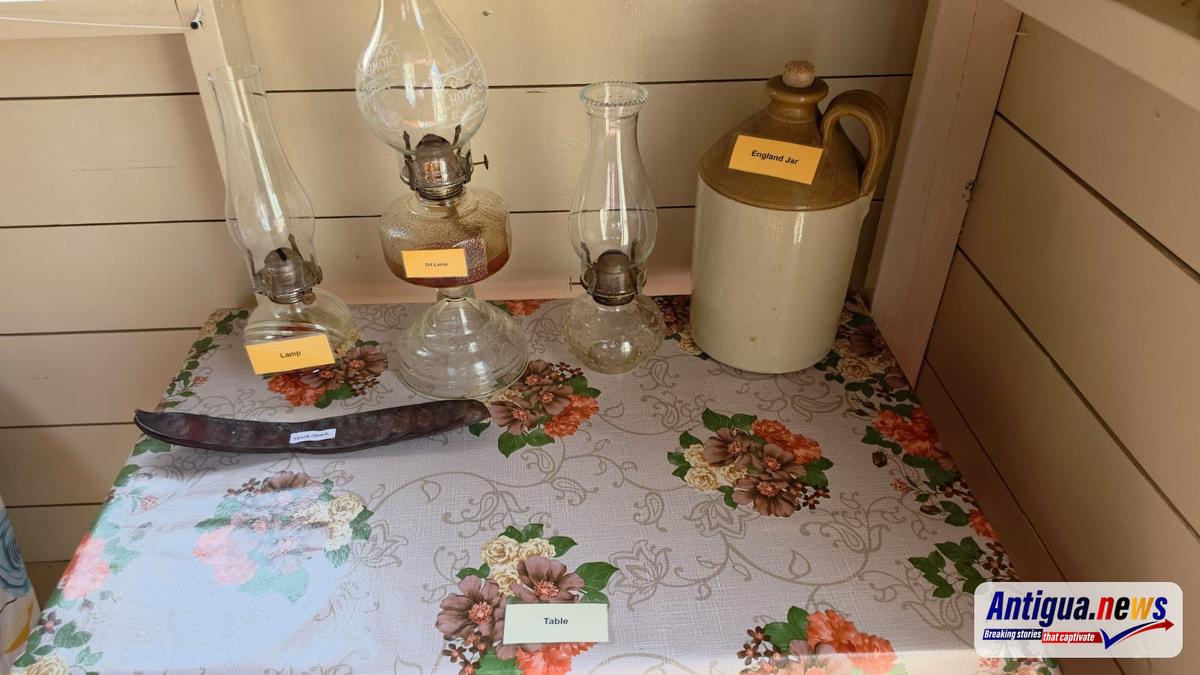
The surrounding yard featured front and back gardens, with flowers and vegetables reflecting the combination of beauty and practicality associated with the home.
Traditional food preparation formed a prominent part of the display. Coal pots, bush tea over a fire, roasting peanuts and potatoes, and pork being corned offered a glimpse into household practices passed down through generations.
An outdoor dresser for washing dishes, a stone heap, a latrine and an outside shower also featured, recreating the spaces where families carried out their daily routines.
The exhibit highlighted recreation as well, with games including the wheeler, warri and marbles on display.
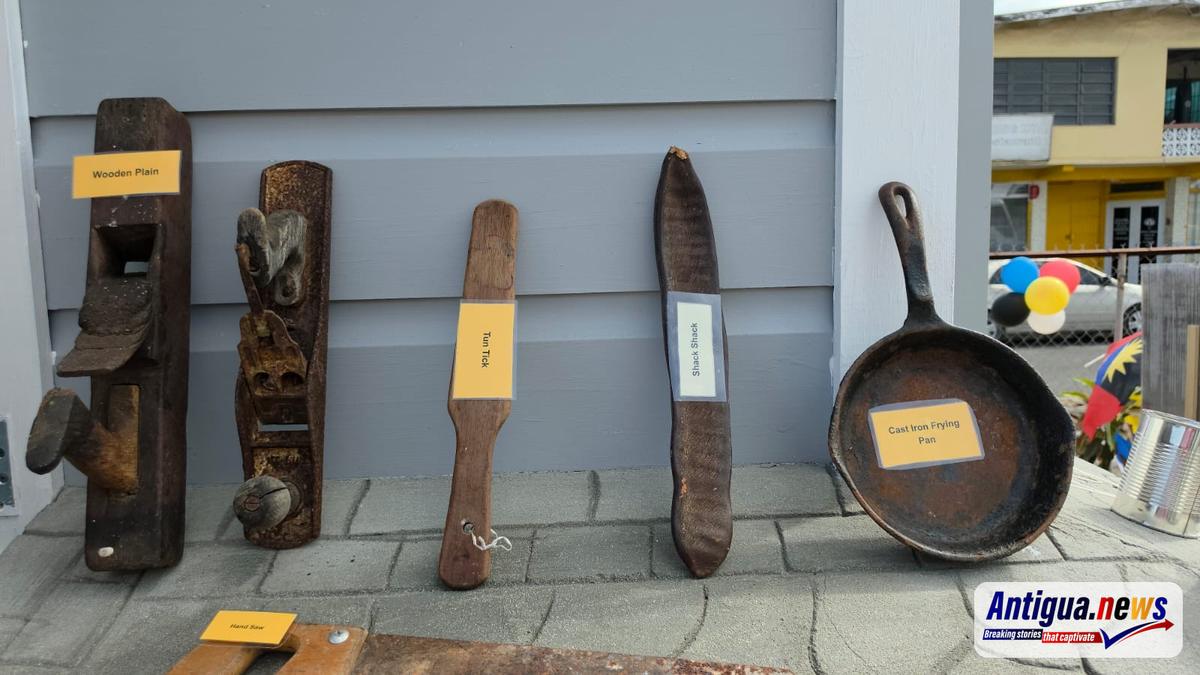
A donkey box laden with produce harvested from the farm, or “grung,” completed the scene, reflecting the connection between agriculture, food and household life.
Through the detailed recreation, CBH staff brought together elements of traditional architecture, gardening, cooking and play in a celebration of Antigua’s cultural heritage.
This story was first published by Antigua News on : antigua.news/2026/10/31/cbh-brings-antigua-s-heritage-to-life-with-traditional-house-and-yard-display. © 2026 Antigua News. Republication without permission is not allowed.

About the author
Cory Wayland is the Social Media Co-ordinator at Antigua.News, where he manages digital content strategy, audience engagement, and real-time news publications across social platforms. With a keen eye for trending topics and a commitment to factual storytelling, Cory plays a key role in shaping the online voice of Antigua.News.
Read our editorial standards and corrections policy. Spotted an error? Contact the newsroom.
More from Antigua and Barbuda
View section
Cancer Care and Climate Resilience to Lead CHOGM Spouses’ Programme
Minister Maria Bird-Browne meets with the Commonwealth Secretary-General’s spouse ahead of engagements combining health discussions, community outreach and cultural exchange.
By Cory Wayland

India Donates Minivans and Motorcycles to Support Antigua and Barbuda’s CHOGM Hosting
Government thanks India for a contribution aimed at strengthening transport and logistical capacity for the Commonwealth gathering.
By Cory Wayland

First Community Eye Care Unit Targets January Opening as Government Eyes Dedicated Hospital
The Gray’s Green facility will expand access to eye screening and referrals, with a dedicated eye hospital envisioned within five years.
By Cory Wayland

First Public-System Corneal Transplants Performed in Antigua and Barbuda
Seven corneal transplants are among 163 eye procedures completed during a visiting surgical mission at Sir Lester Bird Medical Centre.
By Cory Wayland
Comments
Be the first to comment.