
NSWMA Rolls Out Nationwide Bin Rentals to Tackle Litter at Events
Starting today, Monday, November 23, organisers can rent bins for everything from small parties to major fetes, with on-site waste collection available for large events.

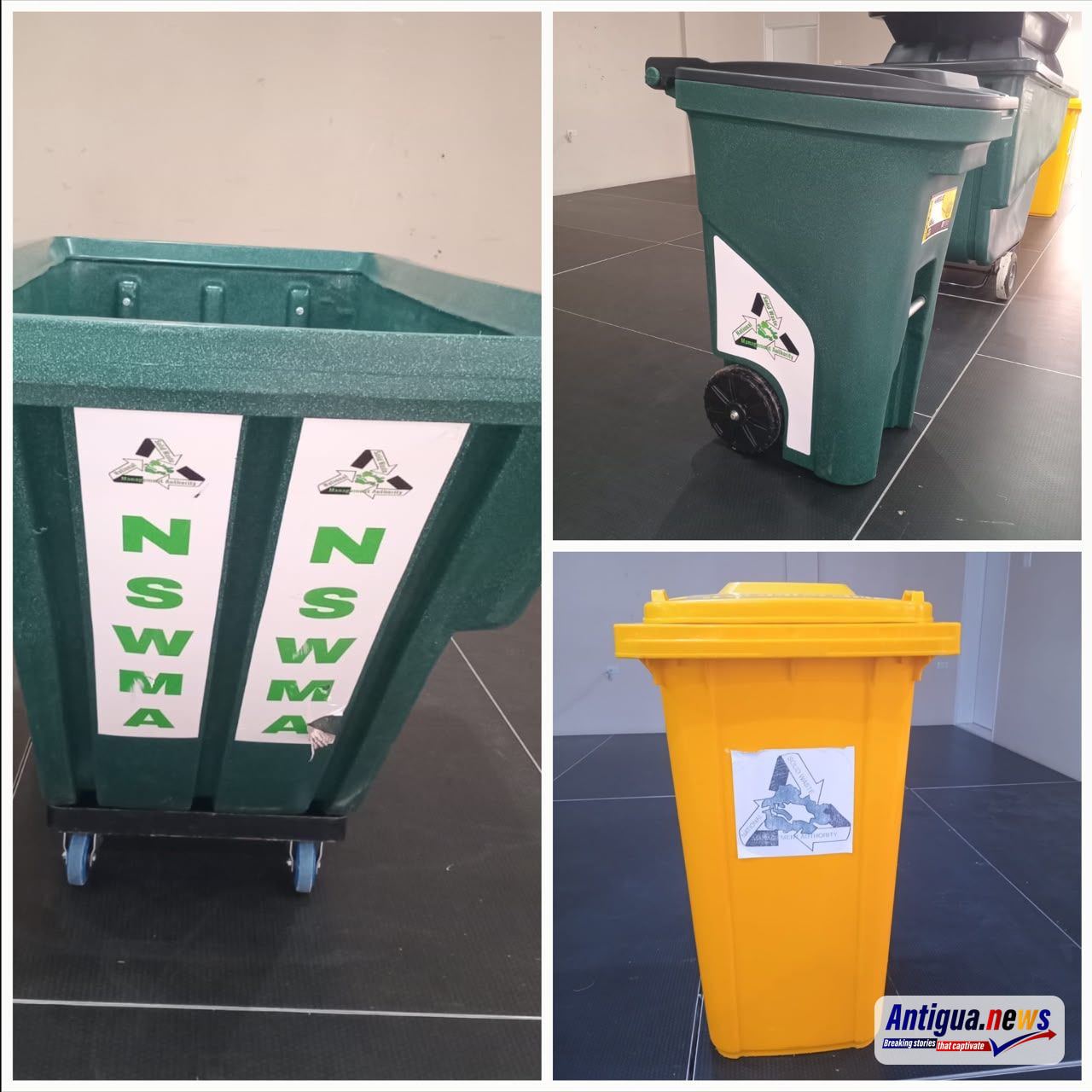
Promoters and festival organisers across Antigua and Barbuda can rent garbage bins from the National Solid Waste Management Authority (NSWMA) starting today, Monday, November 23, as the agency steps up efforts to curb littering at public gatherings.
The nationwide rental service gives organisers a way to plan for the garbage their events will generate, from setting out bins along walkways to arranging collection at busy venues. The authority is launching the service under the theme “A cleaner event starts with the right waste solution.”
Three sizes are available. The 30-gallon wheeled bin is intended for walkways and smaller gatherings, while the 65-gallon wheeled bin is suited to areas where more waste is expected. The 202-gallon bin, the largest option, is designed for major events.
The service is open to fete promoters, festival coordinators, non-governmental organisations and others staging concerts, parties and community functions.
Organisers of large events can also ask the NSWMA to collect waste on-site during their activities to help prevent garbage from piling up. Collection is subject to terms and conditions, and organisers should confirm any additional charges when booking.
The NSWMA is encouraging organisers to book early, as bin availability and collection support will depend on each event’s needs and schedule. The authority also wants patrons to do their part by using the bins provided.
For rental rates and bookings, call 562-1347 or 562-8706, or email [email protected].
This story was first published by Antigua News on : antigua.news/2026/11/23/nswma-rolls-out-nationwide-bin-rentals-to-tackle-litter-at-events. © 2026 Antigua News. Republication without permission is not allowed.

About the author
Shermain Bique-Charles is an accomplished journalist with over 24 years of dynamic experience in the industry. Renowned for her exceptional storytelling and investigative skills, she has garnered numerous awards that highlight her commitment to journalistic integrity and excellence. Her work not only informs but also inspires, making her a respected voice in the field.
Read our editorial standards and corrections policy. Spotted an error? Contact the newsroom.
More from Antigua and Barbuda
View section
Temporary Jolly Harbour Beach Parking Holds About 40 Cars as Permanent Plan Takes Shape
A wider plan for public access could include improved parking and toilets near the Jolly Beach Hotel.
By Shermain Bique-Charles

Six Fires in Less Than Five Hours Prompt Suspected Arson Probe in Antigua
A primary school library was extensively damaged, heavy equipment burned and two vacant houses caught fire. Police are appealing for witnesses.
By Shermain Bique-Charles

UPDATE: Fire Contained After Gutting Christ the King High School Library
Firefighters brought the blaze under control at the Old Parham Road campus. The cause remains unknown.
By Shermain Bique-Charles

BREAKING: Firefighters Respond to Blaze at Christ the King High School
Crews are at the school on Old Parham Road, while a separate fire has been reported on Friars Hill Road.
By Shermain Bique-Charles
Comments
Be the first to comment.