
Jury rules Amber Heard defamed Johnny Depp

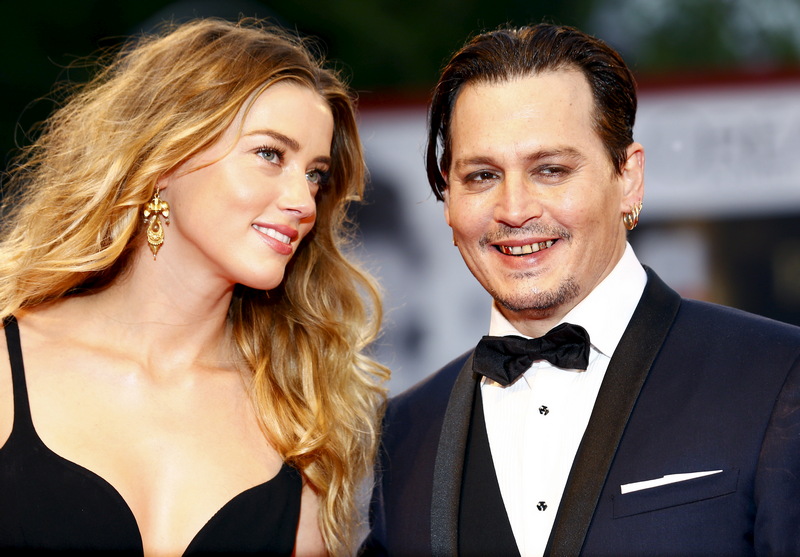
A Virginia jury on Wednesday ruled that actor Amber Heard defamed ex-husband Johnny Depp in a widely watched six-week trial that featured explicit and graphic evidence and testimony detailing the former Hollywood couple’s soured relationship. The jury also ruled in favor of Heard in some aspects of her counter-suit against Depp.
The jury awarded Depp $15 million in damages from Heard (of which 5 for punitive damages). However, the judge reduced the punitive damages in Depp’s favor to USD 350000, in accordance with the applicable law in the state of Virginia, so the total amount Heard will have to pay is 10350000. The panel awarded Heard $2 million in damages.
Depp, the 58-year-old “Pirates of the Caribbean” star, sued Heard for $50 million and argued that she defamed him when she called herself “a public figure representing domestic abuse” in a newspaper opinion piece.
Heard, 36, countersued for $100 million, saying Depp smeared her when his lawyer called her accusations a “hoax.”
Depp has denied hitting Heard or any woman and said she was the one who turned violent in their relationship.
PEOPLE DEPP ROUGH CUT
JOHNNY DEPP AMBER HEARD FULL VERDICT
This story was first published by Antigua News on : antigua.news/2022/06/02/jury-rules-amber-heard-defamed-johnny-depp. © 2022 Antigua News. Republication without permission is not allowed.

About the author
The Editorial Staff refers to all reporters employed by Antigua.news. When an article is not an original creation of Antigua.news—such as when it is based on a press release, other media articles, letters to the editor, or court decisions—one of our staff members is responsible for overseeing its publication.
Read our editorial standards and corrections policy. Spotted an error? Contact the newsroom.
More from Style
View section
The Best TV Shows of the 21st Century Didn’t Stay on Screen
Breaking Bad leads the New York Times’ new ranking. But from Mad Men’s tailoring to Fleabag’s confessions, the real story is what these series left behind
By Dario Item
Giorgio Armani Remembered for Contributions to Antigua and Barbuda
By Shermain Bique-Charles

‘BB Service’ Claims Road March Victory
By Editorial Staff
LETTER: Swag or Sag? Boy, Pull Your Pants Up!
By Editorial Staff
Comments
Be the first to comment.