
Mo Farah reveals his true identity, says he came to the uk using a false name
By Tata
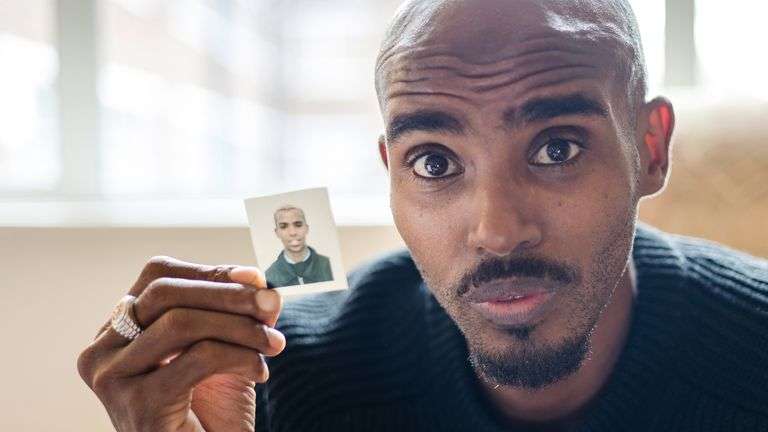
Four-time Olympic champion Mohamed Farah has told the BBC that his name is not Mohammed Farah and that he came to the UK illegally at the age of nine. Farah revealed this in a documentary by the BBC. He said his real name was Hussein Abdi Kahin.
“For years I just kept blocking it out,” the long-distance runner said. “But you can only block it out for so long.”
Sir Mo Farah revealed that his father died when he was four in a civil conflict and that he was originally from Somalia. At the age of 8 or 9, a woman she was not related to offered to take him to the UK. Farah said he was excited about it because he “had never been on a plane before.”
The Team Great Britain athlete said he was transported to the UK with the documents of another boy whose name was Mohammed Farah. The woman told him his name was Mohammed.
A CHILDHOOD OF SLAVERY
Farah’s excitement soon turned into sadness when he arrived in the UK. According to him, the woman immediately destroyed the piece of paper containing his family information and contacts.
“Right in front of me, she ripped it up and put it in the bin. At that moment, I knew I was in trouble,” Farah says.
According to Farah, the lady told him: “If you ever want to see your family again, don’t say anything.” He said the only way he could get food for himself was to do the house works and care for the children.
“Often I would just lock myself in the bathroom and cry,” the knighted athlete says
SIR MO GETS HIS CITIZENSHIP UNDER A FALSE NAME
Farah’s love for sports made him close to his PE teacher, Alan Watkinson. He confided in him about his challenges. Mr. Alan helped him get fostered into another Somali family. He also helped Farah obtain citizenship in the UK in 2000 with the name Mohammed Farah instead of his real name Hussein Abdi Kahin. Hussein went on to win many medals using the name Mohammed Farah.
FARAH MEETS HIS MOTHER AGAIN
Farah soon became popular in the Somali community. One day at a restaurant, a lady gave him a tape. It was a message recorded for him by his mother.
“It wasn’t just a tape,” Mo says. “It was more of a voice, and then it was singing sad songs for me, like poems or like a traditional song, you know. And I would listen to it for days, weeks.”
On the side of the tape was a written message. It was the phone number of his mother who asked Sir Mo to call him if he could. But the mother said it was optional for him to do so.
“If this is a bother or causing you trouble, don’t – just leave it – you don’t have to contact me,” the message reads.
Sir Mo soon called his mother, and the feeling of excitement knows no bound. Aisha, Sir Mo’s mother, said she almost threw away her phone when she heard her son’s voice.
“When I heard him, I felt like throwing the phone on the floor and being transported to him from all the joy I felt,” the mother says.
“The excitement and joy of getting a response from him made me forget everything that happened,” Aisha added.
In the documentary, Sir Mo Farah took his son to Somaliland to see his mother and his two brothers. Aisha finally had the opportunity to explain what happened to his son. She explained to him how she sent him to his uncle in Djibouti because of the war.
“We were living in a place with nothing, no cattle, and destroyed land. We all thought we were dying. ‘Boom, boom, boom,’ was all we heard. I sent you away because of the war. I sent you off to your uncle in Djibouti so you could have something,” Aisha said.
She added that there was no way she could contact him since there were no phones and roads.
“I lost contact with you. We didn’t have phones, roads or anything. There was nothing here. The land was devastated,” Aisha said.
THE HOME OFFICE WON’T WITHDRAW HIS CITIZENSHIP
Under British law, any citizenship obtained with false information could be withdrawn. However, the Home office has now revealed to the BBC that it would not investigate nor take further action regarding Sir Mo’s citizenship.
The authorities have also promised to investigate Mo Farah’s childhood claims using any available information.
This story was first published by Antigua News on : antigua.news/2022/07/13/mo-farah-reveals-his-true-identity-says-he-came-to-the-uk-using-a-false-name. © 2022 Antigua News. Republication without permission is not allowed.
Read our editorial standards and corrections policy. Spotted an error? Contact the newsroom.
More from Style
View section
A Garden Fence, Ten Years in Court and a £1 Million Legal Bill
A 95-year-old woman won damages against her neighbours but failed to recover the wider costs of a boundary dispute. The courts called the result a draw.
By Dario Item

Julio Iglesias Faces Spanish Inquiry Over Caribbean Abuse Claims
A Spanish judge has opened an investigation into allegations by two former employees, after prosecutors initially said Spanish courts lacked jurisdiction. The singer denies wrongdoing.
By Dario Item

Sony Brings Back the Walkman Look With One Small Catch
The new MDR-3R headphones revive a familiar design from 1979. Their connection to the present makes for an awkward family reunion.
By Dario Item

When a Pineapple Was the Ultimate Status Symbol
Europe’s aristocrats went to extraordinary lengths to put a tropical fruit on the table. Antigua has a more practical way to enjoy it.
By Dario Item
Comments
Be the first to comment.