
North Korea declares itself a nuclear weapons state
By Tata
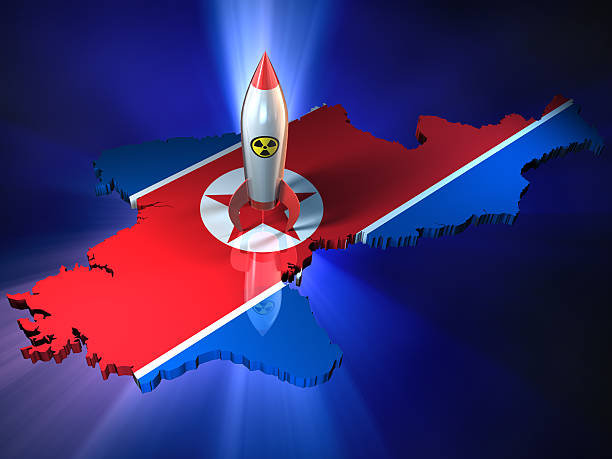
For the few, if any, still doubting if North Korea has nuclear weapons, the country had come out to declare itself a nuclear weapons state. In a new law passed by the country’s rubber-stamp parliament, the DPRK now has the right to use nuclear weapons to defend itself against external forces.
“The adoption of laws and regulations related to the national nuclear force policy is a remarkable event as it’s our declaration that we legally acquired war deterrence as a means of national defense,” Kim said.
“As long as nuclear weapons exist on Earth, and imperialism and the anti-North Korean maneuvers of the US and its followers remain, our road to strengthening our nuclear force will never end,” he added.
The declaration is coming after months of increased tension between North Korea, South Korea, and the United States. President Joe Biden has vowed to denuclearize Pyongyang even if it means doing so forcefully. In his visit earlier this year, he promised to increase military presence in the region over the nuclear threats posed by the most isolated country in the world.
In recent times, North Korea has begun a close relationship with China and Russia amid rising tensions between the world powers. Both countries recently vetoed a UN resolution to implement new sanctions against the DPRK.
Kim Jun un, the Supreme leader of North Korea, made it clear that the United States was the number one threat that has caused it to take the nuclear weapons direction and vowed that no amount of sanctions would change the country’s mind.
“The purpose of the United States is not only to remove our nuclear might itself but eventually to force us to surrender or weaken our rights to self-defense through giving up our nukes so that they could collapse our government at any time,” Kim said on Friday.
“Let them sanction us for 100 days, 1,000 days, 10 years, or 100 years. We will never give up our rights to self-defense that preserves our country’s existence and the safety of our people just to ease the difficulties we are experiencing now temporarily,” Kim added.
What the law says
The new law states the conditions under which the DPRK could use its nuclear weapons. The conditions include when the country’s leadership is facing imminent “nuclear or non-nuclear attack by hostile forces.” In other words, whenever the country’s leader comes under any form of attack, the country’s military can execute nuclear strikes whether the attackers are using nuclear weapons or not.
Apart from the use of nuclear weapons, the military could also use nukes to prevent a “catastrophic crisis” against the people and government of North Korea. The fact that this part was not clearly defined is likely to raise fears among neighbors as they will not be able to determine what will warrant a nuclear attack.
Reacting to the new Korean law, the United Nations Secretary said he was “deeply concerned” with the development and called for the denuclearization of Pyongyang.
“The Secretary-General reiterates his call to the DPRK to resume dialogue with the key parties concerned with a view to achieving sustainable peace and the complete and verifiable denuclearization of the Korean Peninsula,” Guterres’s said in a statement.
This story was first published by Antigua News on : antigua.news/2022/09/11/north-korea-declares-itself-a-nuclear-weapons-state. © 2022 Antigua News. Republication without permission is not allowed.
Read our editorial standards and corrections policy. Spotted an error? Contact the newsroom.
More from World
View section
Myanmar Says It Will Defy Parts of the Rohingya Genocide Ruling
The Gambia won an order for the safe return of Rohingya refugees. Myanmar’s president says he will choose which measures to accept, and an armed group controls most of the land they fled.
By Dario Item

Spain Votes After an Eviction Shook Its Government
An elderly tenant’s eviction helped trigger the November 29 snap election. Pedro Sánchez is recovering in some polls, but the right still has the clearer route to a governing majority.
By Dario Item

Dozens of KFC Restaurants Closing Across 10 U.S. States as Major Franchise Operator Files for Bankruptcy
Financial troubles, falling sales and millions in unpaid franchise fees have forced a major KFC operator into bankruptcy, with 72 restaurant locations affected and more closures possible.
By Cory Wayland

Robert Pattinson is the new James Bond
The Twilight and The Batman star succeeds Daniel Craig as 007 in the next James Bond film, directed by Denis Villeneuve and written by Steven Knight.
By Mick the Ram
Comments
Be the first to comment.