
UPP ready to welcome three former DNA members

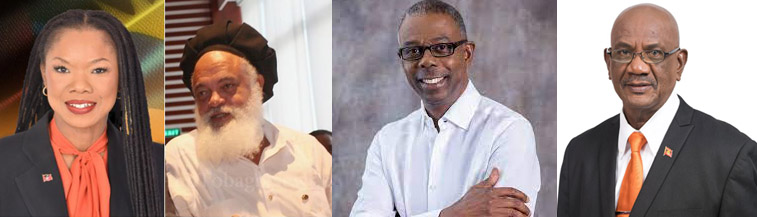
Leader of the United Progressive Party Harold Lovell says he is ready to welcome the three members of the Democratic National Alliance who resigned last week.
The DNA lost three top officials who were slated to contest the yet-to-be-announced general election.
1st Vice President Bruce Goodwin and Chairperson, Malaka Parker, jointly resigned, on October 27, by way of a letter. And on Thursday Gatesworth James, the Secretary-General informed the DNA of his decision in a letter dated October 31st, 2022.
All three were accused of trying to merge the DNA with the UPP, the party from which the newer Democratic National Alliance emerged following a bitter battle for leadership over four years ago.
Lovell said on Observer on Friday morning that if they are willing to return, the UPP would be happy to “roll out the blue carpet for them”.
“We are happy that they have reconsidered their relationship with the DNA and we would be willing to have them reenter the fold of the UPP on terms that are comfortable with them, whether they want to become full members or wish to have an association with us, a united approach to fighting the Gaston Browne administration…” Lovell said.
He said the political imperative of Antigua at this time, is that there must be a united force to fight the ABLP administration.
“The Gaston Browne administration is like cancer, a sore on the body politics of the country, and therefore a strong source to fight them are welcomed,” Lovell said.
Leader of the DNA Joanne Massiah assures that the party remains strong, resilient, focused, and committed to delivering a fairer and better Antigua and Barbuda for all.
She also reminded that politics is “both fluid and dynamic” while reinforcing that the governance of the country cannot and should not be “bartered for political expediency.”
This story was first published by Antigua News on : antigua.news/2022/11/04/upp-ready-to-welcome-three-former-dna-members. © 2022 Antigua News. Republication without permission is not allowed.

About the author
The Editorial Staff refers to all reporters employed by Antigua.news. When an article is not an original creation of Antigua.news—such as when it is based on a press release, other media articles, letters to the editor, or court decisions—one of our staff members is responsible for overseeing its publication.
Read our editorial standards and corrections policy. Spotted an error? Contact the newsroom.
More from Antigua and Barbuda
View section
13-Year-Old Daniel Donawa Reunited With Family
The teenager has been reunited with his loved ones following a public appeal for assistance in locating him.
By Cory Wayland

Family Appeals for Help Finding 13-Year-Old Daniel Donawa
Family seeks public’s help after Daniel Donawa, 13, failed to return from a youth rally
By Shermain Bique-Charles

Justin “Jus Bus” Nation Designs Winning Logo for National Performing Arts Centre
Cabinet approves a design inspired by Antigua and Barbuda’s flag, cultural heritage and performing arts.
By Shermain Bique-Charles

Chinese Partners Join Social Protection Board in Successful Food Distribution
Donated meals and hands-on support bring assistance to members of the public, with Operations Manager Emily Baltimore praising the partnership.
By Shermain Bique-Charles
Comments (2)
Datsbae November 4, 2022, 11:12 AM
Avo November 4, 2022, 3:41 PM