
Man trades gunfire with guards at Guyana leader’s residence

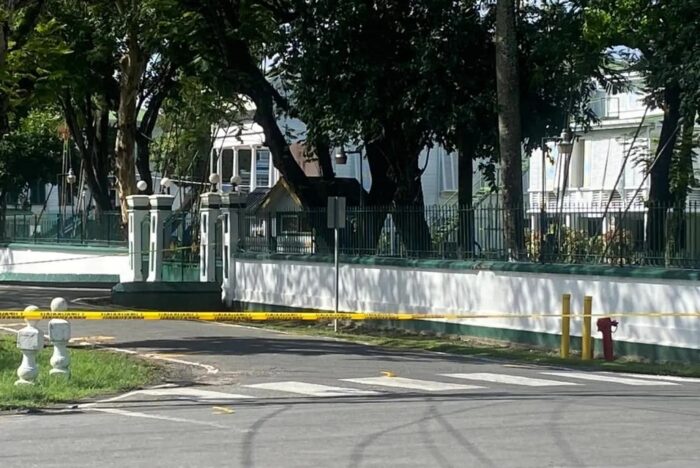
Police are investigating an incident in which a man who demanded to see Guyanese President Irfaan Ali at his official residence stabbed one presidential guard, grabbed a gun and opened fire before being shot.
Both the guard who was stabbed about his neck and body and the attacker are hospitalized in serious condition.
According to a statement from the Guyana Police Force, the man “of mixed-race ethnicity” turned up at the southeastern guard hut at State House around 7:30 a.m. and confronted the security detail there, telling them, “I want the President”.
He subsequently became agitated and pulled a knife from the waist of his pants, stabbing one policeman five times.
The man then grabbed a policeman’s gun and fired several rounds in the area. Other presidential guards then returned fire, injuring the suspect.
A nine-millimeter pistol and seven spent shells were recovered from the scene.
The area around State House has since been cordoned off by security forces.
This story was first published by Antigua News on : antigua.news/2022/12/16/man-trades-gunfire-with-guards-at-guyana-leaders-residence. © 2022 Antigua News. Republication without permission is not allowed.

About the author
The Editorial Staff refers to all reporters employed by Antigua.news. When an article is not an original creation of Antigua.news—such as when it is based on a press release, other media articles, letters to the editor, or court decisions—one of our staff members is responsible for overseeing its publication.
Read our editorial standards and corrections policy. Spotted an error? Contact the newsroom.
More from Caribbean
View section
BREAKING | Dominica Heads to the Polls on December 16
Nomination Day is November 30 as Prime Minister Roosevelt Skerrit seeks a fresh mandate for the Dominica Labour Party.
By Shermain Bique-Charles

DOMINICA: Relief as Three Missing Men Are Found Alive at Sea Near Aves Islands
Davel Baron, Ryan Royer and a third man were rescued by a cargo vessel after being found drifting at sea, bringing relief following days of uncertainty over their whereabouts.
By Cory Wayland

Two Men Vanish at Sea in Dominica, Sparking Growing Fears for Their Safety
Police issue missing-person alerts for Davel Baron and Ryan Royer as concerns grow over their whereabouts.
By Cory Wayland

Saint Lucia Makes Decision on Citizenship by Investment Programme Amid EU Pressure
Prime Minister Philip J. Pierre confirms his government has formally responded to the European Union but says the decision will remain confidential until Brussels acknowledges receipt of the correspondence.
By Cory Wayland
Comments
Be the first to comment.