
UCL draw: Real Madrid meet Chelsea as Manchester City play Bayern in quarter-final
By Tata
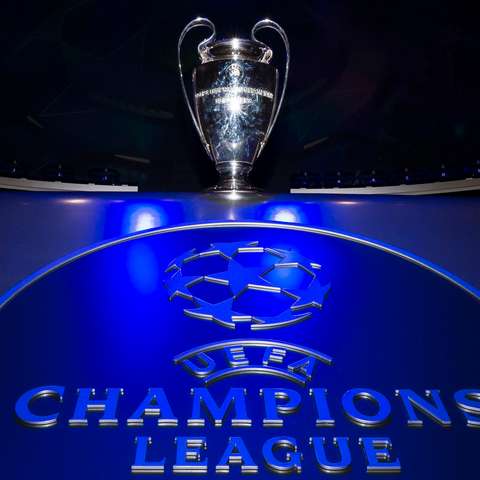
It will be an entertaining quarter-final in this year’s UEFA Champions League as holders Real Madrid face Chelsea while Manchester City was paired with Pep Guardiola’s former side Bayern Munich in Friday’s draw.
The other pairing of the draw will see Italian giants Napoli take on AC Milan while Inter Milan locks horns with Portuguese league leaders Benfica.
Full draw below:
Real Madrid vs Chelsea
Inter Milan vs Benfica
Manchester City vs Bayern Munich
AC Milan vs Napoli
The winner of the game between Real Madrid vs Chelsea will face the winner between Bayern Munich and Manchester City while the winner of the tie between Inter Milan and Benfica will play the winner between AC Milan and Napoli, which increases the odds of seeing an Italian team reaching the final for the first time since Juventus in 2017, should Benfica loss to Inter.
The quarter-final first legs will be played on April 11 and 12, with Real playing hosts to Chelsea at the Bernabeu first before traveling to London for the return a week later, and City at home to Bayern first.
Inter, having been originally drawn to face Benfica at home, will now travel to Lisbon for the first leg in order to avoid conflicting with AC Milan’s fixture against Napoli at San Siro.

Chelsea faces Madrid yet again
Chelsea succumbed to Real Madrid in a difficult quarterfinal match last year, ending their chances of winning the Champions League back-to-back.
This year’s fixture against the Los Blancos, however, appears to be a challenging encounter for the North London side which has had an abysmal season under new coach Graham Potter.
Meanwhile, will this finally be the year of European glory for English champions, Manchester City? Time will tell.
The semi-finals will be played in May with the final in Istanbul scheduled for Saturday, June 10.
This story was first published by Antigua News on : antigua.news/2023/03/17/ucl-draw-real-madrid-meet-chelsea-as-manchester-city-play-bayern-in-quarter-final. © 2023 Antigua News. Republication without permission is not allowed.
Read our editorial standards and corrections policy. Spotted an error? Contact the newsroom.
More from Style
View section
The Best TV Shows of the 21st Century Didn’t Stay on Screen
Breaking Bad leads the New York Times’ new ranking. But from Mad Men’s tailoring to Fleabag’s confessions, the real story is what these series left behind
By Dario Item
Giorgio Armani Remembered for Contributions to Antigua and Barbuda
By Shermain Bique-Charles

‘BB Service’ Claims Road March Victory
By Editorial Staff
LETTER: Swag or Sag? Boy, Pull Your Pants Up!
By Editorial Staff
Comments
Be the first to comment.