
Iran installs cameras to identify women not wearing a head covering
By Tata
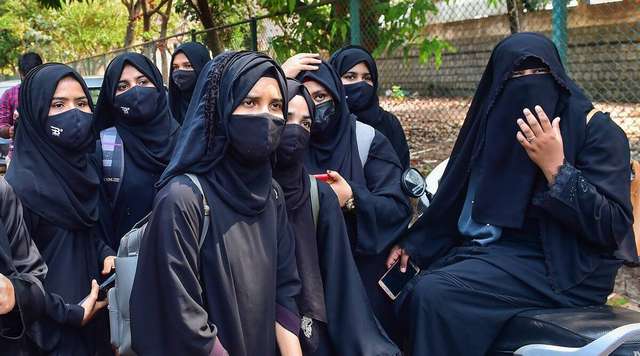
The battle for supremacy between the Iranian government and the women in Iran is far from over after the government said it would install cameras in public places to identify women breaking the dress code.
Following the death of Mahsa Amini in September last year, many women and girls in Iran are ditching their hijabs in protest of the government’s tough stance on women’s dress code.
“In an innovative measure and to prevent tension and conflicts in implementing the hijab law, Iranian police will use smart cameras in public places to identify people who break the norms,” Tasnim, Iranian State News agency, said on Saturday.
The statement added that the cameras would identify women violating the dress code, and messages would be sent to them notifying them of the time, place, and how they broke the law.
In the past, the country’s morality police had the responsibility of checking to confront and arrest ladies that violated the dress code. However, in September last year, 22-year-old Mahsa Amini was arrested by these officials and unfortunately died at their hands. The government insisted that the young lady died of underlying ailments, but her family argued that there was no such underlying sickness.
Her death led to massive protests across the country, leading to a government crackdown that led to the deaths of hundreds. Some citizens that joined the protest were even sentenced to death for “waging a war against God.”
Although there are doubts about the government’s disbandment of the morality police, there is no doubt that there are major reforms, and the installation of cameras across the country could be one of them. However, the police added in Saturday’s statement that the government would not tolerate any form of resistance against the country’s dress code for females.
“In the context of preserving values, protecting family privacy and maintaining the mental health and peace of mind of the community, any kind of individual or collective behaviour against the law, will not be tolerated,” Tasnim’s report added.

This story was first published by Antigua News on : antigua.news/2023/04/09/iran-installs-cameras-to-identify-women-not-wearing-a-head-covering. © 2023 Antigua News. Republication without permission is not allowed.
Read our editorial standards and corrections policy. Spotted an error? Contact the newsroom.
More from World
View section
Spain Votes After an Eviction Shook Its Government
An elderly tenant’s eviction helped trigger the November 29 snap election. Pedro Sánchez is recovering in some polls, but the right still has the clearer route to a governing majority.
By Dario Item

Dozens of KFC Restaurants Closing Across 10 U.S. States as Major Franchise Operator Files for Bankruptcy
Financial troubles, falling sales and millions in unpaid franchise fees have forced a major KFC operator into bankruptcy, with 72 restaurant locations affected and more closures possible.
By Cory Wayland

Robert Pattinson is the new James Bond
The Twilight and The Batman star succeeds Daniel Craig as 007 in the next James Bond film, directed by Denis Villeneuve and written by Steven Knight.
By Mick the Ram

Microsoft Outage cripples millions globally
Outlook, Teams and Copilot users reported disruptions across 74 countries as Microsoft cited increased load on its infrastructure.
By Mick the Ram
Comments
Be the first to comment.