
Teachers to return to classrooms Monday but under conditions

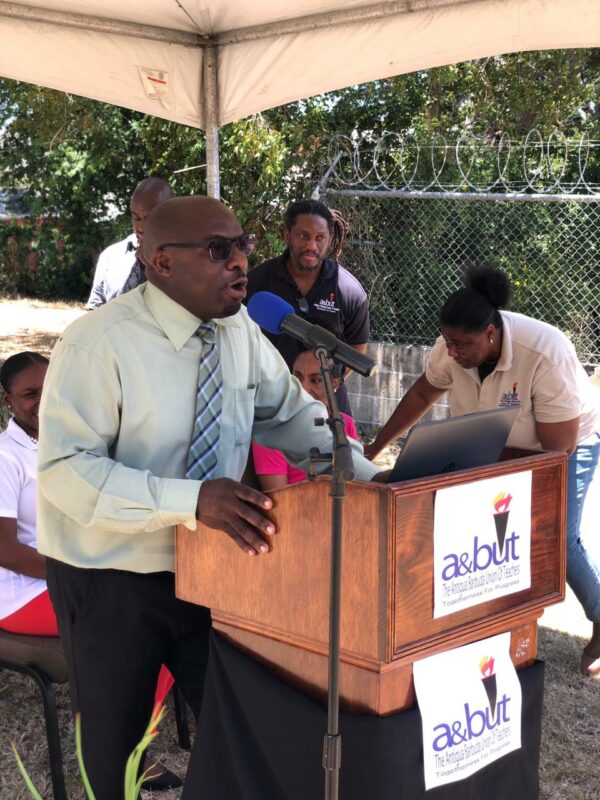
Teachers say they will return to the classrooms on Monday but if all demands are not met before the start of the workday, they will engage in Industrial Action by way of a “sit-in.”
The teachers through a press statement said they will maintain this posture until they have satisfactorily addressed the remaining issues.
“The battle rages on! The A&BUT has been more than accommodating with the Ministry of Education. We have made ourselves available for meetings and have extensively ventilated the issues before us,” they said in a statement
They said that these meetings were conducted with a spirit of cooperation and determination to get our outstanding issues resolved.
“Yet, the Ministry of Education continues to present a narrative that paints teachers as unreasonable even though their poor management practices are the root cause of their inadequate performances,” the statement added.
Teachers say, to date, only two demands made have been fully met (Plans for SNRA and lighting in schools).
“We have indicated our willingness to extend further grace to the Ministry of Education as it works towards addressing the issues of fencing at SNRA and Pares, and the installation of Security Cameras”.
During a meeting held yesterday representatives from the A&BUT made it very clear that “we will not relent on our demands to have a counter-proposal to the terms presented within our proposed Collective Bargaining Agreement and the payments of the difference in salary to teachers who have been upgraded”.
Teachers also claimed that it is pellucid that the Ministry of Education cannot be trusted to fulfill their basic responsibilities to teachers and must be held accountable for this failure in the execution of their duties.

This story was first published by Antigua News on April 15, 2023: antigua.news/2023/04/15/teachers-to-return-to-classrooms-monday-but-under-conditions. © 2023 Antigua News. Republication without permission is not allowed.

About the author
The Editorial Staff refers to all reporters employed by Antigua.news. When an article is not an original creation of Antigua.news—such as when it is based on a press release, other media articles, letters to the editor, or court decisions—one of our staff members is responsible for overseeing its publication.
Read our editorial standards and corrections policy. Spotted an error? Contact the newsroom.
More from Antigua and Barbuda
View section
Elderly Man Found Dead Inside Ovals Home
Police are investigating after an elderly man was discovered unresponsive at his home in Ovals on Wednesday morning, with no indication of foul play at this stage.
By Cory Wayland

WATCH: Taxi Operators Call for Proper Policing as Minister Freeland Reviews Concerns in St. John’s
Taxi association representatives say vehicles occupying designated spaces and soliciting cruise passengers are affecting operations around Heritage Quay.
By Shermain Bique-Charles

OPINION: The World Must Rise Up With A Single Voice Against All Forms Of Terrorism
Cuban Ambassador Sergio Martinez Gonzalez calls for a united global stand against terrorism as CARICOM and Cuba commemorate the victims of the 1976 Cubana Airlines bombing and reaffirm their opposition to terrorism in all its forms.
By Editorial Staff

SLBMC Cancer Symposium Expands to Include Community Discussions
The 2026 symposium added a dedicated community day, bringing patients, families and caregivers into wider discussions on cancer care.
By Shermain Bique-Charles
Comments
Be the first to comment.