
Professor Densil Williams Bids Farewell as He Leaves for Mona Campus

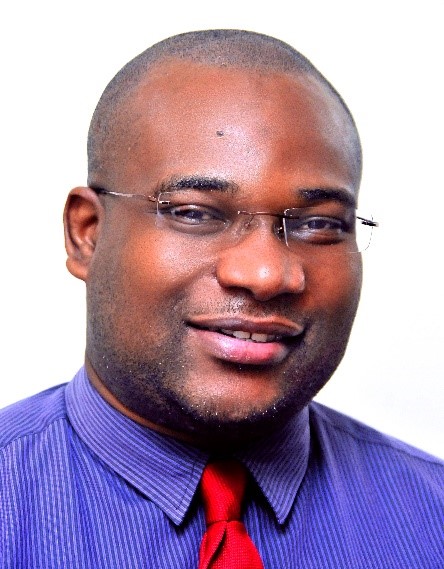
Prime Minister Gaston Browne has thanked the Principal of the University of the West Indies Five Island Campus Professor Densil Williams for his outstanding service to the university and the country
Professor Williams has been promoted to the Principal of Mona Campus in Jamaica. His position takes effect on August 1.
He paid a farewell visit to Cabinet on Wednesday, as he prepares to return to the UWI Campus Mona.
Browne said that Professor Williams took UWI through a period of transition and his services are highly appreciated
He was also described by PM Browne as a man with great Caribbean talent, further thanking him for his outstanding work and achievements on behalf of UWI, and for placing the institution in a tremendously competitive space.
Browne is not the only one who expressed gratitude. Several Ministers took the opportunity to express thanks to the outgoing Principal, who responded by assuring the Cabinet that the UWI Campus at Five Islands is an outstanding achievement and thanked the Government for this effort.
According to notes from the Cabinet, the outgoing Principal remarked that the build-out of the UWI Five Islands Campus would inure to the benefit of Antigua and Barbuda and other Eastern Caribbean countries which UWI serves.
“The campus, in the post-Covid era, exceeds 1,000 students though it was first constructed to fit 800 students. The human capital development which has characterized UWI will be reflected in the achievements of the growing student population. He praised the Government of Antigua and Barbuda for its valiant efforts and for the support to UWI which can only empower the people whom the campus will continue to serve” the notes added

This story was first published by Antigua News on : antigua.news/2023/07/13/professor-densil-williams-bids-farewell-as-he-leaves-for-mona-campus. © 2023 Antigua News. Republication without permission is not allowed.

About the author
The Editorial Staff refers to all reporters employed by Antigua.news. When an article is not an original creation of Antigua.news—such as when it is based on a press release, other media articles, letters to the editor, or court decisions—one of our staff members is responsible for overseeing its publication.
Read our editorial standards and corrections policy. Spotted an error? Contact the newsroom.
More from Caribbean
View section
VIDEO: Doctors at Dominica China Friendship Hospital Stage Protest Outside Medical Facility
Healthcare professionals at the Dominica China Friendship Hospital gather outside the medical facility in an apparent protest, raising concerns over issues yet to be officially confirmed.
By Cory Wayland

St. Kitts DPP Seeks Antigua’s Help in Outstanding Case Involving Former Resort Clerk
By Shermain Bique-Charles

Royal Caribbean in Talks to Buy Half of Sandals in Reported $3 Billion Deal
By Shermain Bique-Charles

Four Killed in Latest US Military Strike on Suspected Drug Vessel in Caribbean
By Shermain Bique-Charles
Comments
Be the first to comment.