
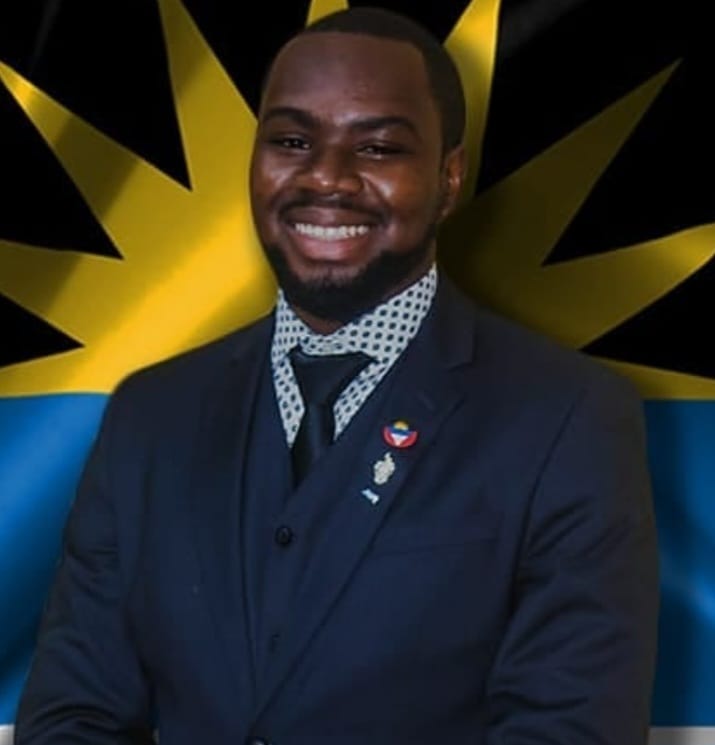
Senator Gardiner says he is ready for the new role

By Aabigayle McIntosh
The country’s newest Diplomat said he welcomes the new role and is grateful for the confidence that has been placed in him.
“When I first became a Senator, I would have said it is a privilege but being able to work hard to make an impact and to know to go further it is really and truly an honor,” Senator Caleb Gardiner said.
Gardiner, the country’s youngest senator, is to be appointed diplomat in the Washington embassy of Antigua and Barbuda.
Chief of Staff in the Prime Minister’s Chief of Staff Lionel Hurst said the government is very confident that Senator Gardiner will perform well in the new post.
“Cabinet applauds the work that Senator Gardiner is doing in the Senate. We are assured that he will perform exceedingly well as a diplomat in Washington which attracts more diplomats and embassies around the world,” Hurst said
Gardiner will work along with Ambassassodor Ron Sanders.
This story was first published by Antigua News on : antigua.news/2023/07/29/senator-gardiner-says-he-is-ready-for-the-new-role. © 2023 Antigua News. Republication without permission is not allowed.

About the author
The Editorial Staff refers to all reporters employed by Antigua.news. When an article is not an original creation of Antigua.news—such as when it is based on a press release, other media articles, letters to the editor, or court decisions—one of our staff members is responsible for overseeing its publication.
Read our editorial standards and corrections policy. Spotted an error? Contact the newsroom.
More from Antigua and Barbuda
View section
Antigua and Barbuda Earmarked to Host OECS Council of Ministers for Human and Social Development in 2027
Proposed hosting would bring regional ministers together to advance social protection and practical support for vulnerable groups.
By Shermain Bique-Charles

Antigua and Barbuda Takes the Crown as Caribbean’s Leading Wedding Destination 2026
World Travel Awards honour recognises the twin-island destination’s appeal for weddings and romantic celebrations.
By Shermain Bique-Charles

Renovated Autopsy Suite and Morgue Opens After Years of Concerns Over Conditions
Facility provides improved working spaces for staff and a designated waiting area for families viewing their loved ones.
By Shermain Bique-Charles

Antigua and Barbuda’s Minister Kiz Johnson Calls on OECS Ministers to Turn Social Policies into Action
Johnson urges regional ministers to make social services accessible, strengthen disability inclusion and protect funding for vulnerable people.
By Shermain Bique-Charles
Comments
Be the first to comment.