
Gov’t to Review Operations of National Solid Waste

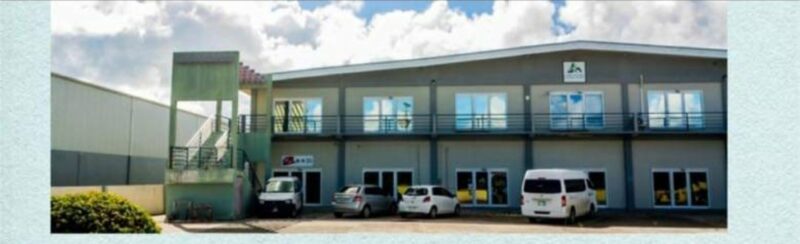
The government is taking steps to improve the performance of the National Solid Waste Management Authority (NSWMA), which is responsible for sanitation and beautification.
A Cabinet team, along with the NSWMA, reviewed the challenges faced by the Authority and discovered certain irregularities in the payment to service providers.
As a result, the NSWMA is facing a debt of about $40 million, which has led to the need for several measures to bring the organization back to a sustainable position.
However, the government is committed to assisting the NSWMA in achieving its mandate.
To this end, negotiations are underway with service providers for a fifty percent write-off of the total debt owed to them, and the Authority is putting measures in place to collect all outstanding tipping fees for use of the landfill.

The Board of the NSWMA will also require all service providers to meet with the Inland Revenue Department, the Medical Benefits Scheme, Social Security, and the Board of Education, to ensure that all statutory deductions owed to these agencies are deducted from the amounts owed to service providers.
Moreover, the NSWMA will purchase three additional trucks to augment garbage collection, and the office of the Financial Secretary will engage in discussions with the NSWMA to identify shortcomings in its operations and suggest ways in which the agency can become more efficient.
A report will be submitted to the Cabinet in two weeks.
By taking these measures, the government hopes to help the NSWMA function at an optimal level, which is critical to the health and wellness of the people, and ensure that the Authority achieves its mandate while getting value for money.
This story was first published by Antigua News on : antigua.news/2023/10/26/govt-to-review-operations-of-national-solid-waste. © 2023 Antigua News. Republication without permission is not allowed.

About the author
The Editorial Staff refers to all reporters employed by Antigua.news. When an article is not an original creation of Antigua.news—such as when it is based on a press release, other media articles, letters to the editor, or court decisions—one of our staff members is responsible for overseeing its publication.
Read our editorial standards and corrections policy. Spotted an error? Contact the newsroom.
More from Antigua and Barbuda
View section
Olympic Champion Thea LaFond Receives Honorary Doctorate at UWI Five Islands
Dominica’s Olympic gold medallist tells graduates that adapting to setbacks helped her reach the pinnacle of international sport.
By Shermain Bique-Charles

VIDEO: Pigotts Mall Store Appeals for Help After Reported $3,000 Theft
The business is asking anyone who recognises three women captured on surveillance footage to contact police.
By Shermain Bique-Charles

Jam Bull and Art After Dark Among New Highlights for Antigua and Barbuda Art Week
The November 11–18 festival will feature evening gallery tours, cultural performances, fashion, public art and creative workshops.
By Shermain Bique-Charles

Senator Colin O’Neal Earns Political Science Degree at UWI Five Islands, Sets Sights on Law Degree
Senator Colin O’Neal graduates with a Bachelor’s Degree in Political Science from UWI Five Islands Campus and announces plans to pursue a law degree in 2027.
By Cory Wayland
Comments
Be the first to comment.