
New Cemetery Site Road Work in Progress.

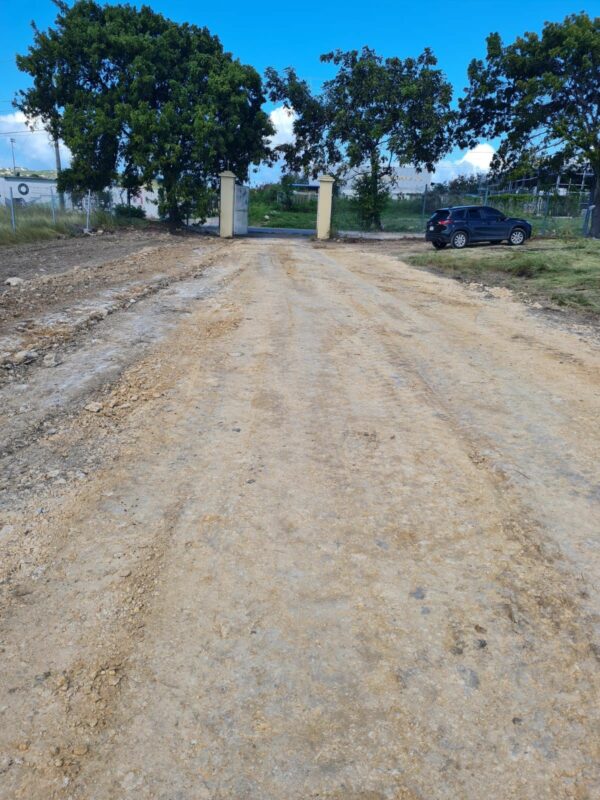
The Ministry of Housing, Works, Lands and Urban Renewal (MHWLUR) has commenced work in collaboration with the National Housing Development & Urban Renewal Co. Ltd. to undertake preparations at the new cemetery site located at Tomlinsons.
This project, which is expected to be ready for burials in the near future, reflects the commitment of both entities to enhance the quality of life for residents by creating sustainable urban spaces that meet the evolving needs of the community.
In its commitment to providing essential infrastructure and services to the community, MHWLUR said it recognizes the importance of creating a dignified resting place for loved ones.
To this end, the perimeter fencing of Phase I has been completed, and the internal road is currently being prepared.
The road preparations at the new cemetery site will facilitate easy access for mourners and ensure a peaceful and well-maintained environment.
The collaboration between MHWLUR and the National Housing Development & Urban Renewal Co. Ltd. signifies a shared vision to enhance the quality of life for residents.
By working together, both entities are dedicated to creating sustainable urban spaces that meet the evolving needs of the community.
The new cemetery site at Tomlinsons is poised to meet the needs of the community, offering a peaceful and dignified resting place for loved ones.

The project is designed to ensure that the area is well-prepared and maintained for burials, providing a sustainable urban space that reflects the shared vision of MHWLUR and the National Housing Development & Urban Renewal Co. Ltd. for enhancing the quality of life for residents.
MHWLUR said in a press statement that it remains committed to keeping the public informed about the progress of this project and will provide updates as they become available.
The road preparations and fencing at the new cemetery site are expected to be completed in the coming weeks, subject to all necessary approvals.
With this project, MHWLUR aims to provide accessible and well-maintained burial grounds for citizens, and ensure that the area is well-prepared and maintained for burials.
This story was first published by Antigua News on : antigua.news/2024/01/18/new-cemetery-site-road-work-in-progress. © 2024 Antigua News. Republication without permission is not allowed.

About the author
The Editorial Staff refers to all reporters employed by Antigua.news. When an article is not an original creation of Antigua.news—such as when it is based on a press release, other media articles, letters to the editor, or court decisions—one of our staff members is responsible for overseeing its publication.
Read our editorial standards and corrections policy. Spotted an error? Contact the newsroom.
More from Antigua and Barbuda
View section
Freeland Challenges Qualifier Schedule as College Commitments Complicate Team Selection
Basketball president says the timing of another qualifying round created difficulties for overseas players and added financial pressure
By Shermain Bique-Charles

School League Referee Calls for Investigation Into Alleged Verbal Abuse by Grammar School Coach
Devon Ollivere is seeking a public apology and safeguards for match officials following an alleged confrontation with Chesley Browne at Radio Range Football Field.
By Editorial Staff

Janica Adams Earns Special Recognition at Regional Tourism Youth Congress
Antigua and Barbuda’s Junior Minister of Tourism impressed with a creative destination pitch highlighting culture, adventure and bun and cheese ice cream.
By Shermain Bique-Charles

Dr Benjamin Calls for Community-Based Mental Health Care to Replace Clarevue Model
The consultant psychiatrist says meaningful reform must include housing, family support and direct involvement from people living with mental health conditions
By Shermain Bique-Charles
Comments
Be the first to comment.