
Arry Simon Takes Bold Action for All Saints West with Successful Clean-Up Campaign

By: Linda Roberts
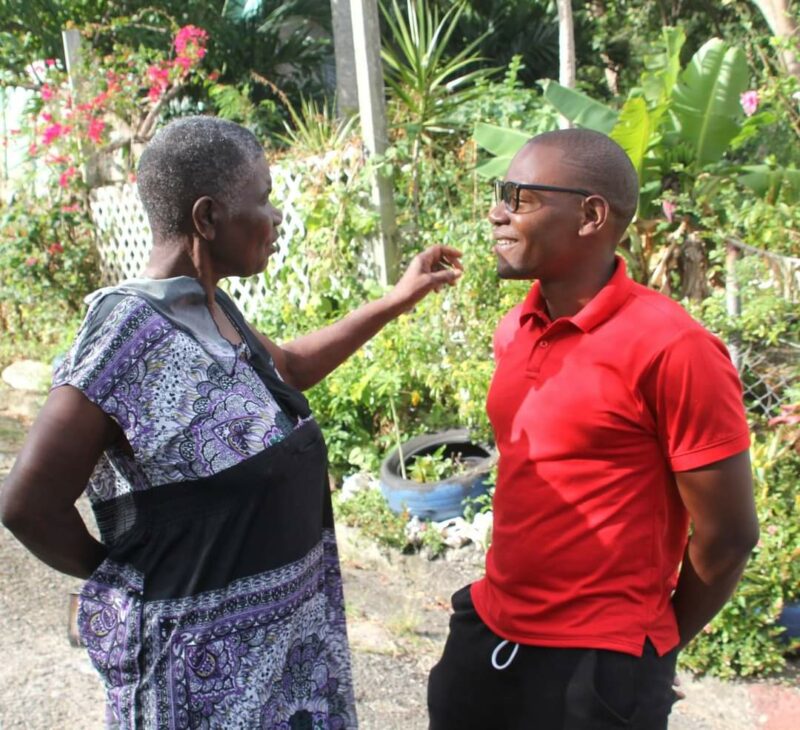
In a remarkable display of dedication to his constituency, Arry Simon, a prospective candidate for All Saints West, spearheaded a substantial bulk waste clean-up campaign in Herberts and Buckleys on January 13th and 14th. The initiative not only garnered praise from grateful residents but also showcased Simon’s commitment to tangible improvements within the community.
Elderly constituents expressed their appreciation, with one sharing, “You are doing very good work in this constituency, and I wish you all the best.” Simon’s hands-on approach resonated with locals, as evident in the sentiments of a male vendor who exclaimed, “These are the kind of things we need to see ongoing in the community, not just talk but action.”
Undeterred by challenges, Simon remains resolute in his dedication to All Saints West. He asserts, “Be the change. Secure your future!” – a powerful mantra that encapsulates his vision for a thriving and prosperous constituency.
The success of the clean-up campaign is just the beginning, as Simon hints at numerous upcoming projects and incentives for All Saints West. His proactive approach and commitment to making a difference have garnered attention and support, positioning him as a promising candidate for the constituency.
Simon’s motto reflects not only his personal ethos but also serves as a rallying cry for residents to actively participate in shaping their community’s future. With a track record of action and a promising vision, Arry Simon emerges as a dynamic leader poised to bring positive change to All Saints West.

This story was first published by Antigua News on : antigua.news/2024/01/20/arry-simon-takes-bold-action-for-all-saints-west-with-successful-clean-up-campaign. © 2024 Antigua News. Republication without permission is not allowed.

About the author
The Editorial Staff refers to all reporters employed by Antigua.news. When an article is not an original creation of Antigua.news—such as when it is based on a press release, other media articles, letters to the editor, or court decisions—one of our staff members is responsible for overseeing its publication.
Read our editorial standards and corrections policy. Spotted an error? Contact the newsroom.
More from Antigua and Barbuda
View section
Freeland Challenges Qualifier Schedule as College Commitments Complicate Team Selection
Basketball president says the timing of another qualifying round created difficulties for overseas players and added financial pressure
By Shermain Bique-Charles

School League Referee Calls for Investigation Into Alleged Verbal Abuse by Grammar School Coach
Devon Ollivere is seeking a public apology and safeguards for match officials following an alleged confrontation with Chesley Browne at Radio Range Football Field.
By Editorial Staff

Janica Adams Earns Special Recognition at Regional Tourism Youth Congress
Antigua and Barbuda’s Junior Minister of Tourism impressed with a creative destination pitch highlighting culture, adventure and bun and cheese ice cream.
By Shermain Bique-Charles

Dr Benjamin Calls for Community-Based Mental Health Care to Replace Clarevue Model
The consultant psychiatrist says meaningful reform must include housing, family support and direct involvement from people living with mental health conditions
By Shermain Bique-Charles
Comments
Be the first to comment.