
Winners of Christmas Lighting Competition announced

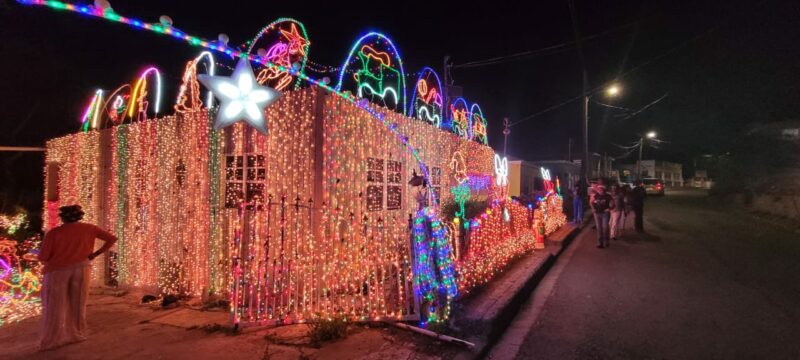
The Ministry Creative Industries has announced the winners of the Christmas Home and Business Lighting Competition for the period December 18-29, 2023.
This competition was truly one for the books! Featuring a Home and a Business category, the competition was a dazzling display of creativity and festive spirit.
The Home category was divided into four zones (East, West, North, and South), while the Business category was one zone island-wide.
The participants have outdone themselves with their stunning lighting displays, making it a tough competition.
Winners for both categories of the competition will be awarded a cash prize, and trust us, you wouldn’t want to miss out on those!
- First Place: $3,000.00 ECD
- Second Place: $2,000.00 ECD
- Third Place: $1,000.00 ECD
Participants for the Home category will receive a 100% waiver, while Businesses will receive a 50% waiver of their Electricity account for the month of December 2023. The Ministry Creative Industries takes this opportunity to congratulate all the winners and thank all the participants for their contributions and innovative presentations for the Christmas Home and Business Lighting Competition 2023.
The winners in each zone are as follows:
EAST ZONE: – Winner: Chatura Philip –
1st Runner Up: Marilyn Jones-Marsh –
2nd Runner Up: Chandy Lewis
WEST ZONE: – Winner: Gisel Isaac-Rayne
– 1st Runner Up: Alix-Xerone John
– 2nd Runner Up: Rawlins Andrew
NORTH ZONE: – Winner: Jean-Pierre Shoul
– 1st Runner Up: Inez Doreen White
– 2nd Runner Up: Verena Charles-Williams
SOUTH ZONE: – Winner: Vernelle Weste
– 1st Runner Up: Roland Joseph
– 2nd Runner Up: Philmore Braithwaite
BUSINESS CATEGORY: – Winner: Shoul’s Toys, Gifts & Housewares
– 1st Runner Up: Pigotts Mall
– 2nd Runner Up: Falmouth Harbour Marina

This story was first published by Antigua News on : antigua.news/2024/01/21/winners-of-christmas-lighting-competition-announced. © 2024 Antigua News. Republication without permission is not allowed.

About the author
The Editorial Staff refers to all reporters employed by Antigua.news. When an article is not an original creation of Antigua.news—such as when it is based on a press release, other media articles, letters to the editor, or court decisions—one of our staff members is responsible for overseeing its publication.
Read our editorial standards and corrections policy. Spotted an error? Contact the newsroom.
More from Antigua and Barbuda
View section
Freeland Challenges Qualifier Schedule as College Commitments Complicate Team Selection
Basketball president says the timing of another qualifying round created difficulties for overseas players and added financial pressure
By Shermain Bique-Charles

School League Referee Calls for Investigation Into Alleged Verbal Abuse by Grammar School Coach
Devon Ollivere is seeking a public apology and safeguards for match officials following an alleged confrontation with Chesley Browne at Radio Range Football Field.
By Editorial Staff

Janica Adams Earns Special Recognition at Regional Tourism Youth Congress
Antigua and Barbuda’s Junior Minister of Tourism impressed with a creative destination pitch highlighting culture, adventure and bun and cheese ice cream.
By Shermain Bique-Charles

Dr Benjamin Calls for Community-Based Mental Health Care to Replace Clarevue Model
The consultant psychiatrist says meaningful reform must include housing, family support and direct involvement from people living with mental health conditions
By Shermain Bique-Charles
Comments
Be the first to comment.