
Preparations for UN Conference on SIDS4 intensify.

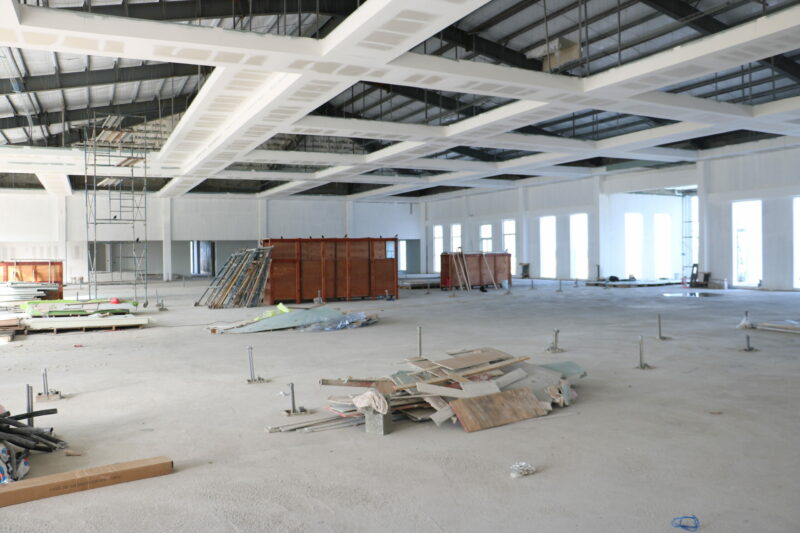
The 4th United Nations Conference on Small Island States, also known as SIDS4, is scheduled from May 27 to May 30 at the American University of Antigua.
The conference will be held on the island and will draw thousands of delegates from various island nations worldwide.
During the conference, participants will have the opportunity to discuss various issues that threaten their survival due to factors such as climate change, external economic shocks, and burdensome debt.
The Antigua and Barbuda Mission in New York is leading the event’s organization, with several key Ministries and agencies in Antigua and Barbuda playing a significant role in its coordination.
Ambassador Walton Webson, Antigua and Barbuda’s Permanent Representative to the United Nations, held meetings with key stakeholders and private sector partners, including Governor General Sir Rodney Williams, Prime Minister the Gaston Browne, Minister of Health and the Environment Sir Molwyn Joseph, Minister of Foreign Affairs the EP Chet Greene, Minister of Education the Daryl Matthew, and the National Coordinating Committee chaired by Ms Sheila Roseau, during his most recent visit.

The purpose of the meetings was to review progress and challenges, exchange thoughts and ideas, and provide updates. Ambassador Webson praised the efforts of the team and emphasized the importance of their roles in executing the conference.
He expressed his satisfaction with the progress in the construction of the conference center at the American University of Antigua and the level of collaboration across government agencies. Ambassador Webson also engaged in a media campaign to increase public awareness and educate individuals about the conference and its crucial matters.
This story was first published by Antigua News on : antigua.news/2024/01/24/preparations-for-un-conference-on-sids4-intensify. © 2024 Antigua News. Republication without permission is not allowed.

About the author
The Editorial Staff refers to all reporters employed by Antigua.news. When an article is not an original creation of Antigua.news—such as when it is based on a press release, other media articles, letters to the editor, or court decisions—one of our staff members is responsible for overseeing its publication.
Read our editorial standards and corrections policy. Spotted an error? Contact the newsroom.
More from Antigua and Barbuda
View section
Freeland Challenges Qualifier Schedule as College Commitments Complicate Team Selection
Basketball president says the timing of another qualifying round created difficulties for overseas players and added financial pressure
By Shermain Bique-Charles

School League Referee Calls for Investigation Into Alleged Verbal Abuse by Grammar School Coach
Devon Ollivere is seeking a public apology and safeguards for match officials following an alleged confrontation with Chesley Browne at Radio Range Football Field.
By Editorial Staff

Janica Adams Earns Special Recognition at Regional Tourism Youth Congress
Antigua and Barbuda’s Junior Minister of Tourism impressed with a creative destination pitch highlighting culture, adventure and bun and cheese ice cream.
By Shermain Bique-Charles

Dr Benjamin Calls for Community-Based Mental Health Care to Replace Clarevue Model
The consultant psychiatrist says meaningful reform must include housing, family support and direct involvement from people living with mental health conditions
By Shermain Bique-Charles
Comments
Be the first to comment.