
Parham Football Club Left in the Lurch as Asot Michael Withdraws Sponsorship

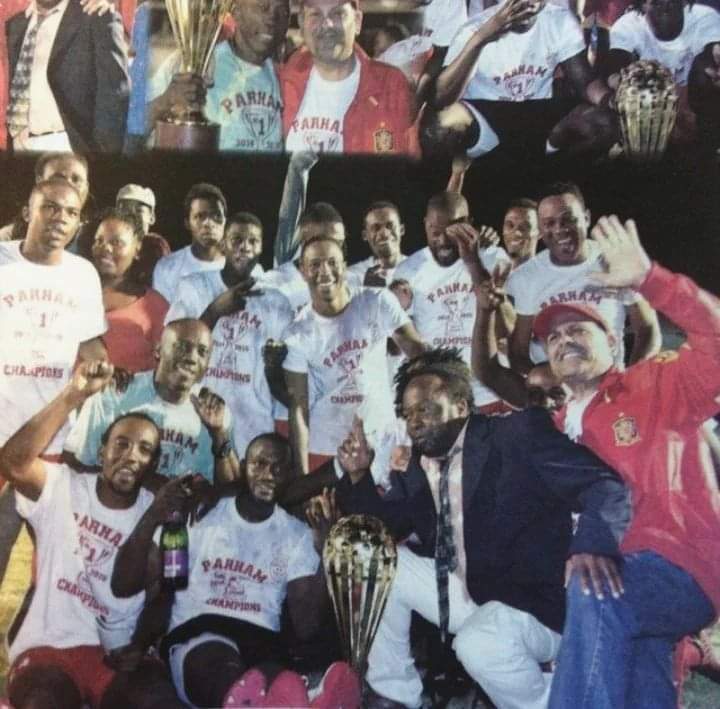
The Parham Football Club, once a respected and prominent team in the Premier League, is now facing the daunting challenge of being relegated to the first division.
However, their current predicament is not related to their performance on the field but rather to the recent political developments there.
According to our sources, Asot Michael, a Member of Parliament and one of the club’s main sponsors, has decided to cut ties with the team after the conclusion of the general elections.
Michael, a passionate supporter of the club and generously sponsored them in the past, has now seemingly changed his stance after the elections.
His sudden decision to distance himself from the Parham Football Club has left the fans and players bewildered and disappointed.
The club has been left in a precarious financial situation due to the abrupt withdrawal of sponsorship, and they are struggling to maintain their standing in the Premier League.

According to team members, Michael’s apparent shift in priorities has raised questions about the genuineness of his earlier support and the impact of political forces on local sports.
The Parham Football Club is now facing a double whammy of fighting relegation and coping with losing a key sponsor.
This has exposed the vulnerability of local sports organizations when political support is based on electoral goals.
In the aftermath of Michael’s decision, it is now up to the Parham community to rally behind their beloved football team and find alternate sources of support.
As the team fights for survival in the Premier League, the absence of a crucial sponsor has emphasized the need for sustainable local support to ensure the club’s longevity in the competitive arena.
The Parham Football Club’s battle against relegation now represents a much broader theme of resilience and self-reliance in the face of ever-changing political circumstances.
While Michael’s decision may have cast a shadow over the club’s immediate future, the unwavering support of the community will ultimately determine the club’s fate in the long run.
This story was first published by Antigua News on : antigua.news/2024/02/01/parham-football-club-left-in-the-lurch-as-asot-michael-withdraws-sponsorship. © 2024 Antigua News. Republication without permission is not allowed.

About the author
The Editorial Staff refers to all reporters employed by Antigua.news. When an article is not an original creation of Antigua.news—such as when it is based on a press release, other media articles, letters to the editor, or court decisions—one of our staff members is responsible for overseeing its publication.
Read our editorial standards and corrections policy. Spotted an error? Contact the newsroom.
More from Antigua and Barbuda
View section
Freeland Challenges Qualifier Schedule as College Commitments Complicate Team Selection
Basketball president says the timing of another qualifying round created difficulties for overseas players and added financial pressure
By Shermain Bique-Charles

School League Referee Calls for Investigation Into Alleged Verbal Abuse by Grammar School Coach
Devon Ollivere is seeking a public apology and safeguards for match officials following an alleged confrontation with Chesley Browne at Radio Range Football Field.
By Editorial Staff

Janica Adams Earns Special Recognition at Regional Tourism Youth Congress
Antigua and Barbuda’s Junior Minister of Tourism impressed with a creative destination pitch highlighting culture, adventure and bun and cheese ice cream.
By Shermain Bique-Charles

Dr Benjamin Calls for Community-Based Mental Health Care to Replace Clarevue Model
The consultant psychiatrist says meaningful reform must include housing, family support and direct involvement from people living with mental health conditions
By Shermain Bique-Charles
Comments
Be the first to comment.