
Gov’t Blames FSRC for Missing Relief Funds

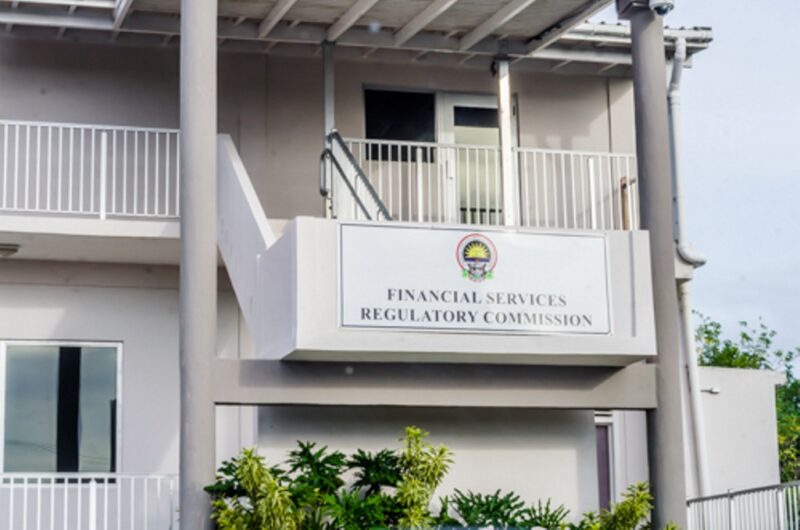
The government blames the Financial Services Regulatory Commission (FSRC) for the current problem involving British philanthropist Jack Stroll.
The FSRC has not commented on the matter since it was revealed around three weeks ago.
The issue relates to the Global Bank of Commerce and concerns about its operations.
Stroll’s British charity sent $1 million to the bank to aid with hurricane relief in Barbuda; however, the funds have not been accounted for.
The bank’s clients are also experiencing difficulties withdrawing funds, leading to doubts about the bank’s financial stability.
Despite knowing about the situation before it became public, Prime Minister Gaston Browne’s government denies any responsibility for the missing funds and distancing itself from the issue.
Chief of Staff in the Office of the Prime Minister Lionel Max Hurst said these concerns, letters from the opposition, and the Barbuda Council should be directed to the FSRC, not the government.
“It is not the government’s fault, the FSRC which is the police arm that has the responsibility to ensure banks behave as they ought to…they are the ones these letters should be addressed to, not the prime minister,” Hurst said
According to Hurst, there has been no irregularity or wrongdoing in the transfer of one million dollars.
He further explains that the government has already transferred the said amount to a dedicated account for Barbuda’s benefit.
Antigua and Barbuda’s financial services industry is regulated by the FSRC, which is responsible for maintaining the sector’s stability.
However, the regulator is currently facing the challenge of demonstrating its ability to address the ongoing issues faced by the Global Bank of Commerce. The bank is led by CEO Brian Stuart-Young, and its Chief Regulatory Officer is Paul Ashe.
Take a Listen:

This story was first published by Antigua News on : antigua.news/2024/02/04/govt-blames-fsrc-for-missing-relief-funds. © 2024 Antigua News. Republication without permission is not allowed.

About the author
The Editorial Staff refers to all reporters employed by Antigua.news. When an article is not an original creation of Antigua.news—such as when it is based on a press release, other media articles, letters to the editor, or court decisions—one of our staff members is responsible for overseeing its publication.
Read our editorial standards and corrections policy. Spotted an error? Contact the newsroom.
More from Antigua and Barbuda
View section
Freeland Challenges Qualifier Schedule as College Commitments Complicate Team Selection
Basketball president says the timing of another qualifying round created difficulties for overseas players and added financial pressure
By Shermain Bique-Charles

School League Referee Calls for Investigation Into Alleged Verbal Abuse by Grammar School Coach
Devon Ollivere is seeking a public apology and safeguards for match officials following an alleged confrontation with Chesley Browne at Radio Range Football Field.
By Editorial Staff

Janica Adams Earns Special Recognition at Regional Tourism Youth Congress
Antigua and Barbuda’s Junior Minister of Tourism impressed with a creative destination pitch highlighting culture, adventure and bun and cheese ice cream.
By Shermain Bique-Charles

Dr Benjamin Calls for Community-Based Mental Health Care to Replace Clarevue Model
The consultant psychiatrist says meaningful reform must include housing, family support and direct involvement from people living with mental health conditions
By Shermain Bique-Charles
Comments (1)
Tom February 4, 2024, 1:49 PM