
Antigua and Barbuda has been free from leprosy cases for over two decades

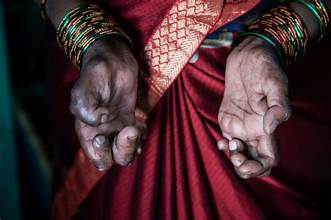
The twin-island nation of Antigua and Barbuda has managed to remain free from leprosy cases for over two decades, according to Health Minister Sir Molwyn Joseph.
Despite this, his ministry continues to closely monitor the situation as cases of leprosy have been reported in several Caribbean countries, including Martinique which is in close proximity to Antigua and Barbuda.
Leprosy, also known as Hansen’s disease, is a chronic infection caused by either of two types of bacteria, namely Mycobacterium leprae or Mycobacterium lepromatosis.
The disease can cause damage to various parts of the body including the nerves, respiratory tract, skin, and eyes.
One of the most significant effects of leprosy is nerve damage, which can result in a loss of sensation.

This makes it difficult for infected individuals to detect pain, which, in turn, can lead to the loss of extremities due to repeated injuries or unnoticed wounds. In addition to this, muscle weakness and poor eyesight are also common symptoms of the disease.
While some people may experience symptoms of leprosy within a year of infection, it may take 20 years or more for symptoms to appear in others.
Sir Molwyn said at a press conference today that it is critical for governments to remain vigilant and monitor the situation closely to prevent outbreaks of the disease.
“This disease is covered by CARPHA and is covered by the Medical Benefits Scheme since it requires chronic or prolonged treatment. Unfortunately for Antigua and Barbuda, we have the Infectious Disease Center which is the designated medical facility for isolation of infectious disease so if there is a case, we will be isolating these individuals there”, Sir Molwyn explained
This story was first published by Antigua News on : antigua.news/2024/02/06/antigua-and-barbuda-has-been-free-from-leprosy-cases-for-over-two-decades. © 2024 Antigua News. Republication without permission is not allowed.

About the author
The Editorial Staff refers to all reporters employed by Antigua.news. When an article is not an original creation of Antigua.news—such as when it is based on a press release, other media articles, letters to the editor, or court decisions—one of our staff members is responsible for overseeing its publication.
Read our editorial standards and corrections policy. Spotted an error? Contact the newsroom.
More from Antigua and Barbuda
View section
Freeland Challenges Qualifier Schedule as College Commitments Complicate Team Selection
Basketball president says the timing of another qualifying round created difficulties for overseas players and added financial pressure
By Shermain Bique-Charles

School League Referee Calls for Investigation Into Alleged Verbal Abuse by Grammar School Coach
Devon Ollivere is seeking a public apology and safeguards for match officials following an alleged confrontation with Chesley Browne at Radio Range Football Field.
By Editorial Staff

Janica Adams Earns Special Recognition at Regional Tourism Youth Congress
Antigua and Barbuda’s Junior Minister of Tourism impressed with a creative destination pitch highlighting culture, adventure and bun and cheese ice cream.
By Shermain Bique-Charles

Dr Benjamin Calls for Community-Based Mental Health Care to Replace Clarevue Model
The consultant psychiatrist says meaningful reform must include housing, family support and direct involvement from people living with mental health conditions
By Shermain Bique-Charles
Comments
Be the first to comment.