
MRI Services resume at SLBMC

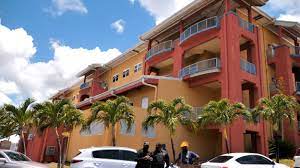
Residents will be breathing a sigh of relief, especially in their pockets, as the Sir Lester Bird Medical Centre (SLBMC) announced over the weekend that MRI services are back up and running.
For some time, services were halted due to a faulty chiller system at the hospital, but according to Medical Director Dr. Albert Duncan that matter has been resolved after “a thorough review of our equipment and ensuring all necessary maintenance and upgrades have been completed, we are confident in providing you with the highest quality MRI services once again”.
MRI (magnetic resonance imaging) machines use a magnetic field and computer-generated radio waves to produce detailed images of organs and tissues inside the human body.
Scans are painless and non-invasive and focus on specific body areas to diagnose various problems.
These areas include the brain and spinal cord (e.g., tumors); the heart and blood vessels (e.g., inflammation or blockages in the blood vessels); internal organs (tumors and abnormalities in the kidneys and liver, for example).

Over the years, the hospital only had one MRI machine, which frequently required repairs, leaving a backlog of patients.
In July last year, the Cabinet announced that they had approved the acquisition of a new machine.
Dr. Duncan thanked the public for their patience and assured them that in the upcoming months, they would try to readjust to providing a “full range of services.”
The Sir Lester Bird Medical Centre has been dealing with low morale among staff for months, with burned-out nurses, an increasingly angry public and an abundance of malfunctioning equipment hampering hospital services.
The Minister of Health held a lengthy press conference last week where he sought to shed some light on the work being done to address these issues.
This story was first published by Antigua News on : antigua.news/2024/02/12/mri-services-resume-at-slbmc. © 2024 Antigua News. Republication without permission is not allowed.

About the author
The Editorial Staff refers to all reporters employed by Antigua.news. When an article is not an original creation of Antigua.news—such as when it is based on a press release, other media articles, letters to the editor, or court decisions—one of our staff members is responsible for overseeing its publication.
Read our editorial standards and corrections policy. Spotted an error? Contact the newsroom.
More from Antigua and Barbuda
View section
Freeland Challenges Qualifier Schedule as College Commitments Complicate Team Selection
Basketball president says the timing of another qualifying round created difficulties for overseas players and added financial pressure
By Shermain Bique-Charles

School League Referee Calls for Investigation Into Alleged Verbal Abuse by Grammar School Coach
Devon Ollivere is seeking a public apology and safeguards for match officials following an alleged confrontation with Chesley Browne at Radio Range Football Field.
By Editorial Staff

Janica Adams Earns Special Recognition at Regional Tourism Youth Congress
Antigua and Barbuda’s Junior Minister of Tourism impressed with a creative destination pitch highlighting culture, adventure and bun and cheese ice cream.
By Shermain Bique-Charles

Dr Benjamin Calls for Community-Based Mental Health Care to Replace Clarevue Model
The consultant psychiatrist says meaningful reform must include housing, family support and direct involvement from people living with mental health conditions
By Shermain Bique-Charles
Comments
Be the first to comment.