
Record Breaking Rainfall Experienced in Antigua and Barbuda-Dale Destin

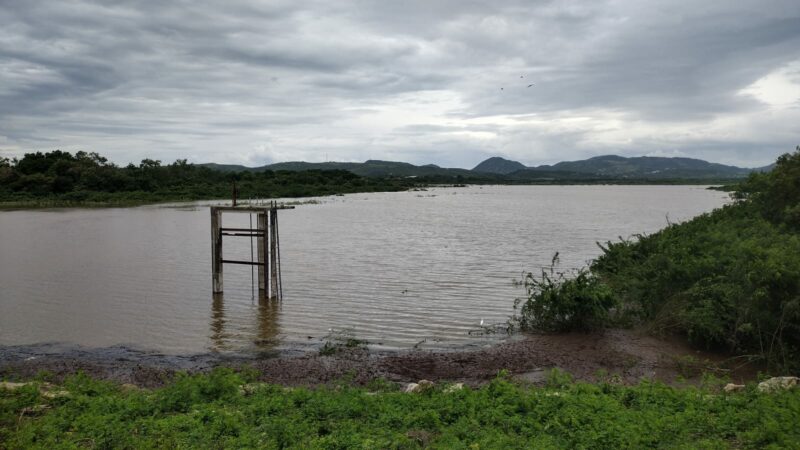
Last Thursday, Antigua experienced a record-breaking rainfall that has been measured at the VC Bird International Airport. This exceptional weather event has shattered the previously held rainfall record, making February 8th the wettest day ever recorded in February.
According to Dale Destin of the 268Weather site, the island was drenched with a remarkable deluge of 58.9 mm (2.32 in), surpassing the previous February rainfall record set in 1982, which was a more modest 39.0 mm (1.54 in).
This extreme precipitation is considered a rarity with a slim likelihood of less than 0.2 percent (0.177%), occurring once every 565 years on average.
Thursday’s rainfall also exceeded the cumulative rainfall for the entire month of January 2024, further highlighting its extraordinary nature.
To put the magnitude of Thursday’s rainfall in perspective, it surpassed the rainfall of 69 out of the previous 96 full Februarys on record at the airport.
Moreover, Friday’s downpour exceeded that of 393 out of the 1,153 total months on record at the airport.
The unusual weather pattern was attributed to a rare cold front reaching the area, accurately forecasted as early as Monday.

Despite the intensity of the rainfall, the impacts were minimal, and flooding was kept to a minimum as precipitation remained in the light to moderate range for most of the time.
This extraordinary rainfall not only shattered daily records but also propelled February 2024 to the top of the charts as the wettest February on record since 1928.
With the month’s total rainfall for Antigua now standing at 153.7 mm (6.05 in), surpassing the previous record set in 1982, residents are left to ponder the rarity of such weather phenomena and its implications on future climate patterns.
This story was first published by Antigua News on : antigua.news/2024/02/13/record-breaking-rainfall-experienced-in-antigua-and-barbuda-dale-destin. © 2024 Antigua News. Republication without permission is not allowed.

About the author
The Editorial Staff refers to all reporters employed by Antigua.news. When an article is not an original creation of Antigua.news—such as when it is based on a press release, other media articles, letters to the editor, or court decisions—one of our staff members is responsible for overseeing its publication.
Read our editorial standards and corrections policy. Spotted an error? Contact the newsroom.
More from Antigua and Barbuda
View section
Freeland Challenges Qualifier Schedule as College Commitments Complicate Team Selection
Basketball president says the timing of another qualifying round created difficulties for overseas players and added financial pressure
By Shermain Bique-Charles

School League Referee Calls for Investigation Into Alleged Verbal Abuse by Grammar School Coach
Devon Ollivere is seeking a public apology and safeguards for match officials following an alleged confrontation with Chesley Browne at Radio Range Football Field.
By Editorial Staff

Janica Adams Earns Special Recognition at Regional Tourism Youth Congress
Antigua and Barbuda’s Junior Minister of Tourism impressed with a creative destination pitch highlighting culture, adventure and bun and cheese ice cream.
By Shermain Bique-Charles

Dr Benjamin Calls for Community-Based Mental Health Care to Replace Clarevue Model
The consultant psychiatrist says meaningful reform must include housing, family support and direct involvement from people living with mental health conditions
By Shermain Bique-Charles
Comments (1)
Anonymous February 13, 2024, 1:15 PM